Desertcart purchases this item on your behalf and handles shipping, customs, and support to Cyprus.
🎯 Elevate your PS4 gameplay—Dominate every match with Strike Pack precision!
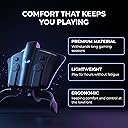
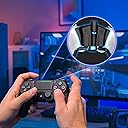
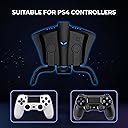
The Collective Minds Strike Pack FPS Dominator is a wired mod kit for PS4 DualShock 4 controllers featuring 2 remappable paddles, built-in mods like rapid fire and anti-recoil, and on-the-fly paddle mapping. Designed for ergonomic comfort and lag-free gaming, it plugs in easily with no app required, offering both casual and advanced customization options to give gamers a competitive edge.


| ASIN | B01L8QHXJA |
| Additional Features | Ergonomic |
| Best Sellers Rank | #5,415 in Video Games ( See Top 100 in Video Games ) #97 in PlayStation 4 Controllers |
| Brand Name | Collective Minds |
| Button Quantity | 2 |
| Cable Length | 120 inches |
| Color | Original Version |
| Compatible Devices | Playstation 4 |
| Compatible Video Game Console Models | Sony PlayStation 4 |
| Connectivity Technology | USB |
| Controller Type | Paddle |
| Customer Reviews | 4.2 4.2 out of 5 stars (19,998) |
| Hardware Platform | PlayStation 4 |
| Item Dimensions | 3.94 x 4.72 x 1.18 inches |
| Item Weight | 0.16 kg |
| Manufacturer | Collective Minds |
| Manufacturer Part Number | CM00083 |
| Model Name | PS4 Strike Pack F.P.S. Dominator |
| Model Number | CM00085 |
| Package Quantity | 1 |
| Power Source | Battery |
| UPC | 183654000838 183654000852 183654000821 |
| Unit Count | 1 Count |
R**N
I Didn’t Want To Write This Review
Ever think people buy positive reviews for their product? I think someone is doing the opposite for this one and putting negative reviews on here. I first looked at a Scuf controller 5 years ago. I filled out what controller I wanted and almost laughed when I saw the price was $180. How did it cost $130 for them to just put a couple tiny plastic paddles on the back of a controller? I never bought one and refused to because that price was ridiculous. So I see this Strike Pack a couple months back. I read reviews for a couple weeks and watched videos and finally decided to order it. It came in the mail and I set it up and plugged it in. It didn’t work. Long story short I fiddled around for an hour and realized the USB wasn’t even fully plugged in to the controller. I read some people say that you really had to PUSH HARD on the USB until it clicked a second time, but I underestimated how hard you had to push. So I really gave it some elbow grease, it snapped in, and ouilla it worked. It took 30 seconds to sign in and map the buttons and I was off. The game I’m playing is the one everybody is sick of hearing about, Fortnite. But the very first game I was able to jump around and build and shotty at the same time without moving my thumbs. It was amazing. Now here we are a couple months later and I’m twice as good as I was then. I’ve won a bunch of Solos and have no problem outplaying most people because I don’t have to move my thumbs around. This thing has worked amazing and it’s incredibly cheaper than anything else like it out there. I didn’t want to write the review because I have an advantage over everyone on console by using this thing. But at the same time I hate that Scuf has a monopoly on modded controllers and charges 400% of what this thing costs. And it’s also odd to me that the negative reviews on here will end up saying they should “Just buy a Scuf” instead. So if you’d rather spend $40 instead of $150+ I’d say give this thing a try. You won’t regret it
A**R
Bought for the Paddles and very satisfied - and it gets better and better with every Firmware Update
UPDATED to 5 STARS due to great support and new features (mapping paddles now also to Triggers, Touchpad and PS Button; on-the-fly button swapping; Remapper Tool for PC enabling stuff like remapping and deadzone controler) via Firmware Updates - check changelogs at http://collectiveminds.ca/shop/playstation/ps4/strikepack-fps-dominator/ - then Downloads and scroll down a bit. (June 8th 2017 - see details at the bottom) Short summary: + Paddles work great + Easy Set-Up + Solid Quality UPDATE: + Great Support and great new features via Firmware Updates and a Configurator UI - only works with provided, custom USB-Cable - cable stands out when plugged in, carrying controller's weight when on an even surface Note: Prepare to need some time to adjust to the paddles. I wanted paddles on my controller for a while, but I kept hearing bad stuff about Scuff and Sharq and others, especially when it comes to longevity and their lack of long-term warranty. And yes, price was also an issue, since I really didn`t see why I should pay 30 bucks more just so I can re-map what my paddles do. Then I stumbled across an ad for the Dominator and spent a week bothering their support team with all kinds of questions. In the end, I bought it, imported it to Europe, since it's not out there, yet. And I am quite happy, I did. I don't use mods - no cheating ;), so I cannot say anything about those, but the paddles so far work fine and that is enough for me. Their position on the controller is pretty much perfect, even if I had to get used to them being there - and used to my ring fingers doing some work while playing - I play with my middle fingers on the triggers at all times, so the ring fingers are the paddle fingers. The setup was easy and straight forward, but I did have to press quite hard to get both the Dominator plugged into the controller and the cable plugged into the Dominator, but they do fit solidly with no wiggle room. Using it with my USB PS4 Gold Headset also works fine - you just have to turn it on after you've activated and registered the Dominator. As I am very lazy - and am very wary of the weakness of plugs and ports and cables, I keep mine plugged in at all times. Which you can do (even if the manual says otherwise), if you follow a certain procedure to start up the console and the controller (it also helps if you have your profile set to automatically log-in): Power up the console by using the button on the console, NOT the PS button on the controller. Once you're in your Profile, then press the PS button on the controller (after one of the FW updates, you don't even need to do that anymore). (If you have a USB headset, now you can turn it on, then you have to select your profile and you're good). Note: This also works when powering up from rest mode, but you have to set rest mode to NEVER provide power to the USB ports and restart the console with the console power button, not the controller. When I first started playing with it, I noticed that I had an issue pulling the triggers, since the Dominator attaches to the controller's underside in the space where my middle fingers would usually curl into. For the first few hours having something there was driving me crazy, but now, after a few days of playing I don't notice it at all. I must've shifted my grip a bit - evidenced by a few little muscles pains, like the ones you get when using muscles you're not used to using, after two days that then quickly vanished. The paddle mapping was easy and I have so far never needed to do it again - the mapping still worked after every restart so far. The paddle operation itself feels good, their position is pretty much perfect and the haptic feedback accurate and nice. I have noticed that they are not quite as snug in their sockets as I'd like them to be, there is a little wiggle room, but I am not sure why and so far it hasn't affected my gameplay. There are two big issues I have with the Dominator though, and that is the USB cable and the angle it protrudes from the controller when plugged in. First, the USB cable is a custom cable with a very specific plug that allows it to fit snugly and securely in the Dominator's port. Which is great until the cable breaks, because most of the regular cables I've tried (including my favorite hardcore super-strong cables from Volutz) do not fit. Collective Minds told me that they'll send a replacement if the cable breaks, but being able to use any cable would've been a plus. Second, when the cable is plugged into the Dominator, due to the special plug and the Dominator's port it protrudes at a downward angle and as a result, if you put the plugged-in controller onto an even surface, the weight does not rest on the triggers as normal, it's fully on the cable - and thus on the Dominator's port and thus on the controller's port. Might not sound like much, but it's a continuous strain on the weakest points in the connection chain simply by laying down your controller. For now I put something underneath it that takes the weight so the cable is hanging freely, but it is kinda annoying. All in all though, I am very happy :) UPDATE: After over half a year of daily use I am still very, very happy. It works great and shows no signs of wear (but I am careful with that kind of stuff). And since Collective Minds keep updating the Firmware and adding and providing new features, I have now given this 5 stars. With the current update (1.40), you now can swap all buttons (and even triggers, like X=RT) on the fly while playing - they even integrated a lock to the remapping, so you don't accidentally do it (all documented in the new updated manual at: http://collectiveminds.ca/wp-content/uploads/ps4_fps_1.4.0_manual_english.pdf ). And the Strike Pack Configurator tool for PC allows for even more options, including setting stick deadzones, that allowed me to keep using my three year old launch controller, that in many games drifts to one side on one stick. It's great to see a company give such dedicated and thoughtful support to their product :)
T**G
genius design
I think there are some people who gave up too easy when trying this product. I have purchased 2 scuf controllers ( current gen and previous gen) both had glitches within 24 hours of opening. Had to send first one back for repair after using for 2 days. 90 day Warranty expired before trouble resurfaced. 2nd scuf started glitching after 3 months also. I can't speak yet about the reliability of strike pack, hopefully it is better than scuf. For the price, I think the performance & value are exceptional. Admittedly the click-on attachment has a little play to it, so the paddles don't feel as solid & high quality as the scuf. However, the ergonomics of the strike pack design are superior in my hands. Comfort is very personal, but i think if you haven't already played on a controller with paddles you should give it a couple weeks to get used to it. Also, i found that i had to change my grip a little to use the scuf & it was uncomfortable after playing for seen hour. The strike pack paddles are in the perfect spot for my middle fingers, no adjustment of grip necessary for me. If you play with middle fingers always on L2 & R2 it might be tough to reach paddles with ring fingers. I did run into a little trouble with initial connection. A few tips... Usb plug can be difficult to get all the way in, don't force it but make sure it's all the way in. I have the best luck initially pairing a controller by first turning on the ps4 with the button on the front of the ps4, then turn on the controller, choose your login name with x button, then plug in controller, then push ps button. You should see your name choice screen again. Now choose your name again. You should be paired. After that, assigning buttons is cake. I don't mess with mods. I usually don't bother with writing reviews, but i feel this product is genius terms of it's design & function, & i hope this product can bring scuff some serious competition. 4/1/17 Update... I've broken 2 of these units since November. Still love the concept and pricing of this product, and think it's great for introducing people to shortcuts on the back of the controller. However, if you play fps games everyday, the paddles probably won't last long. I just bought the Nacon revolution pro controller... So far it is superior to the strike pack.
K**E
Great Product, Unclear Information
I'll start with what I don't like about the product. First off the details on Amazon and their website have not been completely updated. The photos on Amazon and their website show the device with an audio jack between the paddles where you are able to plug a headset into the device itself. Apparently, on the most recent models, they removed the headset jack altogether. After discussing with customer service, the older versions had the jack but only was compatible with a handful of headset models. The new model allows any headset to be plugged directly into the controller and work, therefore no need for a built-in headset jack. That brings me to my second point. This pack is only compatible with the new PS4 controller model. This is the model that has a little light bar going across the touchpad. My controllers, unfortunately, were the older models. Thus I plugged my headset in the controller itself and the headset did not work. The PlayStation was unable to register that I had a microphone attached. Since I used the pack for multiplayer games, playing with friends and using the pack was not possible. I had to purchase a brand new PlayStation controller V2 to use the strike pack and a headset at the same time. There was a mention that this pack was not compatible with the older PS controller models but I could not find in detail the exact reasoning of what would not be compatible. Lastly, the paddles are slightly uncomfortable, but that is a preference thing. I feel like the paddles come too far down into my hands that both my middle and ring fingers are on the paddle itself and it just doesn't feel natural. I am most likely going to purchase the alternate paddles that are shorter, that they have listed on their website. Otherwise, this product works phenomenally. It was extremely easy to set up and work with the controllers (both V1 and V2). The button mapping was very easy to use as well, by simply clicking 2 buttons you can remap the paddles to whatever button you'd like. This method makes it very easy to change on the fly as well. The buttons are also magnetically attached and thus are easily removable if you only want to use 1 paddle and not both. Yet they aren't too easily removable that they just fall off. I don't really use this for mods so if that's what you're here for I can't really attest to how effective and/or discrete they are in gameplay. Overall, if I was in the same shoes as I was when I first got this item I would probably not buy it again. That is simply because originally I thought having the benefits of paddles for competitive gaming was worth spending just under $40. However, due to the lack of information or miscommunication, I had to pay another $65 for a new PS V2 controller and will pay another $15 or so for alternate paddles. Though if you have a new controller already, don't care too much about the feel in your hands, or don't care about the price tag and want a cheaper alternative to other competitive gaming controllers (i.e. scuff), then I would definitely recommend this product.
R**T
Great Alternative to Custom Controllers
As a person who adopted Scuf controllers back when they were first released back in the 360 days, I have gotten to the point where playing on a controller that does not have backside inputs feels foreign to me. Whether it is competitive gaming or casual, I have grown accustomed to the customizability that having rear inputs affords. It is a feature that I believe all gamers can benefit from, yet one that console makers have thus far refused to bring into the mainstream. Despite this, paying the exorbitant prices that custom controller manufacturers seek is sometimes a hard pill to swallow. When I came across the F.P.S. Strike Pack for Playstation 4 and saw that it offered essentially the same exact functionality as a Scuf controller, in addition to being detachable and replaceable—and, most importantly, that it only cost forty bucks—I was intrigued. So, I ordered one. In terms of design, the Strike Pack is fairly minimalistic. Aside from the little alien head on the back, there is no company branding. When the device is attached to the DualShock4, it flows well the original design contours and feels like an extension of the original design. It feels great in the hand, the paddles are positioned well ergonomically, and it doesn’t add much weight when you’re playing. The paddles are plastic, magnetically attached, and easily removable. Squeezing them provides a tactile click, and the effort required is just right. A small piece of protective foam rests on the inside of the paddles so that should you get a little too aggressive and force the paddles into contact with the body of the controller (under normal pressure there is about a millimeter of clearance between the two), you won’t cause any damage to the controller. Hooking the F.P.S. Strike Pack to the DualShock 4 is simple and straightforward. Plug the device into the DualShock 4’s USB input and fasten it with the plastic lever that runs up and under the controller. The lever snaps into the DualShock 4’s speaker grills and once everything is in place it feels surprisingly sturdy. If you want to attach a headset, there is a microphone jack on the bottom of the device that provides the same functionality as the native controller input. When you have everything set up to your liking, run the provided 6ft USB cable from the Strike Pack to the console and you should be good to go. Remapping the input to each paddle is equally simple. There are two square buttons on the upper portion of the device that correspond to the left and right paddles. Hold the button on either side down, press the corresponding button that you want to be mapped to the paddle, release the button, and you’re good to go. For the most part, once you map an input to one of the paddles, it will stay that way all through your play session and well into the next. But, on occasion, you will find that the device resets itself and your desired input goes back to default. It’s hard to pinpoint what exactly causes it, but it doesn’t happen often, and in my play time it isn’t obtrusive enough to be a major problem. There are a few caveats that are worth mentioning. First, the speaker on the DualShock 4 will no longer function with the Strike Pack attached. Secondly, you’ll have to use the controller in a wired state or the device will not function. Third, despite my best efforts, it seems that you cannot use the Strike Pack’s functionality in any PC games. I doubt any of these will be a deal breaker, but there you have it. Also, one caveat about this review: there are a number of built in mods that you can implement should you want to cheat a bit, but I haven’t experimented with those so I can’t comment. Overall, I am quite satisfied with my purchase. Considering the price point, I don’t think there’s any real way to beat it. If you want the functionality of a professional grade controller but are not professional enough to justify the purchase, I strongly you suggest you give the Strike Pack a look.
T**2
Dont waste your money
I'm going to post the same review for both the Xbox and the Ps4 version as both provided the same terrible experience. Pros: they are great, if and when they work. In my case, I never truly had one that worked I liked someone else and both mines arrived, defective... For the Xbox version, I had to contact support had to completely reflash the unit. it worked. Then it stopped working. I had to reflash it again. It would get to where the Xbox version would not connect when wired in with the product connected. The Ps4 version was no better it was the same, reflashed a dozen times, and never worked. It will work but won't recognize a controller is connected. Oh and let's get to the worst part of this product it only works if it's a wired connection. I know you can use a Bluetooth adapter into the USB but you have to use a powered slitter leaving you wired and it would still require the things to work. I don't care what any of these fanboys commenting trolling about how great the product is. I've been in CES for 20 years and these things are hot trash. You can see my full review on youtube. Where we go over exactly why these are hot trash. Besides the fact who considers it good to take a Bluetooth controller and make it wired. I'm going to avoid saying there are better options from competitors by not naming the competition. I will say 100% of these things suck. They also only work on the consoles. you cant use it for anything else according to the support. Which probably pans out because they won't recognize the remotes from a wired connection with them plugged in. yes, I did the who "double click" etc etc. Then they want you to pay for a "mod pass" pass for what? programming it sharing programs.... they want you all to pay to share your work for them to profit. This company sucks in the worst way. Every product they have is completely vapid. All fluff and hype. The worst part... These products could be great. Quite easily in fact. Anyone who understands the components inside these devices can tell you. It's a shame they couldn't spend the extra money and effort to try to actually deliver a real product that hits the market they were trying to achieve. But they just don't want to hit that mark. These are cash-grab items to take away from other legitimate product's market share. I say that purely based on neither product for 2 different consoles randomly selected from all of their stock worked. I have the support ticket, the chat logs. I mean if it takes that much work to make sure your product works. Then it doesn't need to be on the market.
M**D
My Scuf Replacement
As an early review, I really like both the idea of this and the product itself. My Scuf has been starting to crap out on me. I was really trying to avoid having to spend another $130+. This is a great replacement that I can use on any controller. The position of the paddles threw me off a bit. If you're not careful, they're much easier to press compared to my old Scuf paddles, but after an hour or two, it starting feeling pretty natural*. Upon first use, the paddles seems kinda cheap until I figured out why. The paddles use a fairly strong magnet to keep it in place. You shouldn't ever worry about them falling off during gameplay. Similar to Xbox One Elite controller. This means replacing these should be no hassle if they ever break. Once I got used to using them, they seem to have a pretty satisfying click. The paddles can also be configured to any button very easily on the fly. I was very impressed with how quickly I could change them. The Strikepack needs to be wired to the console via micro-usb. While this is not ideal for everyone, the direct connection provides lag free input even with older PS4 Controllers. As an FPS player, I actually noticed the difference and had a lot less "why didn't my gun fire?!" moments. The included cable is 10ft so there is plenty of room for most people. Any micro-usb works as well. As for the mods, while I'm not really into using a modded controller, I did test them out. I will say if you are planning on using the mods, you should always keep the instruction book handy. You will not need a computer to activate these. I believe all of the mods can be activated but holding on of the directional pad buttons and pressing another. Pretty easy overall. The Strike Pack offers a plethora of mods so navigating and remembering how to get to them can be challenging. Also, it goes back into the tournament or non-mod mode after being turned off. There may be an option to keep them on, but I am not sure at this time. I'm sure if you find some mods you like and use frequently, you will remember how to turn it on. This StrikePack offers a lot of utility. Just be sure to read to instruction book to get the most out of it. I am very pleased any will be ordering a second one. *Just a note: I've already gotten used to using paddles with my Scuf and Xbox One Elite controller. The learning curve with paddles is a little tough and can be frustrating at times, but is very worth it when you get used to it. I believe it took me about 2 weeks with a decent amount of play time to really get the feel for them. If these are your first paddles, be patient and try using the paddle exclusively.
M**.
Functions fine, but sub-par software and instructions
In terms of the actual hardware, the pack seems fine and the paddles function correctly. Tournament mode works correctly and the paddles are easily mapped. Mod mode is where it falls apart. The "menu system" consists of holding down one button while pressing others and trying to memorize which color LEDs and which number of LED flashes mean what. The manual is provided, but doesn't cover basic workflow. You end up watching their YouTube videos or reading 3rd party tips to get anywhere. Even then, navigating the menu via button presses is obnoxious and despite claims to the contrary, not "easily done on the fly" while gaming. After all the annoyance of the button menus sinks in, you'd turn to their software in hopes of easier options. You'd be disappointed there too. What they don't tell you is that to access game slots or settings for specific games, you're going to need to sign up for their online "mod pass" service ($15/yr - reoccurring paypal only). This was never mentioned up front when buying this, or on their web site. If all you do is play CoD, this is definitely the controller pack for you. You can use the default. Lucky you! If you're planning on playing ANYTHING other than Call of Duty, you're going to need to pay up. Even after trying to set it up correctly, buying a year of "mod pass", and setting up my non-CoD game settings, the difference was only marginal. Things like "recoil reduction" in games like the Division 2 hardly make a difference, even when turned up all the way in the settings. Rapid fire works sporadically and depends on setting up specific weapon profiles in other games like APEX or RDR2. Some games have sub-sub-sub-menus where you have to switch settings on the fly. It's honestly a mess. The software, at best, is a gateway to "mod pass" purchases that honestly should be included in the base product. If you're not willing to update your product with FPS titles and their settings on a regular basis, then it's simple no use after 6-months to a year. Unless, as I mentioned, you're just playing the CoD title of the year, in which case the defaults will be fine. CoD-centric, disappointing software, and no upfront info about needing to purchase a pass to escape the limitations of using only the default profile. 2.5 stars, and those are only because the two paddle buttons themselves actually function and can be somewhat easily mapped to useful things out of the box.
Trustpilot
5 days ago
1 month ago