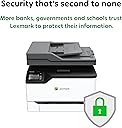
🖨️ Elevate your office game with color, speed, and sustainability—because your work deserves the best.
The Lexmark MC3326i is a compact, durable all-in-one color laser printer designed for small offices. It offers fast 26 ppm print speeds, automatic duplex printing, and wireless mobile connectivity. With a sturdy steel frame and built-in security features, it safeguards your data while boosting productivity. Certified CarbonNeutral, it supports sustainable practices including recycled paper use and a toner subscription program that cuts costs and waste. Ideal for professionals seeking reliable, eco-conscious printing solutions.

| ASIN | B08VGG1TBY |
| Additional Printer Functions | Copy, Fax, Scan |
| B&W Pages per Minute | 26 pages_per_minute |
| Best Sellers Rank | #44,429 in Office Products ( See Top 100 in Office Products ) #47 in Laser Computer Printers |
| Brand | Lexmark |
| Built-In Media | Lexmark MC3326i multifunction laser printer;Power cord(s);Statement of limited warranty / guarantee;Setup guide or sheet (network and local attachment);Return program imaging unit; Software and documentation CD;Up to 750 pages* Black and 500 pages* CMY starter return program toner |
| Color | White |
| Color Pages per Minute | 26 pages_per_minute |
| Compatible Cartridge | Lexmark high-yield toner cartridges |
| Compatible Devices | PC |
| Connectivity Technology | USB, Wi-Fi |
| Control Method | Touch |
| Controller Type | Android |
| Customer Reviews | 3.7 out of 5 stars 175 Reviews |
| Display Type | LCD |
| Duplex | Automatic |
| Hardware Interface | Ethernet, USB 2.0 |
| Ink Color | Cyan, Magenta, Yellow, Black |
| Item Dimensions D x W x H | 15.5"D x 16.2"W x 13.6"H |
| Item Type Name | Multifunction Printer |
| Item Weight | 37.7 pounds |
| Manufacturer | Lexmark |
| Maximum Copies Per Run | High |
| Maximum Copy Resolution Black and White | 600 dpi |
| Maximum Copy Resolution Color | 1200 x 1200 dpi |
| Maximum Copy Speed Black and White | 26 pages_per_minute |
| Maximum Media Size | 8.5 x 11 inch |
| Maximum Print Resolution Black and White | 600 dpi |
| Maximum Sheet Capacity | 250 |
| Maximum print Resolution Color | 600 x 600 dpi |
| Model Name | Old: Lexmark MC3326i |
| Model Number | MC3326i |
| Model Series | 3300 |
| Number of Drivers | 2 |
| Number of Ethernet Ports | 1 |
| Number of Licenses | 1 |
| Number of Trays | 1 |
| Other Special Features of the Product | Network-Ready, Print, Copy, and Scan, Two-Sided Printing, Wireless WiFi |
| Paper Size | 8.5 x 14 inches |
| Power Consumption | 395 watts |
| Print media | Envelopes, Paper (plain) |
| Printer Connectivity Type | USB, Wi-Fi |
| Printer Output Type | Color |
| Printer Type | Laser |
| Printing Technology | Laser |
| Processor Count | 2 |
| Resolution | 600 x 600 |
| Scanner Type | Sheetfed |
| Series Number | 3300 |
| Special Feature | Network-Ready, Print, Copy, and Scan, Two-Sided Printing, Wireless WiFi |
| Specific Uses For Product | Office |
| Total USB 2.0 Ports | 1 |
| Total Usb Ports | 1 |
| UPC | 734646721752 |
| Unit Count | 1 Count |
| Warranty Description | 1 year limited warranty |
| Warranty Type | One-year |
| Wattage | 395 watts |
A**R
Preferred Printer Product Quality Assurances
Printer works very well, unlike the HP that is controlled by external third party.
S**Z
Unreliable - Don't Buy
I kept this printer for about 3 weeks before I finally gave up and returned it. I'll give you some examples of the problems I encountered. First, the printer firmware, and the software that came on a disk with the printer, were hopelessly out of date. When I went to the Lexmark website to update everything I couldn't because of the antiquated firmware, but the website didn't warn me I that I needed to update the firmware. Result: I wasted an hour trying to get it to work, and then another 45 minutes on the phone with Lexmark tech support. After that I could print. But, as I discovered the next day, I still couldn't scan. Back to tech support for another 30 minute session. Then I started getting error messages every time I tried to print stating that Status Center is unable to communicate with printer driver. I could still print but I couldn't check status like toner level. Back to tech support. This time they said since I could still print, tough luck. Lest you think this is all because I am inept, I have been running my own home network for years, with multiple PC's, Macs, iPads. a printer, WiFi, etc.
R**O
Best printer I’ve owned
This printer has been so satisfying. It basically needed no setup— just plug it in and have fun pulling off all the protective stickers, haha. The connecting to my laptop was also easy— just tell your computer to look for the printer. And the prints look great, too. I’ve made use of the double-sides printing feature and the manual feed feature for thick card stock (which maybe I didn’t even need to do, but didn’t think about because my previous printer would get jammed if I put thicker paper in the tray). And it’s quick. The scanner feature is easy to s connect to a Google account. I have no complaints! A printer that does what it’s supposed to for a change. Ahhhh.
J**N
Not Cost Effective
I'm going to give the printer an overall score of 4. I had to call Lexmark to get the printer installed and set up. That may be because it is a new device to me. Every set up is different. Lexmark was very helpful. I appreciated the service. However, my issue is the amount of ink it uses. Two days after I got the printer I got a notification that the ink levels were low. I guess I expected that. I'm sure the cartridges that came with the printer weren't full of ink. Lexmark was the only site that I could find the cartridges. A complete set was roughly $280.00 and I had to pay an additional $44.00 to have the cartridges overnighted but I needed the printer for school and didn't want my studies interrupted. Not two weeks later I received another indication that the cartridges were low. The indicator made it look like the cartridges were nearly empty. So in less than a month I'm out of more than $600.00. Per the Lexmark website, each cartridge should yield 1,500 copies. It's hard for me to believe that I printed that many pages. I am pleased with everything else about the printer. I graduate in March and at this rate, I should purchase a cheaper printer . I can't afford $600.00 a month for ink. I think as a feature, the user should get several notifications about the ink levels and not wait till the cartridges are nearly empty. Also a counter that can be reset when ink is added so the the user can keep up with the usage. Also for a male with large hands, the touch screen could be larger. It took me about 8 tries to get my password typed correctly because the password is not displayed as it is keyed.
M**T
Fast and high quality printer
Although I gave this a high rating - there are some issues with this printer - if any of the 4 ink toner cartridges are low - this printer will not print until it is replaced. That means be prepared to spend hundreds of dollars to have a back-up set of ink cartridges on hand. After installing the printer, and less than one month after use with low printer use, the Cyan toner ran out - I assume that they do not sell the printer with high capacity toner cartridges - therefore, I could not use my printer for over a week until I received new ones. The new ones claimed to be high capacity - but I need to wait to see if this is true.
X**O
Setup is not simple
I got this printer yesterday and I tried to set it up today. I bought this one for home use. I don't think it is home use. Here are some drawbacks I would say: 1. There is no manual in the package. It has several print out for safety. One page with some diagrams how to remove the tape and plug in the power cord. The last diagram is a CD next to a computer. 2. It took me a while to navigate Lexmark website to down load user guide. But again, the user guide did not have clear instruction for setting the printer. 3. I plug in the CD to my computer and installed the software. It turned out the scanner software is not included on CD. I read the user manual and down load the scanner software from their website. 4. This may be my fault: When I powered up the printer, it asked me to set up user name and password. The default username is admin. Since it is for my home use, I typed in admin as password. But later, I cannot login with the username. I tried to reset to factory default setting, but the username and password did not reset. 5. The keypad on the screen is too small and very sensitive. Probably, when I typed password, it took anoher letter instead of "admin". I wish when I setup the password, it would display on the screen, so I knew what I typed in. 6. Online virtual support. It needs provide 6 digit pin. But how to get the pin? The reason I bought this printer: my company uses Lexmark's printer. We are a big company. I thought the printer must be very good since we have changed from other brand a few years ago.
G**M
Perfect Multi-use Printer
The speed and efficiency of a laser jet is now in color! This printer has turned me into a Lexmark diehard. It is easy to use and set up, it never has a failure or jame, and the quality is superb. A must-have for the workplace. The only con is that ink is expensive but will last for a while, even with heavy usage, so it does balance out.
T**N
NOT COMPATIABLE TO REMOTE PRINT FROM A COMPUTER OR SCAN
The printer is not discoverable through bluetooth. The printer randomely recognizes the IP address assigned. Spokw with Lexmark Customer Service on several occassions to trouble shoot; apparently the printer's internal software is defective and needs to be replaced. Now that I have been dealing with this issue for weeks with Lexmark, PCNation tells me I can no longer return because its been over 30 days since purchased. Yes, it is ONE week over the 30 days, but I have documented communications with Lexmark that I raised a concern with the printer prior to the 30 days. Im sure this is not a systemic issue with the Lexmark printers or other printers sold by PCNation, but a clear indication to make large purchases through a large box retailer such as BestBuy, OfficeMax... I asked PCNation to simply replace and take back defective printer; NO was the answer and to deal with Lexmark. UPDATE: After having a Lexmark technician (actual Lexmark employee) come to the house 4 times, they are unable to repair! The technician replaced 4 different parts that were all provided by Lexmark. Lexmark at least is trying. BestBuy. Staples or any other large box store would have exchanged or returned. PCNATION and Amazon (Amazon recommended the vendor) DO NOT STAND BEHIND THEIR PRODUCT! Amazon promised an inquiry and I would have a rapid response in 7 days that would either have the merchant exchange or Amazon would make me whole with a new replacement. I guess Amazon uses an Amazon Calander where 7 days = WEEKS!!!! hey Amazon - how about a response? PCNATION is a crook and will not respond - any response???? Long story short - PCNATION are snake oil salesmen and Amazon really doesn't care. Purchasing a large electronic - GO TO A LARGE BOX RETAILER!!!!!!
S**I
Lexmark quality / great printer
a medium sized footprint great for our small office with 6-8 people using it on a daily basis. the print quality is outstanding and the scanner feeder is awesome to use instead of scanning one doc at a time we can plop a bunch on and walk away
A**R
Do not buy!
Constant paper jams. Always telling me “needs paper” when the paper tray is full. They want you to ‘register’ and share your personal data, giving them complete control of your device. Absolutely horrible.
K**E
ok product
ok product
G**E
Qualité
Bonne imprimante mais l'encre est très dispendieuse.
Trustpilot
3 weeks ago
2 days ago