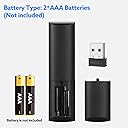
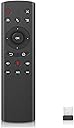
๐ฏ Command your screen like a proโremote control redefined!
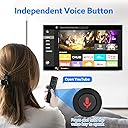
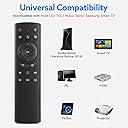
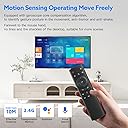
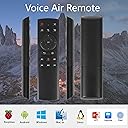
The WeChip G20 is a sleek 2.4GHz wireless air remote featuring voice control, a 6-axis gyroscope for intuitive air motion navigation, and plug-and-play USB connectivity. Compatible with a wide range of devices including Smart TVs, Android TV boxes, and PCs, it offers up to 10 meters of wireless freedom and 18 easy-access keys for seamless media control.


| ASIN | B07P322VRP |
| Additional Features | WeChip G20 |
| Battery Type | AAA |
| Best Sellers Rank | #186,119 in Electronics ( See Top 100 in Electronics ) #8,450 in Remote Controls |
| Brand | WeChip |
| Button Quantity | 18 |
| Color | G20 voice |
| Colour | G20 voice |
| Compatible Devices | ['Unspecified device', 'Television'] |
| Compatible devices | ['Unspecified device', 'Television'] |
| Connectivity Technology | Radio Frequency |
| Connectivity technology | Radio Frequency |
| Controller Type | Button Control |
| Customer Reviews | 4.1 out of 5 stars 991 Reviews |
| Manufacturer | WeChip |
| Max number of supported devices | 6 |
| Maximum Number of Supported Devices | 6 |
| Maximum Range | 32.8 Feet |
| Mfr Part Number | WeChip G20 |
| Model Name | G20 |
| Model Number | WeChip G20 |
| Number of Batteries | 2 AAA batteries required. |
| Special features | WeChip G20 |
| UPC | 781573693720 714035979513 |
G**A
Does not work
I wanted to use it in my Kodi Device but it does not work. The okay button is not working at all which is a bummer.
C**E
Perfect For Nvidia Shield
If you're an Nvidia Shield user, you know how awful its remote is. This low-priced device is what Nvidia should have included with its brilliant set-top box instead of that minimalist abomination the company has foisted upon its users. This unit has everything you need to control the Shield. Its surprise coolness is its mouse control, where you push a button and a cursor appears on the screen. Whoa, I didn't expect to like this feature so much! It's like magic to move the cursor around the screen by simply pointing the remote where you want it to go. The remote itself is cheap plastic and too light to seem substantial enough. Besides that it works well. Its radio-controlled (not the flaky infrared) signal doesn't require you to point the device at the receiver at all. Its mute control (the most important button on the remote if you're watching commercial TV) is conveniently situated at the top right, just where I like it. I was a bit worried when I received this unit -- there was something loose rattling around in the box and it sounded like a piece of it had broken off. But not to worry -- that was the USB receiver, which was carelessly placed into the box with no wrapping. But that didn't end up mattering at all, because to make the remote work, all I had to do was plug this USB receiver into my device, and it just worked. Bravo! Worth every penny.
K**E
Life saver
This is probably my 3rd or 4th one of these and each time it's because I have misplaced the original remote or are unable to pair a device. There best part of this device is that there is no pairing required and is as simple as placing the USB attachment into whatever you're wanting to control. It's a media box for me and this works well, the batteries last long, it fits well in the hand and is an excellent replacement remote
R**L
Replacement for crappy NVIDIA Shield remote
I bought this to replace the crappy remote that comes with the NVIDIA shield. It seems to go to sleep and requires too much fiddling to get it to wake up. Will not wake on using the volume feature. The WeChip doesn't have that problem and I can instantly change volume at will. I like that part. What I don't like is the cheap feel, high force needed for the left side of the ring switch and the fact that it always sends a "double click" to the Shield resulting in going back two steps rather than just one. Overall the WeChip feels cheap and not well designed. However, it gets the job done for the price. NVIDIA just came out with a new remote but good luck buying one since everyone who owns an older Shield wants a better remote than the substandard one included.
D**M
Very good for the price, and works with Android TV
Just plug it and it works. I'm using it with my Sony TV running Android TV. * Air mouse feels smooth. * Build quality is decent for the price. * Enough buttons to navigate menus. * Was able to program the IR power button from the TV remote. Hard to complain with the price, but I wish the shape of the remote was a bit sculpted to make it nicer to handle and be less wobbly when on the table. I also wish there were a few extra "custom" button that can be programed to launch apps. You may want to install a third party virtual keyboard on Android TV as the default Gboard will not show up when you have a physical keyboard connected.
P**L
Buttons not all that friendly
I find myself pushing the same button numerous times to get it to work. I am only 6 feet away from the box and it doesn't seem to take. Also, if you don't push directly in a certain spot, it doesn't take. It is more frustrating then it is worth.
Trustpilot
1 month ago
3 days ago