Buy anything from 5,000+ international stores. One checkout price. No surprise fees. Join 2M+ shoppers on Desertcart.
Desertcart purchases this item on your behalf and handles shipping, customs, and support to Cyprus.
🔐 Unlock the future of home security—wherever you are!
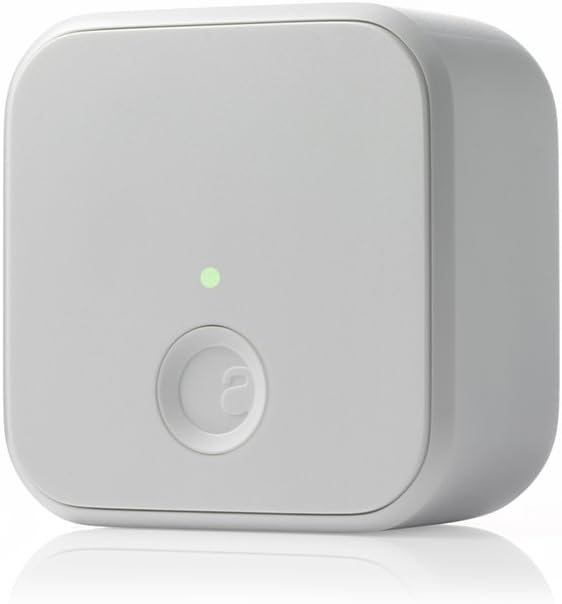
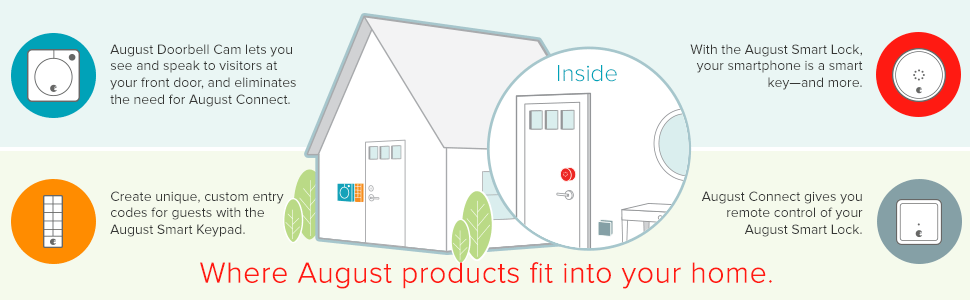
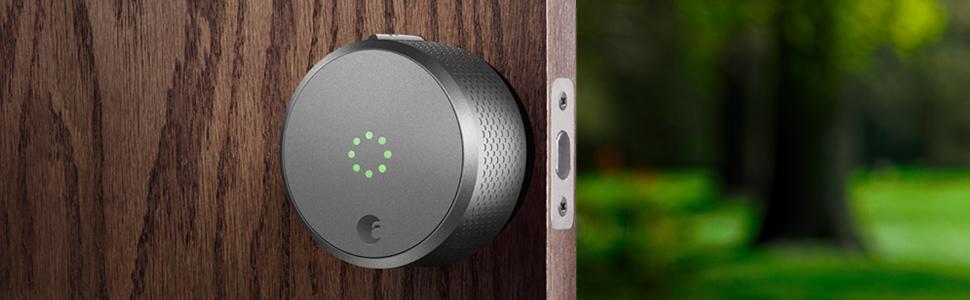
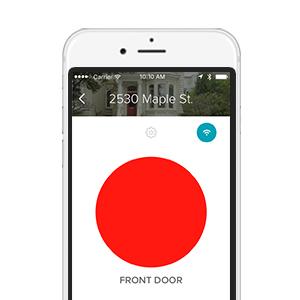
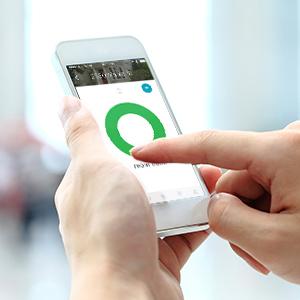
The August Home Smart Lock Connect Wi-Fi Bridge in white enables remote control of your door lock via Wi-Fi and Bluetooth, compatible with iOS and Android devices. It supports voice commands through Alexa, Google Assistant, and Siri, and sends instant alerts for entry and exit events. Compact and easy to install, it requires a standard North American outlet and offers keyless, secure access with real-time monitoring.


| ASIN | B0168IXNFQ |
| Additional Features | Keyless |
| Best Sellers Rank | #121,369 in Tools & Home Improvement ( See Top 100 in Tools & Home Improvement ) #238 in Deadbolts |
| Brand | August Home |
| Brand Name | August Home |
| Color | White |
| Connectivity Protocol | Wi-Fi |
| Control Method | Remote |
| Controller Type | Amazon Alexa |
| Customer Reviews | 4.2 out of 5 stars 4,465 Reviews |
| Finish Types | Painted |
| Global Trade Identification Number | 00853984006052 |
| Included Components | 1 Connect , Getting Started Guide |
| Item Dimensions | 6.1 x 6.1 x 3.8 centimeters |
| Item Type Name | August Connect Wi-Fi Bridge |
| Item Weight | 0.18 Pounds |
| Item dimensions L x W x H | 6.1 x 6.1 x 3.8 centimeters |
| Lock Type | Keyboard, Password |
| Lock type | Keyboard, Password |
| Manufacturer | August |
| Manufacturer Part Number | AC-R1 |
| Manufacturer Warranty Description | 1 year |
| Material | Metal |
| Material Type | Metal |
| Model Name | August Connect Wi-Fi Bridge |
| Model Number | AC-R1-Wi-Fi-Connect |
| Number of Pieces | 1 |
| Recommended Uses For Product | Door |
| Recommended uses for product | Door |
| Shape | Rectangular |
| Smart Home Compatibility | Smart Home Compatible |
| Special features | Keyless |
| Style Name | Hub |
| UPC | 853984006052 |
| Unit Count | 1 Count |
J**Y
Good
Good
B**L
It works! And is much faster/easier than having to keep track of a key
We got this because my husband cannot be trusted with keys :) and I am too impatient to fish around for the key and futz with the lock every single time I come and go. So we were pretty sloppy about locking up when we left. (which always made me a tad uncomfortable in the back of my mind) So that is why we got this. We've been using it for about a month now. Installation was pretty easy, and syncing with iphone was a breeze. We did run into one issue/question (the documentation referred to something on the app which had since been moved/renamed) but you just call up support and they picked right up -- even on a sunday! Overall, I really like it! I would say about 90% of the time it behaves exactly as hoped/expected-- it locks the door behind you when you leave, opens the door as you return. Locking when you leave is pretty much 100% reliable. This has always worked. The part that is a little less reliable is automatically unlocking when you return. My husband always has his bluetooth headphones in so I think for him this messes up communication between his phone and the lock. For me, I have a couple of times gotten a message saying something about a communication error with the lock. But if this happens, it still always unlocks using the app (in other words, the worst case scenario is that instead of unlocking all by itself, you have to pull out your phone). Not a big deal. I would say that if you have a sticky lock, then you should probably try and resolve that before installing so you don't wear out the batteries prematurely. For us, our lock always rubbed against the plate when locking/unlocking so it was really hard to turn. So we fixed that before installing and I think that was the right move. Hardware-wise, it has been pretty much flawless as a result. I would say if you're thinking about it, then do it! It is a really neat concept, well executed and also well supported!
V**A
Good thing I didn't listen to all the negative reiviews
U use the setup together with a lock at an Airbnb property. At first I did not want to get the August Connect due to all the negative reviews, thinking it will be just a waste. After running in to some issues with people not being able to open the door, I decided that I need the ability to lock and unlock remotely, so I bit the bullet. Should have done it Earlier! This thing works great! Yes, I had issues with connection, tried a few different spots and was able to find an outlet with a direct line of sight with the lock, shows weak connection but works great. I know when people leave or enter, I know when door is open or closed and I can remotely control the lock. If you have a good line of sight outlet no more than 10 feet away, buy this, you won't regret it!
C**Y
Accesorio casi necesario para la cerradura
Este producto me ha dejado satisfecho completamente, con este accesorio puedes controlar tu puerta desde donde te encuentres, siempre y cuando tengas una conexión a Internet. Nunca se me ha desconectado o perdido señal, siempre ha funcionado perfecto y ya llevo más de un año y medio con el mismo. Con las notificaciones que te manda al celular de quien abrió y cerro la puerta o si la dejaste abierta puedes quedarte más tranquilo de que pasa en la puerta de tu casa.
K**O
No fuss setup
Straight forward setup. Work instantly.
A**.
Great product - install help
Long review for install assistance. Product works great and I can check status as well as open & close the door remotely. There seems to be a trick for installing. If you are having issues connecting to wifi, try the following: 1.) First, it will only connect 2.4GHz. 2.) You will use your phone to connect via the app. 3.) It will be best for you "forget" your home networks except for the one you plan to connect the connect device. The reason for this: when the app attempts to join the network, it drops the current connection and then rejoins ur next home network (if you have both 2.4 & 5 GHz or a guest network). This is only half of the config process. When it tries to reconnect to the WiFi, it won't be able to. Save yourself some aggreviation, remove all (except the 2.4GHz network you want the connect on) local networks from your cell. Add them back after... I had the lock, the connect and my (new - already working) WiFi extender within 5ft of each other and it still had issues cinnecting when I had more than 1 home network "remembered' for auto join. After you join your new connect, you can text signal strength, etc. One last thing... MAJOR props to support. I had issues with the auto unlock feature after I added the connect device. Within 1-2 days of contacting support, opening a case; I sent a few logs via the app with the case number. support pushed an upgrade to the lock and it cleared the issue!!! I only run the auto unlock feature (no auto lock.) You do need to go out of range for a certain period. Once you do, you will receive a messsge from the app that you left the area. Once you see that.... your all set with the auto unlock when you return. Hope this has helped and saves someone the aggreviation and testing I went thru.
Trustpilot
4 days ago
1 month ago