Desertcart purchases this item on your behalf and handles shipping, customs, and support to Cyprus.
๐ช๐ Secure your space, smartly and wirelesslyโbecause your property deserves next-level protection!
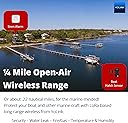
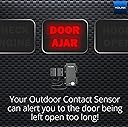
The YOLINK LoRa Smart Outdoor Contact Sensor offers a powerful 1/4 mile wireless range using LoRa technology, enabling secure monitoring of gates, sheds, and remote doors without wiring. It features a long-lasting, replaceable AA battery with over 5 years of standby life, supports device-to-device pairing without WiFi, and integrates seamlessly with Alexa, IFTTT, and Home Assistant. Users receive instant Email, SMS, and Push alerts with no monthly fees, making it a cost-effective, reliable solution for professional-grade outdoor security.


| ASIN | B08P1VQMCR |
| Alert Type | Motion |
| Battery Average Life | 5 years |
| Battery Cell Type | Alkaline |
| Best Sellers Rank | #39,181 in Tools & Home Improvement ( See Top 100 in Tools & Home Improvement ) #68 in Home Automation Devices |
| Brand | YoLink |
| Built-In Media | Battery, Sensors, Siren |
| Color | Outdoor Sensor |
| Compatible Devices | Smartphone |
| Connectivity Technology | Wireless |
| Control Method | App |
| Customer Reviews | 4.5 out of 5 stars 997 Reviews |
| Global Trade Identification Number | 00850024791022 |
| Installation Method | Outdoor |
| Installation Type | Outdoor |
| Manufacturer | YOSMART |
| Manufacturer Warranty Description | 2 Years |
| Maximum Range | 1320 feet |
| Mfr Part Number | YS7707-UC |
| Model Number | YS7707-UC |
| Power Source | Battery Powered |
| Sensor Technology | LoRa |
| UPC | 850024791022 |
| Unit Count | 1 Count |
| Voltage | 120 volts |
J**D
It's very useful, has proven reliable, and is low-cost for what it is and does
This sensor is part of a number of Yolink smart appliances I use. It performs perfectly, reliably, and installed relatively easily. The electronic part of installation is easy, as part of the Yolink suite of sensors. The mechanical part was relatively easy. I'm using it as a steel gate monitor, and it apparently is intended for wood gates and doors, so the included wood screws weren't used. In my case, to mount the unit I super-glued the magnet portion to the swinging gate and zip-tied the Hall-sensor portion to the static frame of the gate. It is AA battery operated, and batteries were provided. It has been in place for nearly a year and it has worked without missing an opening of the gate or alarming for a false opening the entire time. it maintains a history of openings and closings. An Open reminder can be set, so the user is notified if the gate remains open for a settable period of time. This feature is the primary reason I purchased the unit. After nine months the battery level shows as full. The signal intensity also is shown by the app, and it shows Strong (-59 dBm) in my case where the receiver is 25-30 ft away and inside the house. The receiver (hub) connects wirelessly to my AP. As with all the Yolink sensors, I have no complaints. The cost was reasonable for the quality, reliability, and satisfaction it provides.
J**.
Yolink has very good products. Great range. Great battery life. Very good quality
Works great, room for error as can have a large gap in between sensors upon install. The smaller sensors have to be very tight to work properly, too tight Batteries last a long time, and very well built. A good value as this should last a long time. Also, I love that they allow us to replace the batteries in virtually every one of their products, this is so cool not to have to charge each one and then replace the whole unit due to a dead rechargeable sealed battery that cant be accessed. Issues with Yolink: first their app would send push notifications and worked great on my old Samsung phone for a few years but the s25 phone upgrade works some weeks and others not intermittently for no apparent reason, so not ideal for security. Ive contacted them about this with no solution. I have spent over 1000 dollars on yolink for house automation and security so not a good thing to have intermittent notifications. Also, Yolink should make both a carbon monoxide detector and smoke detector, I have heard others mention this.. Lastly, we should be able to organize our devices in the app to keep all the same categories together. For instance sensors together, cameras in another area etc... It would be much more efficient. It should be easy enough to program a way to move the icons around in the app to group them together or a auto list by name, date downloaded or type. I would be happy to be a product tester for YoLink as I think they are a great company with great forward thinking products.
S**L
Save time from walking to mailbox for nothing
My mailbox is about 154 feet away from my house. My mail delivery times vary, it can be anywhere from 3 pm -10 pm. I used to check it when I got home from work and found nothing, but I know I have mail due to the USPS Informed Delivery I signed up for. So I would need to keep checking the mailbox until either I got the mail or just went to bed and I would get the mail the following day. So I wanted something that would alert us when the mail was delivered. I did an internet search and I found this YoLink LoRa Smart Outdoor Contact Sensor. I read reviews and watched YouTube video reviews of it. As I was reading a review and saw that someone decided to go a slightly different route and went with the YoLink LoRa 1/4 Mile Wireless Range Smart Motion Detector. They placed the motion detector inside and on the back of the mailbox. I was going to follow because I liked the idea of the lack of any wires but then discovered the motion sensor does not work in cold weather (32 degrees is the lowest operating temperature and I live where it is colder during the winter months). So I went back to the idea of this, YoLink LoRa Smart Outdoor Contact Sensor. I bought the YoLink LoRa Smart Outdoor Contact Sensor with Hub. It was easy to set up. I downloaded the app first and created an account. Then I plugged in the hub and connected it to my router (via ethernet cable, it can be connected wirelessly but I like the wired connection, less chance of any issues), and then I added the contact sensor to the app. I tested the sensor first before installing it on the mailbox. When I was planning my installation on the mailbox, I saw that some installed the sensor inside the mailbox, but I did not want the sensor to get bumped by any mail or packages, so I decided to place the sensor on the outside. I also wanted to have easy access to the battery box. I wanted to easily remove the battery box from the mailbox, so I did not want to tape the box to the mailbox (underneath the mailbox). So I used the double-sided tape that came with the sensor and taped the battery box to an 11 lb round magnet (it takes 11 lbs of force to remove the magnet, the magnet does not weigh 11 lbs). With the magnet on the battery box, I can place the battery box anywhere on my metal mailbox and it is secure enough that it will not fall or detach itself. It is a solid connection. I placed the battery box underneath the mailbox where it is not too noticeable. I installed the sensors in the door area of the mailbox with double-sided tape after I wiped the area with rubbing alcohol for a clean surface. Once the sensor and box were installed, I then went into the app setting and set up the alerts. I wanted app alerts when the mailbox sensor was opened. At first, I did not get alerts, but then I realized I had to go into my phone app settings and give permission for the YoLink app to give me alerts. Once I did that, it was working great. I work in a different city and I will get notified via app alert that my mailbox has been opened. This system was easy to install and use. It is easy to add more sensors and devices. A hub can have more than 200+ devices connected to it, plenty if you want to add more devices for home security. The only critical thing I can say about this is this has an option to get text alerts if the the sensor is opened, but you only get so many texts a month and you will need to pay to subscribe to get more text alerts. But with the app alerts, it is limitless and it alerts me. What else can you ask for? You can get email alerts as well, but the app alerts work great for my needs.
R**M
Gate Left Open? Not Anymore.
This YoLink LoRa Smart Outdoor Contact Sensor has been a simple but incredibly useful addition to our home. We use it on an outdoor gate, and it gives us instant peace of mind knowing when the gate is openedโor worse, left open. We have a big boy who loves exploring, so an open gate can quickly become a stressful situation. With this sensor and a YoLink Hub, we get app notifications when the gate opens, closes, and can even review the event history. A few things to know: โข Setup was quick and straightforward through the YoLink app. โข Notifications are reliable and arrive promptly. โข Event history makes it easy to check whether the gate was opened or closed. โข The system is surprisingly affordable compared to other smart home brands. โข The sensor has been dependable with no false alerts. The only challenge was mounting. Due to the way our gate is configured, we couldn't install the sensor on the latch side. Instead, we had to mount it near where the gate attaches to the fence. It took a little trial and error to find the right placement so the sensor would consistently recognize when the gate was opened, but once we dialed it in, it worked reliably. For anyone wanting an easy, inexpensive way to monitor gates, doors, sheds, or other outdoor access points, this system delivers excellent value. Reliable alerts, simple setup, and a much friendlier price than many competing brands make this a solid buy.
D**E
Works well for how I want to use it with my driveway magnetic sensor system.
Iโm totally blind! Letโs start out with saying the wire magnetic switched is about 1 foot or so long. The magnet and switch both have screw holes for mounting. The package comes with screws and double sided tape. There is no screw holes in the box and electronics. So you would need to use some other way to attach the box. Really double sided tape for something that could be outside in the weather and maybe on wood? I donโt think so. But anyway. What I like! The batteries are very easy to get to and the sensor doesnโt come with them already in it. You have 2 lock down clasp to undo and then you lift up the top. On the bottom of the top is the QR code label that you need to scan to bring the sensor online to YoLink. The sensor takes 2 AA batteries. To bad other outside sensors that YoLink doesnโt have easy to replace batteries like this one. I donโt like the fact the box doesnโt have a screw mount. Now I wanted a way to have my old Magnetic driveway transmitter and receiver setup works with the Alexa service. Thought about it a lot and kicked around some ideas of how to do it. My STI-V34100/STI-V34150 system has a 12V output when it triggers. So knowing that needed a way to trigger some other device. Thought about using a electric magnet. But that pulls to much power. So thought about using the YoLink outdoor sensor being it has a wired connection for the magnetic switch for Open/Close status. Figured that would work. Needed a way to be able to tie that into the driveway receiver. So pick up a 12V relay that doesnโt require much power to be able to change the connection. So pick up the YoLink Outdoor sensor and the relay. Then I sat down and using my light detector and talking multi meter along with my talking cell phone was able to determine what wires whir what for the relay and guessing what was hot for it. Then wired up the power first to the relay to ensure it worked with the driveway receiver. Herd a click when the receiver was turned on. So that was good. Cut the magnet off the YoLink door sensor and touched the wires together to ensure the sensor said it was closed. Yep that worked. Then unplugged the relay and attached the YoLink wires to the Open side of the relay. Plugged the relay back into the receiver and triggered it! The YoLink sensor went from Open to closed as I wanted. Yea! That worked. Now created the routine for Alexa to say when the Outdoor sensor names (Driveway Monitor sensor) is closed! Then announce through all Echoโs in the house that there is a vehicle in the driveway! Tested again by triggering the transmitter and the Echo announced what I wanted. So with my own thoughts and ability to figure out things! I was able to make this work. This is in some way much better then the YoLink outdoor motion detector. Why! Is because this will not trigger off of people, pets or things like that. It will only work on vehicles. It works off of magnetics and detects the iron in the vehicle. Yes every now and then; Youโll will get a faulse reading! But not near as many as a motion sensor and also sun light doesnโt impact how it works at detecting vehicles. P.s. You could also use the YoLink water sensor 2 or 3 to do the same thing in place of the outdoor contact sensor. I used the contact sensor being I could feel the 2 wires side by side and on teh water leak sensor! It was a round wire and would be harder for me to strip the wires. I didn't have an 3.5MM male Mono jack with wires on the other end. If I had, I probably would have used the water leak sensor instead. Just some other options for people who may want to do something like I did above. After all, not like I can see someone in my driveway!
J**P
Super simple install
Nice addition to the YoLink universe. Can work with a fairly large gap between the fence and post. Can be mounted inside your yard as long as it receives some sunlight to recharge the internal battery. I mounted mine on the hinge side of a standard resin fence and gate to protect it better from gate users. Not typical placement but works well on these thick gates.
N**R
Great product for outdoor door/gate scenarios.
Needed a solution to add outdoor sensors for some farm gates that are not visible. Added these to the YoLink app, then presented to home assistant, then via that presented that to Apple HomeKit. I get notifications on my iPhone , and set up automation to pop up camera feed when the gate opens. The range is great, one gate is 300 feet from the hub and still works like it's 1 foot away. Surprised to find that the Hub connects to wifi or wired which is a great plus, as I prefer wired for backend infrastructure. Sensor uses the basic aa battery box with cookie jar like plastic latches. Think battery operated fairy lights or Christmas lights. I am concerned about its durability in the summer, we will see as it gets very hot where I live and these are black plastic. So far the product does exactly what it's supposed to. A simple contact closure that is weather proof that uses regular ol batteries. Also discovered you can use a larger stronger magnet for a bigger gap.
D**R
Amazing ease of setup and works consistently!
Amazing!!! Got this to be able to monitor a double gate to make sure it is closed at night. This was by far the easiest device of this type with a hub that I have ever installed!!! One thing I love this does not use wifi it is hard wired ethernet connection and truly plug and play! Once I downloaded the app and plugged this in and scanned the bar code on the hub it installed immediately no problem at all, no playing around with wifi for 20 minutes! Next the sensor it self same procedure scan the bar code from inside the yolink app and added the sensor immediately in fact as soon as it added it, it reported it open woohoo! So easy to integrate with my Alexa as well. Linking the accounts was just as easy and setting up a custom routine was pretty simple. I don't think you actually have to set up a routine once your account is linked and you name your sensor I think you can just ask alexa is my back door gate closed or open and it will report it open or closed. What I wanted to do was ask are all my gates closed since ultimately I was so impressed I got sensors for my other two gates so I have a total of 3. I was so impressed I bought one of the door locks which is amazing and just as easy to install and set up too, I want to get a couple more of those. I included a picture of my alexa app set up should be easy to follow. I you want to check more than one gate or something else from yolink just keep adding actions and it will report back. My routine now checks each gate for me at night when I ask.
D**L
Sensor works fine but no tampering alerting
Good simple tech and easy to setup. When the outdoor contact sensor contacts are broken the alert to the app is immediate. If buying the sensor for security reasons a limitation worth noting is if the sensor goes offline (e.g. batteries are removed or other tampering) it takes over 12 hours for the hub to notify you that the device is offline due to polling intervals). A model with tamper alerting has been suggested.
E**R
Great YoLink as usual! Awesome distance and reliability
The LoRa YoLink products have all been great for me. Too bad IT costs for the tech probably can't get them into the low cost wifi"style" wall switches and plugs using their long range LoRa technology to communicate through their hub to the wifi network. I'd switch in a minute for the reliability of I could afford it but for now yard and driveway motion sensors and switches work perfect, even at -40C during our Yukon winters. Same batteries getting close to 2 years. At -40C they will say low battery but after you write it out and it gets back up to -20 you get full strength minus one for the battery level ... and now +20 I'm back up to full battery bars with the same set from two years ago!
D**.
They work well
Easy to setup
J**Y
Simple and Reliable Door Monitor
This thing wad easy to install, activate and use. Love the overall automation app and how well integrated it all is. No regrets at all. Now, I've got their water sensors and I'll be getting the temperature gizmos soon.
R**.
Excellent product
I have been using YoLink products for 4 years now. This is another great product of theirs. Simple to install, great battery life and does a great job of what itโs supposed to do. Best thing is the long range. No more worrying about whether your Wi-Fi signal is going to be strong enough, YoLink products use LORA, which is a low frequency, long range radio wave system that gives up to 1/4 mile range. I have YoLink sensors as far as 800โ from my hub and no problem. With the 40 or so YoLink sensors I have, Iโve had to deal with YoLink tech support a few times and have always found them to be over-the-top excellent in their response, even going so far as to send me replacements as long as several years after my purchase. Iโm an electrical engineer with a specialty in digital communication and I design radio frequency communication products among other things. I have nothing but good things to say about YoLink products and support. I have over 180 smart products of various brands in my homes and boat and YoLink products are among the easiest and best. Their app is also very comprehensive and feature rich. I use this contact sensor to interface some of my own circuit boards with my IoT devices.
Trustpilot
3 days ago
1 month ago