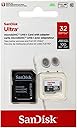
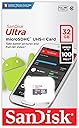
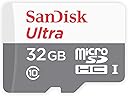
![SanDisk Ultra 32GB MicroSDHC Class 10 UHS Memory Card Speed Up To 30MB/s With Adapter - SDSDQUA-032G-U46A [Old Version]](https://m.media-amazon.com/images/I/51JeWAlbIIL._AC_SL3840_.jpg)


Buy anything from 5,000+ international stores. One checkout price. No surprise fees. Join 2M+ shoppers on Desertcart.
Desertcart purchases this item on your behalf and handles shipping, customs, and support to Cyprus.
🚀 Upgrade your storage game with speed and reliability that keeps you ahead!
The SanDisk Ultra 32GB MicroSDHC card delivers up to 30MB/s read speeds with Class 10 performance, perfect for Full HD video and fast file transfers. It comes with a 10-year warranty and an SD adapter, ensuring broad compatibility with Android devices, cameras, and laptops. Durable and reliable, this memory card is designed for professionals who demand speed and longevity in their storage solutions.
| ASIN | B007XZM6VG |
| Additional Features | Temperature Proof, Water Proof |
| Best Sellers Rank | #490 in Micro SD Memory Cards |
| Brand | Sandisk |
| Color | Silver/red |
| Compatible Devices | Laptops, Most Cameras, Most phones |
| Customer Reviews | 4.6 out of 5 stars 52,076 Reviews |
| Flash Memory Type | Micro SDHC |
| Global Trade Identification Number | 00619659078645 |
| Hardware Connectivity | MicroSD |
| Item Part Number | SDSDQUA032GU46A |
| Item Weight | 9.07 g |
| Manufacturer | SanDisk |
| Media Speed | Up to 30MB/s |
| Memory Storage Capacity | 32 GB |
| Mfr Part Number | SDSDQUA-032G-U46A |
| Model Name | Sandisk |
| Model Number | SDSDQUA-032G-U46A |
| Secure Digital Association Speed Class | Class 10 |
| UPC | 619659078645 |
| Warranty Description | Lifetime Limited |
| Warranty Type | Limited |
M**N
Watch Price - Great Card Often on Sale
My review is a little backwards… but I thought the most relevant should go first. WARNING: ONLY BUY THIS CARD ON SALE! The *typical* price since summer 2013 is about $24 for 32 GB, and about $48 for 64 GB. DO NOT pay any more than this, and you can actually pay less if you have the luxury of time / patience. The lowest (non-lightning) price hit about $18.00 for 32GB and $35 for 64GB, in early December. I basically buy when the price hits $20 or less, and the 64 nears $40.00. From December 2013 to January 2014, I watched these cards change price on an almost daily basis. They initially went on sale for about $17.95 and $34.95 for 32 and 64 respectively. I watched them slowly increase in price, with random dips and peaks for a month. On January 6th 2014, they still show as a "Best Deal on Amazon" for "7 more days" but they are at the highest price point since last summer -- and higher than I have *ever* payed for these cards! So don't let the "Best Deals" section deceive you, at $27/$50, these are NOT a "deal" in terms of price. Okay, here's my actual "review" of these absolutely great SDXC cards. **** I have tried a variety of MicroSDXC cards, and so far the Samsung Ultra UHS1 are the best -- and the price can't be beat -- for all the most important reasons: speed, capacity, reliability, durability. I have not had a single failure, and I use these cards in my Nook HD+, Nexus 7 2013 (via USB) and my Canon 5D Mark II (with converter) and MacBook Pro (In the card slot). They're durable and waterproof, and I can use the same card in all these devices without reformatting. I even had one go through the wash, and I still use it for pictures. For the technically inclined, I have cards with *both* the Clockwork Mod bootloader (for the Nook HD+) and the MagicLantern firmware for my Canon EOS 5D II on the same card. I can pull it from the Nook, shoot pictures with the camera, and look at the results on the Nook by just pulling the card out of one device and placing it in the other. This should be possible with any SDXC/SDHC card, but it turns out that the Samsung UHS1 is the only card I've found that works reliably. Some cards won't boot because they're too slow too finicky, but all my Samsung UHS1s work great (the 64GB will not boot in the Nook, but no 64GB card will). I keep my eyes open for price drops on these cards because they've performed so well for me. Samsung also has a newer, faster card, but its price-point hovers somewhere north of "prohibitive" so I still stick with these. And that's good news regardless because as the new card increases its market share, these should drop even further in price.
H**M
UPDATED - Great w/ Galaxy S4 & Galaxy Tab 4 10.1 - No Complaints Here!!!
[[ UPDATE - 6/19/2014 ]] So my lovely wife bought me a Samsung Galaxy Tab 4 for Father's Day and I've been loving it ever since. Just as other with Samsung products, the Galaxy Tab 4 has the ability to add a microSD card to expand the memory on the device. Since it's been over a year, I decided to do some more research to see if SanDisk offered anything new. As of 6/19/2014, their product lineup for microSD cards from worst to best (performance-wise) are the as follows: SanDisk SanDisk Ultra SanDisk Ultra PLUS SanDisk Extreme SanDisk Extreme PLUS SanDisk Extreme PRO Now, the difference between all of these cards are simply the speed in which you can read/write data to the card. Yes, the published rating of most all these cards (except the SanDisk regular) are Class 10/UHS-I but that's just a rating... Actual real world performance does get better with each model, but with faster cards come more expensive prices. Since Amazon doesn't carry the Ultra PLUS model of microSD card, I had to do direct comparisons between the SanDisk Ultra ($34.27), Extreme ($57.95), and Extreme PLUS ($67.95). As mentioned in my earlier review, I purchased the SanDisk Ultra for my Galaxy S4. My question was, did I want to pay over $20 more for a card that is faster than the one I already owned? Or I could pay almost double to get SanDisk's 2nd-most fastest microSD card. The Ultra works perfectly fine for my style of usage (storing/capturing pictures & HD video and movie playback) on my phone. So in the end, I ended up just buying another SanDisk Ultra 64GB card. I use my cell phone *more* than I do my tablet and if the card is good enough for my phone, it's good enough for my tablet. I don't own a 4K HD camera or anything like that, so I honestly didn't see a need to get one of the faster cards at this time. I am now a proud owner of 2 SanDisk Ultra cards and have absolutely 0 issues with it in my Samsung devices. [[ ORIGINAL REVIEW - 5/1/2013 ]] I haven't had to buy a microSD card in a long time. The last time I bought one was for my cell phone over 2 years ago. But since my cellular contract was up, I knew I would have to get a newer card in addition to my new phone, the Samsung Galaxy S4. Reason for this is because I knew my small 16GB microSD card wasn't going to cut it. Doing research on the Galaxy S4, I wanted to get the best card possible that had decent capacity (32 GB or greater). This led me to find that the Galaxy S4 supports the microSDXC Class 10 UHS-I card, which is the fastest possible given that class. Searching for that specifically on Amazon gave me results of only 3 vendors (as of April) that makes these microSDXC Class 10 UHS-1 cards. They are Sandisk (the majority), Samsung and Lexar. Nobody else makes these that are sold on Amazon. Seeing how SanDisk is a pretty good name out of the 3 (I've used them the most), I decided upon the SanDisk because Lexar was overpriced and the Samsung one was overpriced (as well as not eligible for Amazon Prime). But the scary thing is that when you filter by the SanDisk, you literally get DOZENS of options. All of them have different model numbers, different sizes, etc. Then there's that confusion of what's the difference between SDHC & SDXC? SDHC vs SDXC: SDHC stand for "Secure Digital High Capacity" and SDXC stands for "Secure Digital eXtended Capacity". Essentially these two cards are the same with the exception that SDHC only supports capcities up to 32GB and is formated with the FAT32 file system. The SDXC cards are formatted with the exFAT file system. If you use an SDXC card in a device, it must support that file system, otherwise it may not be recognizable and/or you have to reformat the card to FAT32. FAT32 vs exFAT: The differences between the two file systems means that FAT32 has a maximum file size of 4GB, limited by that file system. exFAT on the otherhand, supports file sizes up to 2TB (terabytes). The only thing you need to know here really is that it's possible your device doesn't support exFAT. If that's the case, just reformat it to FAT32. REMEMBER FORMATTING ERASES ALL DATA! To clarify the model numbers, I I hopped over to the SanDisk official webpage. What I found there is that they offer two "highspeed" options for SanDisk cards. These are SanDisk Extreme Pro and SanDisk Ultra. SanDisk Extreme Pro is a line that supports read speeds up to 95MB/sec, however they are SDHC only. To make things worse, they are currently only available in 16GB & 8GB capacities. Since one of my requirements was to have a lot of storage, I ruled these out. The remaining devices listed on Amazon's search were the SanDisk Ultra line. But here, confusion sets in because SanDisk separates these cards to two different devices. Cameras & mobile devices. Is there a real difference between the two or is this just a marketing stunt? Unfortunately I'm not sure but I do know the price difference between the two range from a couple cents to a few dollars. Since I wasn't sure, I opted for the one specifically targeted for mobile devices (just in case there is some kind of compatibility issue). To find the exact model number, I would go to Sandisk's webpage (sandisk.com) and compare their existing product lineup. From there, you get exact model numbers and you can then search Amazon for these model numbers. That is how I got mine (SDSDQUA-064G). As for speed tests, I haven't run any specific testing, but copying 8 GB worth of data from my PC to the card literally took just a few minutes. One last note is that Amazon attaches additional characters to the end (for example SDSDQUA-064G-AFFP-A vs SDSDQUA-064G-U46A). The difference between the two is that the "AFFP-A" means "Amazon Frustration Free Packaging". Other than that, these are exactly the same. If you're wondering what I got (and want to use it in your Galaxy S4), I got the SDSDQUA-064G-u46A and it works like charm.
S**N
Ample Storage and Reliable Speed
The SanDisk Ultra 128GB MicroSDXC Class 10 UHS Memory Card (SDSDQUA-128G-G46A) is a versatile and dependable storage solution for all your data needs. With its impressive storage capacity, fast Class 10 UHS speed, and included adapter, this memory card has far surpassed my expectations, providing ample storage and reliable performance for my devices. The standout feature of the SanDisk Ultra 128GB MicroSDXC Memory Card is its vast storage capacity of 128GB. This provides plenty of space to store photos, videos, music, and other data, making it ideal for smartphones, tablets, cameras, and other devices. The Class 10 UHS speed ensures rapid data transfer, enabling smooth and seamless performance when recording and playing high-definition videos or accessing large files. The included adapter allows for easy transfer of data between devices with a standard SD card slot, making it versatile for use in various devices. SanDisk is a well-known and trusted brand in the memory card industry, and the Ultra 128GB MicroSDXC Memory Card reflects the brand's commitment to delivering high-quality and reliable storage solutions. The memory card is also water, temperature, and shock-resistant, ensuring the safety of your data in various environments. In conclusion, the SanDisk Ultra 128GB MicroSDXC Class 10 UHS Memory Card is a must-have for anyone seeking ample storage and reliable performance in a small form factor. Its impressive capacity, fast Class 10 UHS speed, and included adapter make it the ultimate choice for expanding the storage capacity of smartphones, cameras, and other devices. If you're looking for a top-notch memory card that delivers on storage and performance, the SanDisk Ultra 128GB MicroSDXC Memory Card is the perfect option. I highly recommend this memory card for its outstanding performance and the convenience it brings to storing and accessing my data!
A**Y
⭐️⭐️⭐️⭐️ Reliable storage, but clearly an older-generation card
This SanDisk Ultra 64GB microSD card is still a dependable option if you’re using it for basic tasks like storing photos, videos, music, or expanding storage on older devices. Setup was quick, and it worked right away in my phone and camera without any issues. Performance is decent for everyday use. Read/write speeds are fine for Full HD video and general file transfers, but you can definitely tell this is the older version. It’s noticeably slower compared to newer UHS-I cards, especially when transferring large files or using it in newer devices that can take advantage of higher speeds. Build quality is what you’d expect from SanDisk — reliable and durable. I’ve used SanDisk cards for years, and they tend to hold up well over time. Pros: • Trusted SanDisk reliability • Works immediately with wide device compatibility • Includes adapter (nice bonus) • Good for basic storage needs Cons: • Slower than newer Ultra/Extreme models • Not ideal for 4K video or heavy apps • Clearly outdated compared to current options Overall, this is a good budget card if speed isn’t critical. Just make sure you know you’re buying an older model — fine for everyday use, but not for performance-heavy tasks.
L**E
Works great in NextBook 7 tablet (and OneTouch Evolve phone AFTER FIXES)
The 32GB Sandisk Ultra microSDHC UHS-1 card with adapter seems to work great in my Alcatel One Touch Evolve 5020T Android phone and NextBook 7 Android tablet. I purchased 2 cards in retail packaging (SDSDQUA-032G-U46A), one for each device, from seller Amazon.com. Very quick standard shipping, ordered Feb 5, arrived Feb 10. I haven't needed the adapter, but wanted it "just in case" I decided to use my micro cards later on other devices. When I used the USB cord to connect my devices to my computer to download files onto the new SD cards, the NextBook 7 tablet (Android 4.0.0) worked exactly as expected - as a "mass storage device". I could drag and drop as if it were a thumb drive. HAD PROBLEMS GETTING IT TO WORK WITH ALCATEL ONE TOUCH EVOLVE PHONE 5020T The One Touch Evolve phone (Android 4.1.2) was not so simple. It connected as an "MTP Media Player", which restricts file transfers to photo, video, and music. I could see the phone and SDHC card on Windows Explorer, and could drag & drop the acceptible file types only. Nor would it allow me to create my own folders. "Wrong" file types forced me to "skip" the file. Well, I had .ged files (for genealogy programs) and a vcard file with my phone numbers. Neither type would transfer. As a workaround, I changed the extension from .ged to .jpg, and got them to transfer that way. Then renamed them on the phone. My basic File Manager App on the phone was pitiful. Downloaded ASTRO File Manager from the Play Store which makes creating folders, renaming and moving files around much easier. In VERY TINY print on back of the retail package that my SanDisk SDHC card came in, it says "Download required. See www sandiskmemoryzone com". So I downloaded the SandDisk Memory Zone app from the Play Store. Didn't help with computer transfers at all, and I subsequently deleted it, but others may find it useful as a file manager. After several hours of frustration and internet searching, I discovered the phone itself was set to MTP Media Device, and the file transfer problems had nothing to do with my new 32GB card. Here are the steps I took to change the phone settings. I don't know exactly which actions solved the problem, so I'm listing all that I did. Downloaded and installed a phone driver from the Alcatel site to my computer. After installation, the driver folder did not show up until I restarted the computer. Altered my phone USB settings. Each phone has its own unique version of Android implemented, so settings may not be in the same place as on my One Touch Evolve. Apparently some newer versions of Android hide the USB settings, and some don't even provide the USB option at all. On my Evolve: Settings>About Phone>Advanced Settings>set Advanced Settings "ON" with the slider>USB debugging, then close Settings. Then I plugged it into my computer, and it was still seen as MTP Media Device. The "fix" was to restart my computer, and turn off my phone totally, then turn it back on. (Be sure to "Safely Remove Hardware" before unplugging the USB cord each time.) The next time I connected the USB cord, the phone had new messages, one was "Touch for USB options", and there were my choices - USB Storage, Media device (MTP) (the default), and Camera (PTP). I changed my default to USB Storage. I turned my phone and computer off several times during this process, and some times were probably unnecessary. Later I turned off the Advanced Settings and unchecked USB debugging, and my default is still "USB storage". I have no idea whether this was necessary to begin with, but I never saw the USB options until this option was turned on. Now when I connect the phone to the computer with a USB cord, a USB message appears on my phone, for me to click "Mount". One word of caution, ALWAYS, ALWAYS, ALWAYS click the "Safely Remove Hardware" icon on the computer BEFORE UNmounting on the device (phone or tablet). I failed to do this once, and it locked my computer up to the point it wouldn't shut down; I had to manually hold down the OFF button for a while. Your steps may be similar, but unique to your device. And hopefully a bit more straight-forward, without all the research and turning on/off! This write-up is my effort to provide some ideas of where to check for problems if drag and drop from the computer to the SDHC card doesn't work as expected. At one point, I even resorted to formatting the SD card, but it didn't make one bit of difference. After all this headache figuring out how to set my One Touch phone properly, the SDHC cards work exactly as I desired in both devices, like a thumb drive. I can drag and drop any file to my heart's desire. Highly recommend this card. If problems develop later, I'll update this review.
P**6
It is supplied with a good quality SD card adaptor so you can access the ...
When it comes to memory I always think it is worth sticking to brand names who have been around for a while and SanDisk has been around longer than most. I have the 32GB variant which is a micro-SDHC card representing the largest memory for this standard (The SDXC standard supports larger capacities such as the 64GB card). It is supplied with a good quality SD card adaptor so you can access the card’s data on any device with an SD slot. It also includes a licence code for SanDisk's Rescue Pro recovery software, something I hope never to use but nice to have anyway. In addition there is a 12 month free trial of Magisto movie making software for the PC. I am not sure I will keep this but worth playing around with although be warned it works a bit like Google+ searching through your Photo's and Video's to order them into movies, so if this is not your thing you may want to avoid it. As the licence codes are printed on the inside of the packaging which could be easily discarded, I took a picture of them on my phone so they are not lost. Note this was in the standard packaging and I do not know if this is a time limited promotion, or if it is included in the Frustration Free option. The card exceeds the UHS-1 Class 10 U3 standard with 40 MB/s for upload and up to 90 MB/s for read performance. The primary benefit is recording large files such as 4K video or RAW pictures but it also makes for a fast and snappy experience on my Sony IXUS 510HS camera for HD Video and JPEG files as well. It is advertised as water proof, temperature proof, shock proof, X-Ray proof so should be great for travel and the Go-Pro community although I I was not able to test this. This is a good quality card by a known brand at a reasonable price with some extra's thrown in. There are cheaper options if you don't require the latest high speed standards but this still represents great value.
J**F
If you know why you need it, or don't, it's a solid card.
I purchased this card to expand the storage available on a family member's MP3 player. Unfortunately, unknown to him, his player does not accept High Capacity (HC) cards. I decided to keep the card for use in my own phone, put my phone's card in the GPS, and give my family member the 2GB card that was in the GPS. Problem Solved! Pros: Speed, Quality, Size Cons: Device needs to be UHS-1 compatible to take advantage of full speed. Upgrading from the class 4 memory card that shipped with my phone, to UHS-1 proved and instant speed up. When I would record 3D or HD videos longer than 4 minutes on the old card, I would notice there would be A/V sync issues. With this card, that problem was eliminated. I decided to purchase an 8GB unit for my phone, and decided to use this card with an adapter in my DSLR. (I know, it's not the ideal set-up.) When I would attempt to record Full HD video or even HD video on my DSLR, the card speed would prevent me from recording over a few seconds. Aside from an Amazon Basics Class 10 card, which was lost after allowing my sister to copy some pictures, all other brand Class 10 cards would ultimately fail at recording full HD video. This card, however, would not produce A/V sync issues, allowed me to record in Full HD, and simultaneously allow me to take a still without pausing or stopping the recording. (which other cards recording at 480p would do.) I took a few months to actually review this card, because with my experience plenty of other cards would corrupt my data or would become totally unusable. (These cards being from other reputable brands, who did well on their warranty replacement policy, but not actually on resolving the issues.) My devices are UHS compatible, however my primary memory card reader on my desktop isn't. Luckily for me, the reader on my laptop is UHS compatible. When comparing the speeds during file transfers, the read rate is significantly faster for UHS compatible devices than on non-UHS. The write rate is slightly faster. If you know why you need this card in reference to speed, and size, it's definitely a solid card. If you don't know why you need this card, it's still a solid card. Just be sure your devices are HC compatible for it to work properly, and if you want the absolute best performance this card has to offer, just make sure your device is UHS compatible.
N**R
Top of the class among all (budget-priced) micro-SDHC cards I have tested / Works great in Galaxy S3
I have tested dozens of SDHC and micro-SDHC cards. One disturbing trend I noticed is that: the speed class rating for micro-SDHC is typically inflated. For example, a 'class-10' rating means the card must deliver a sequential write speed of at least 10MB/s. But somehow, a class-10 microSDHC cards is always slower than a class-10 SDHC card from the same manufacturer. Case in point: the PNY 32 GB microSDHC Card (P-SDU32G10-EFS2) claims to be 'class-10', yet it can only write at 8.6MB/s maximum, while the full-size PNY P-SDHC16G10 achieved 13.4MB/s according to CrystalDiskMark v3.01. This SanDisk Ultra 32 GB microSDHC Class 10 UHS-1 card (SDSDQUA-032G-U46A) , however, proves to be the exception. It achieved a sequential write speed of over 10MB/s according to two different benchmark programs (11.8MB/s in "CrystalDiskMark", 10.6MB/s in "H2testw v1.4"). This is faster than all my other microSDHC cards, including two 'class-10' cards from PNY and Polaroid . A closer look at the file transfer speed using "Flash Memory Toolkit" revealed another nice surprise: For writing small files, this Sandisk Ultra microSDHC card performed just as well as its full-size counterpart, the SanDisk Ultra SDHC (SDSDU-032G-AFFP) . In contrast, all my other class-10 microSDHC cards perform poorly while writing smaller files. See the benchmark results I uploaded to 'Customer Images' for details. When you use a memory card in a digital camera to record HD video, it needs to store a huge video file each session. That means its sequential write speed is most critical. When used in a tablet or a smart phone, however, the card's random write speed for small files is more important. That's why in such applications, the Sandisk microSDHC will perform faster than the PNY and Polaroid cards, even though they are also rated as 'class-10'. [Bottom Line] As of this writing, the Sandisk Ultra microSDHC card ia actually priced lower than other class-10 cards from PNY and Polaroid. This makes the Sandisk the best value - especially if you need honest class-10 performance across all platforms. [Side Notes] - Do not confuse this Sandisk Ultra card with SanDisk Mobile Ultra microSDHC (SDSDQY-032G-U46A) . The latter is rated for class-6 only. - The size of this '32GB' card is 29.7GB according to my computer. This is actually normal because computer people count one Gig as "2 to the power 30", which is 7.3% larger than one billion. So 29.7GB translates to 31.9 billion bytes, which is '32GB' according to marketing people. [Update on Feb 4, 2013] 1. Amazon combined the Sandisk Ultra 32GB and 64GB cards on the same product page. Please beware that your intended appliance must be compatible with 'SDXC' in order to used the 64GB version. My original review refers to the 32GB 'SDHC' version. 2. There are two part numbers for the same card. If you start from the Amazon product page and select 'Retail Packaging', you'll see the part number of SDSDQUA-032G-U46A. But if you click on 'Frustration Free Package', the part number changes to SDSDQU-032G-AFFP-A. [Update on Oct 5, 2013] The Sandisk microSDHC card works great in my new Samsung Galaxy S3, without the need for reformat (the default format is FAT32) [Update on Dec 26, 2013] My old test results were limited by the card reader and USB 2.0 port used. I re-tested the Sandisk UHS1 micro card using the Transcend RDF5 Card Reader connected to an USB 3.0 port. Here are the results from 'CrystalDiskMark 3.01 x64': - Sequential Read speed = 40.0MB/s (was 34.8MB/s when connected to USB 2.0 port) - Sequential Write speed = 13.1MB/s (was 12.6MB/s when connected to USB 2.0 port)
N**A
Excellent product for an excellent Price!
Its a proper class 10 memory card, with class 10 memory speeds. I can't really compare with other class 10 cards because read write speeds are highly specific to situation ( depending on the number of files, size of files and what not). All this aside, the card worked excellent. Gave the standard 29 point something GB of free space. And at this price, you really can't beat the brand value. If you need a memory card of class 10, you really shouldn't look anywhere else.
M**E
Was ist der Sinn...
von 64 GB Speicher in einem Mobile? Das war die Frage die ich mir stellte, bevor ich mir diese Speicherkarte holte. Als erstes: es ist kein Mobile, sondern ein Smartphone Samsung Galaxy S3 Mehr Speicher ist zukunftssicher, es ist gut, eine Reserve zu haben, ich brauche nicht mehr über den Speicher nachzudenken. Fotos, Videos, mp3s, Hörbücher, pdfs, ebooks... kein Problem mehr. Aber: man muss selbst aufpassen, dass man sich nicht zumüllt und schon von Anfang an seine Daten auf der Speicherkarte gut organisieren. 1. Auspacken War völlig unproblematisch, trotz der normalen Verpackung 2. Lieferumfang 1 (ein) Adapter 1 (eine) Speicherkarte keine (!) Aufbewahrungsbox 3. Funktion Die Speicherkarte wurde sofort ohne Probleme erkannt. Zur Sicherheit noch einmal im Mobile formatiert. Funktioniert einwandfrei. 4. SanDisk Memory Zone - App Wer denkt, dass die App auf der Speicherkarte liegt - Fehlanzeige Auf der Packung ist vermerkt, dass man diese bei SanDisk runterladen kann. Aber: man bekommt dies App auch kostenlos im Android-Store Somit wird hier mit einem Bonus geworben, der in Wirklichkeit keiner ist. Das finde ich sehr schade. Aber dafür ziehe ich hier keinen Stern ab, weil die Speicherkarte durch den Hinweis mit der App nicht teurer war Die App unterstützt Online-Speicherdienste. In Verbindung mit bestimmten Samsung Geräten gab es eine Aktion mit Dropbox. Man bekam bei Dropbox 50 GB Speicherplatz für 2 Jahre gratis - kostenlos - for free. Durch die Anschaffung der 64 GB Speicherkarte macht es jetzt sogar mehr Sinn, weil ich nun auch von unterwegs ein Backup machen könnte. Ich kann jetzt endlich meinen internen Speicher von Fotos, Vdeos, Musik und Hörbüchern entlasten. Vielleicht auch Du? Es muss ja nicht gleich eine 64 GB Speicherkarte sein, vielleicht aber eine 32 GB? :o)
M**O
Produto ótimo
Produto ótimo
P**O
Muy económica, Clase 10 y marca conocida ¿que mas quieres?
Pues que mas añadir al titulo de la opinión... Sandisk es uno de los mas reconocidos fabricantes de este tipo de soporte. El modelo Ultra tiene una tasa de transferencia bastante buena y siendo de clase 10 rápida, muy rápida. Las usos tanto de almacenamiento para la cámara de acción Sony AS-15 (version de 32Gb) como dispositivo de almacenamiento permanente en mi Asus Transformer T100. Montando la microsd se pueden instalar programas en ella aumentando 64 Gb la capacidad de la tablet. La velocidad de carga de las aplicaciones y juegos instalados en la tarjeta, así como el acceso a los archivos ubicados en la misma es muy muy buena. Por muy poco precio una solución perfecta para llenar de aplicaciones tu tablet con Windows 8.1
P**O
Ótimo
Exatamente
Trustpilot
1 month ago
4 days ago