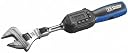
🔧 Torque Like a Pro, Measure Like a Boss
The Yellow Jacket 60648 Digital Adjustable Torque Wrench delivers precise torque control with a digital display, supporting four units of measure and both clockwise and counterclockwise operation. Featuring 50 data memory slots and smart indicator lights, it ensures accuracy and efficiency for professionals who demand reliability on every job.
| ASIN | B071G3YRBY |
| Batteries | 2 AAA batteries required. |
| Batteries Required? | No |
| Batteries included? | No |
| Battery Cell Type | Alkaline |
| Best Sellers Rank | 883,592 in DIY & Tools ( See Top 100 in DIY & Tools ) 1,348 in Torque Wrenches |
| Colour | Multicolor |
| Customer Reviews | 4.6 4.6 out of 5 stars (458) |
| Date First Available | 6 Jun. 2017 |
| Finish | Powder Coated |
| Head Style | Flare Nut |
| Included Components | Jacket |
| Item Package Quantity | 1 |
| Item Weight | 45.4 g |
| Item model number | 60648 |
| Manufacturer | Yellow Jacket |
| Material | Metal |
| Measurement System | inch |
| Part Number | 60648 |
| Power Source | corded-electric |
| Product Dimensions | 47.24 x 12.7 x 6.6 cm; 45.36 g |
| Style | Adjustable,Digital |
| Torque | 50 Newton Meters |
J**O
Good
R**L
Muy bueno como todo yellow jacket, con anterioridad había usado uno igual y me gustó mucho, por eso me compré uno
D**N
Excellent torque wrench works as advertised installed my A/C unit with it and no refrigerant leaks at all. Super simple to use and long handle is comfortable to use when you need to pull hard.
K**D
Great tool . Works awesome
T**M
This is a solid brand for hvac tools. This works great, and is easy to use. The led's and beeping make it easy to know that you're close to the set point and then hit it. The manual says that you have to use a multiplier factor when adjusting torque because of the attachment, but I found that not to be true. I set it to a number, and that number matched my torque meter and that matched my other click-style wrench. This size is good for at least 1/4" to 1/2" flare, and maybe beyond that. Oh, and the memory set function is intuitive, but not well described in the manual. You move it to the memory number you want to set it to with quick pushes of the memory button. Then you adjust the set point you want. Then you press and hold the memory button. That takes it to the next memory number, but it put the value you had in the memory number you were at. Easier to do than say.
Trustpilot
1 month ago
5 days ago