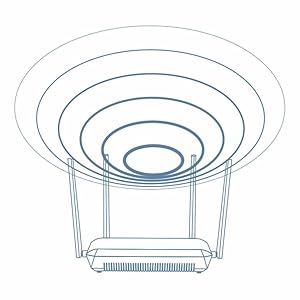
๐ Elevate your home network to pro-level speed and control โ donโt get left buffering!
The TRENDnet AC2600 MU-MIMO Wireless Gigabit Router (TEW-827DRU) delivers dual-band WiFi speeds up to 2.5Gbps with advanced MU-MIMO and beamforming technology. Equipped with 4 high-gain external antennas, 4 gigabit Ethernet ports, and a USB 3.0 port, itโs designed for busy homes demanding seamless 4K streaming, lag-free gaming, and secure multi-device connectivity. Easy setup and parental controls make it a top-tier choice for professional millennial households.


| Wireless Type | 802.11ac |
| Number of USB 3.0 Ports | 1 |
| Brand | TRENDnet |
| Series | TEW-827DRU |
| Item model number | TEW-827DRU |
| Operating System | Windows XP, WIndows 7, Windows Vista, Windows 8, Windows 8.1, Windows 10, Windows 2000, MAC OS X, Linux, Unix |
| Item Weight | 1.66 pounds |
| Product Dimensions | 11 x 5 x 10 inches |
| Item Dimensions LxWxH | 11 x 5 x 10 inches |
| Color | Black |
| Number of Processors | 1 |
| Voltage | 12 Volts |
| Manufacturer | TRENDnet |
| ASIN | B00S7NK8Y0 |
| Country of Origin | China |
| Is Discontinued By Manufacturer | No |
| Date First Available | January 14, 2015 |
T**R
Don't dismiss version 2
Update 7/23/22: It seems with Version 2.0R the wifi radios have decreased in performance over time. I bought this router in June 2020 and as of October 2021 I started to notice freezing/hiccups when streaming live TV. It still does well when streaming from Plex, Youtube and Netflix services, but when I stream from Pluto TV, the freezing and hesitation show up. I still like it's stability and ability to hang onto an IP address with Spectrum. Having my IP address stay the same without having to sign up for Spectrum's Business Class Internet is a plus (there are some of us that need a static IP address). So it remains my main router with the wifi turned off for that reason and I've resorted to having a Broadcom-based router from TP-Link handle all of my wifi traffic.My version 1.0R router hasn't shown signs of a decrease in wifi performance, however, some newer devices don't play well with it and drop their connections. At this point I'm keeping both routers so I have a spare if one goes down as you can clone the MAC address of 1 router to the 2nd router, swap them and keep your public IP address with these when you are a Spectrum customer.Update 1/25/22: The issue with Version 1.0R (CPU usage spikes and some devices disconnecting) was resolved. Appears to have been the channel that was being used. I switched channels and don't see that issue occurring anymore.Update 12/11/21: Version 2.0R does really well on firmware version 2.05. I've not had time to try any of the newer firmware versions yet. It's stable and handles heavy network loads really well. For Version 1.0R I've identified what looks like a bug with firmware version 1.06b01 where I've seen CPU usage spike up to the 60% range as well as older WIFI AC devices randomly disconnect and have difficulty reconnecting. Also data usage is artificially high under the Streamboost data usage screen. Rolling back to firmware version 1.05b01 solved the problem and it is now as stable as Version 2.0R that I have. I can't say if the bug is specific to the router that I have but thought I'd mention this for anyone experiencing the same issue.Update 11/11/21: I like this router so much that I found a version 1.0R model and got that too! No problems to date with this router or the version 1.0R. I don't see any difference in speeds between the 2. The main differences are that version 1.0R has a few more QoS settings, says Streamboost, has an additional USB port along with switches to turn on/off lights and wifi. To me you can't go wrong with either model.I originally ordered this wifi router thinking I'd get version 1 (the one with the 2 USB ports and Streamboost) and found out I received version 2. With all the reviews stating problems with Version 1, I think getting Version 2 was a blessing. It's been running for the past year without any problems. One feature I think is important is the ability to adjust the Tx power. If you live in a high rise and have many neighbors running wifi networks, then that feature can be important. Also, from a security perspective, the ability to turn down the Tx power becomes important because ideally you won't want too many people outside of your apartment to be able to pick up your wifi signal (and possibly try to hack into your network). If I had to, I'd purchase this wifi router again (with Trendnet's 831DR being a 2nd choice). It's gotten me through working from home, as well as streaming many hours of 720p, 1080p and 4K video content. One thing I've noticed is my work computer that has VPN software on it can experience slowdowns over the VPN connection after about 50-60 days. That device never actually drops its wifi connection though. I reboot this router once a month and problem solved! None of my other devices (phones, tablets and laptops) experience drops in their wifi connections either or slowdowns. I recommend version 2 and have had good experience with Trendnet (having another piece of networking equipment from them which was bought in 2007 and still working). Put this on a UPS so it has a stable power source. Looking forward to what Trendnet releases in the wifi6 and wifi6e arena!
R**J
Competent Router with Classic BROWSER-BASED Setup
I normally wouldn't go for an "off-brand" router, but I was getting tired of the major names forcing app-based or cloud-based setup and doing everything they can to hide the classic browser-based setup. This model has classic BROWSER-BASED setup. Just plug a desktop or laptop into one of the Ethernet ports (or connect to the temporary Wi-Fi network) and set it up in a browser just like most classic routers from the history of Wi-Fi. Please ensure you update the firmware afterwards as an update was released by TrendNET to address a security vulnerability.
B**D
This router is okay if you need a dedicated router or even as a bridge, but it's AWFUL as an access point
This router is great if you need a dedicated router or even as a bridge, but it's AWFUL as an access point.It took me almost 4 hours to get this configured correctly to be used as an access point, partly because the interface is so bad, and partly because the firmware does not expressly support the "access point" mode.The interface is bad in that you have a "Basic" and an "Advanced" mode, but you really need to use both to get your work done. You can't set your SSIDs or authentication in the Advanced mode (what??). You instead need to configure everything in basic mode, then switch over to advanced mode to change anything else you need.As for the access point option -- it doesn't exist and isn't really supported. You have two options: router mode and bridge mode. I tested both of these, and they work well enough, but I have a awesome' enterprise hardwired router, so I just needed this product to act as an access point to replace my aging 1700 AC access point (another router by TPLink) and that's where all hell broke loose.Configuring Access Point mode -- you need to select "router" mode to get the access point option to work.Then you need to go to Advanced settings and disable DHCP server (standard stuff so far). However, since there is no dedicated Access Point mode, the router insists on you configuring WAN settings, which do nothing for you in Access Point mode. Furthermore, you lose a port in this configuration, since you can't use the WAN port in access point mode (this is a feature that's been supported in every router I've owned for the past 5+ years, I feel like this is a regression here), and you need to cable up your router/DHCP server in one of the LAN ports. Every time I log into the router to check configurations, it complains that I have no internet connectivity, and wants me to reconfigure my settings --- even though I'm connected to the internet via the access point as we speak. Some serious firmware/feature issues here.To be fair, once I got the router set up in access point mode, it ran well enough -- my speeds and range were great, but only about 10% better than with my TPLink AC 1700 router that's 2 years old. I ran this configuration for 48 hours with stress testing (transferred 4TB of data from my NAS to backup over the wireless connection), and it didn't drop my connections. Speeds were solid -- 72MBps, which is about where my NAS drives cap out, so no issues there. 4 stars for stability and speed.I would not recommend this router if you are wanting a next generation access point with high bandwidth. Maybe a future firmware update will fix this (should be easy enough, since the features have been around for at least a decade), but the router has been out for almost a year, and it's still on its RELEASE DATE FIRMWARE v.1.0. That alone is enough to keep me from buying this router again.At the end of the day, this router was better than my existing in terms of speed and range, but worse in terms of core features, stability, and usability. Definitely not worth the premium being charged.3 month update: the wireless connection has been constantly dropping for over a week now. Nothing had changed in my network, but all my wireless devices lose connection about 4 times a day,requiring a power cycle of the router to have them reconnect. This thing is worse than useless. Reducing to one star. I've since replaced it with the TPLink access point that I was using before and have no issues.
B**.
Works ok but dated for 2023
Most any changes like wifi name or password requires a full reboot that takes about 2 minutes. Many other recent routers I've setup let you make many changes without a reboot. Also no Access Point mode, just router and media bridge. But if you disable DHCP and plug the network into one of the 4 GB switch ports it will act as an access point allowing you to expand your wifi network using ethernet. But then you loose any management capabilities. For the price it does it's job and has a good signal. The firmware hasn't been updated for a year and a half going the latest version listed on their website.
Trustpilot
2 months ago
1 day ago