🌟 Elevate Your Build with Silent Power!
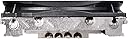
The ID-COOLING IS-30 is a 30mm height low-profile CPU cooler designed for Mini-ITX and small form factor builds. Featuring a 92mm PWM fan and 4 heatpipes, it delivers efficient heat dissipation while maintaining a low noise level. Compatible with various Intel and AMD sockets, it ensures a seamless fit without obstructing RAM or PCIe slots.


| ASIN | B07SQWT6BV |
| Air Flow Capacity | 40 Cubic Feet Per Minute |
| Brand | AINEX |
| Compatible Devices | Desktop |
| Cooling Method | blower, heat_sink_and_fan |
| Date First Available | June 5, 2019 |
| Item Weight | 12.3 ounces |
| Item model number | IS-30 |
| Manufacturer | ID-COOLING |
| Material | Metal, Plastic |
| Maximum Rotational Speed | 2000 RPM |
| Noise Level | 35.8 Decibels |
| Power Connector Type | 4-Pin |
| Product Dimensions | 0.47"L x 3.62"W x 3.62"H |
| Voltage | 12 Volts |
| Wattage | 95 watts |
T**3
Great performance for the price
It's no noctua with its very low density but it's also less than half the price, so far iv put 3 of these onto low wattage(35-65) APUs from amd, yes the can be slightly audible at full tilt BUT were talking about a low profile cooler here if your not talking about a open bench setup you will not hear this over your case fans, iv recently done something very very not advised and molded a mini pc with a mobile 3750H in it by cutting out a hole in the top of the plastic can and taken out the laughable light blower cooler that was included and CAREFULLY soldered the heat pipes from that lame mobile cooler directly to the exposed heat pipes on the bottom of this cooler(I specificly used low temp solder for this becase you do NOT want those heat pipes to explode) and for this mod I ditched the medium quality(it'd effective and pushes alot of air but was not needed for this) swapped it for a 92mm pwm bequiet fan and a mesh filter as this entire cooling mod will stand alone on the outside of this little computer case, I bring this up becase being only 30mm high the almost looks like it was desined for this and it being a chip that caps at 54watts(I typicly run it ar 24 tho becase I picked it up becase of its dual 2.5gbe not becase of the 4core 8thread ryzen 7) the fan might spin up to 15% at full load its amazing and it only hits around 55c at that , compared to the regular 95c the stock cheapo laptop cooling solution that was built in I'm impressed and I DO NOT RECOMMEND anybody else do this lol...this defenetly dumb on my part and only becase I tend to act first and deal with the consequences later was I afforded the opertunity for calamitous failure here potentially resulting in injury...lol ...all that being sead this cooler at this price point compared to similar offering from noctua and thermalright is fantastic but no your limits don't go trying to cool a 105watt chip with any low profile cooler like this becase well to be blunt that's just dumb lol ...
C**A
Uber-slim cooler: cheap, but effective!!!
Heatsink appears very well made when taking out of the box, no visible imperfections - heatsink is packaged separately from the hardware and accessories. Bonding of heatsink to heatpipes also looks good. When mounting, it almost seems there won't be much clamping force, as the brackets sit flush with the PCB when you just lay the cooler atop the CPU. I was expecting at least a little gap to "pull" the bracket downwards when you torque the rear nuts on the underside. Worry was unfounded - after torqueing down the nuts, the heatsink is practically unmoveable. No backplate, if I were to be picky - but given the price point, not surprised this doesn't come with one - plus the clamping force isn't nearly enough to cause concern on bending of the PCB. Heatsink compound is included - recommend you use it, as it's a bit thinner in viscosity than other compounds I've used - but easy to apply, and may be matched with the low clamp force of the heatsink. One word of caution - the heatsink sits a bit off center from the CPU bracket, so it may interfere with RAM slots, large VRM/M.2 heatsinks. As it were on my ASROCK B365M-ITX/ac motherboard, it could only be oriented one way - heatpipes pointed upwards, parallel to the I/O shield and away from the PCI slot. And even then, I can't easily access one of the two fan headers at the top of the motherboard (Chassis Fan/Water Pump). Temperatures are easily 7-8 degrees cooler than the stock cooler. I was using the cooler for an i7 9700 on an 8100 (65W TDP), so the heat load isn't ambitious. The 8100 was a replacement to modernize the platform for our home server, so I wanted to ensure this was "set and forget" when the server goes back into the closet. Inexpensive, and highly recommended. Now I've got my eyes on ID Cooling's IS-47K for our HTPC/Steam/VR PC.
J**M
Hard to recommend
I've been using this daily for 2-3 months with Ryzen 5950X (rated 105W) on an open air test bench. I've been too busy to setup my proper build. I've got the CPU at stock settings, no PBO or anything. This cooler REALLY can't handle the CPU at all. I'm aware that the CPU's TDP is above what this cooler is rated for, but really it doesn't come anywhere near close to being able to cool the CPU. The moment the CPU does ANY work for more than about 1 second it basically thermal throttles with temperature pegged at 80~90C. What's really disappointing about this cooler is it has NO BACKPLATE and can't work with the stock AM4 backplate. That means if you want to put ANY pressure AT ALL on your CPU, you're bending your motherboard. Then you have to ask yourself, how much are you comfortable bending your motherboard, with your expensive CPU. For that reason alone I'd say buy a different cooler. The fan started making a horrible rattling noise after about 6 weeks, but the noise seemed to go away (permanently) about 2-3 weeks later. The fan is quite loud on an open air test bench at a distance of about 70cm. The positive thing about this fan is it's cheap and very thin. I would use it for a 3600 system that doesn't do much. But if you plan on loading even a 3600 (not that I can speak from experience about 65W heat load with this heatsink...) but I'd buy a different cooler.
J**T
Relief! I love this cooler!
I've been looking for a low-profile cooler for the AM4 socket for a year, planning to build a Mini-ITX, maybe. I've got a Ryzen 2600 that ran up to 80C when mining 3 or 4 threads of cryptocurrency. After installing this cooler, temps have dropped, on average, 14C to 20C. It's an upgrade from the stock AMD cooler that came with the Ryzen 2600. The mounting arms do not attach to the backplate of the motherboard. Be careful not to bow the board too much when you install this cooler. I was surprised by that. Although, so far so good. Great value at $21.30 plus tax. It's a great cooler for the money.
ぱ**ん
DeskMini A300/B/BB/BOX/JPにて使用しました。 このベアボーンでは標準のCPUクーラーでは冷えないという評判があるそうですが、 当方はもともとファンを交換するつもりだったので、 このベアボーンに適合するサイズのクーラーを探したところこれを選択しました。 選択した理由は高さがベアボーンに適合することが大前提ですが、 ファンが壊れたときに他のファンに交換可能かも視野にいれました。 他のファンでは、金属の留め具というか、バネのようなものでファンとヒートシンクを固定しますが、 IS-30はネジ止めであることが魅力でした。 ネジ止めならば、適合するネジを探してくればケースまでの距離が適合するファンならば何にでも換装可能だと思ったからです。 標準のファンでは10mmだか12mmのファンですが、25mm厚のファンと完走しても問題ないと思います。 高さが25mmまで選べるのであれば、ファンは換装し放題だと思います。 なお、取り付けですが、添付のマニュアルはものすごくわかりづらいので、 youtubeでIS-30で検索するとメーカーが取り付けを行っている動画がありますので、 そちらを参考にするとよいでしょう。 他の方が書いておられますが、当方の環境ではファンの作動音もさほど気になりませんので、 このまま様子を見て、何か問題があれば追記していきたいと思います。 追記: 1か月ほど使用しましたが、初期不良もなく、音もさほど気にならなかったこと、 他のレビュアーさんのレビューで「うるさい」と言っておられた方の環境で気づいたことがあるので、追記致します。 まず、当方も過去にMINI-ITXで自作したのですが、通常のファンでは尋常じゃなくうるさかったことを思い出しました。 当時使用したケースはCooler Master Elite 130 Cube PCケース CS4742 RC-130-KKN1-JP、CPUは6700Kです。 ファンは購入したファンが入らず、結局は簡易水冷キットを使用しました。 詳細はこちらでは書きませんが、水冷のラジエターを冷やすフィンに当たる風量が少ないため、 温度が冷えずに結果爆速でファンが回らないとならないことが原因でした。 詳しくは、「Cooler Master Elite 130 Cube PCケース CS4742 RC-130-KKN1-JP」で検索して頂き、 当方が記載したレビューをお読みいただけると、概要だけでもわかって頂けると思います。 結論ですが、このCPUクーラーを使用して、爆音になってしまうある原因は、 ①ケース内温度が高すぎ、CPUファンを高速で回し続けないとCPU温度が下がらない ②CPUグリスが適切に使用できていなかった 等の原因があると思われます。 ②が原因だった場合ですが、クーラーを換装した際に改善された可能性があります。 ①の場合の対応ですが、ケース前面・側面に静圧式のファンを可能な限り取り付け、エアフローを見直すことで改善できるのではないかと思われます。 当方はこのクーラーをMini-STXのベアボーン「DeskMini A300/B/BB/BOX/JP」で使用しており、 ほぼほぼエアフローもクソもない状態ですので、検証することができません。 当方の環境では、エアコンを入れた室内でアイドル時に約50℃で推移しております。
M**N
I have made two 12volt media PC's in very small cases just bigger than mini ITX motherboards, these fans were just the job keeping the processor cool but also small enough to fit in the case, they must be capable of keeping the processor cool enough but also capable of fitting into the case.
K**V
Fitted to a LGA1150, but there was a problem, the holes in the motherboard were 4mm but the lugs on the mount were 5mm. They would not go into the holes and therefore the cooler would not make contact with the CPU. I had to "trim" them to make it work. It is a nice and compact cooler, and comes with heatpaste, and a pwm fan, therefore I rate it good value, however, I've read other sites say although it can cool up to 100W TDP, the most optimal is 65W. I have it on an 88W, and it tops out at over 70 Celsius. Plus the fan at full speed makes an annoying whine, which is a let down.
Y**G
薄型なので、高さのないPCケースに最適だと思います。 今のところ不具合等はありません。 当然ヒートシンクも薄いので、冷却能力は低く、発熱量の小さいCPU向けだと思います。
I**民
Mini-ITXケースで3200Gを冷やすクーラーとして購入しました。 ヒートシンク部分は問題ありませんが、ファンの性能が悪い。 Youtubeで4K動画を10分程度再生した程度の負荷で最高回転数に達し、ほぼ排熱し切らずにその後フリーズする冷却性能です。 3200G程度の石ですら冷却にいっぱいいっぱいのようですね。 92mm薄型ファンの性能に期待していませんが、思ったより性能が悪く、 しかも回転数が3600回転に達するのでシュアアアアアアという高めの風切り音がかなり耳障り。 結局Noctuaの92mmファンと交換しましたが、ほぼ無音になり、普通に冷えるようになったので、ファンが低質というのが結論です。 ファンの交換費用を考えると、違う銘柄のものがおすすめかもしれません。
Trustpilot
3 weeks ago
2 weeks ago