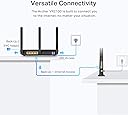
⚡ Unlock lightning-fast Wi-Fi that keeps your whole home connected and ahead of the curve
The TP-Link Archer VR2100 is a high-performance dual-band VDSL/ADSL modem router delivering combined wireless speeds up to 2.1 Gbps. Featuring advanced 4×4 MU-MIMO technology, OneMesh™ support for seamless whole-home coverage, and versatile connectivity with 4 Gigabit Ethernet ports plus a USB 3.0 port, it ensures ultra-fast, reliable internet for multiple devices. Easy to set up and manage via the Tether app, it’s designed for professionals seeking stable, high-speed networking with future-proof flexibility.


| ASIN | B0851D1MF3 |
| Antenna Location | Home |
| Antenna Type | Fixed |
| Best Sellers Rank | 62,577 in Computers & Accessories ( See Top 100 in Computers & Accessories ) 496 in Routers |
| Box Contents | Archer VR2100 |
| Brand | TP-Link |
| Brand Name | TP-Link |
| Colour | Black |
| Compatible Devices | Laptop, Personal Computer, Smart Television, Smartphone, Tablet |
| Compatible devices | Laptop, Personal Computer, Smart Television, Smartphone, Tablet |
| Connectivity Protocol | Wi-Fi, Ethernet, USB |
| Connectivity Technology | Ethernet, USB, Wi-Fi |
| Control Method | App |
| Coverage | Whole house |
| Customer Reviews | 4.2 out of 5 stars 1,508 Reviews |
| Data Transfer Rate | 350 Megabits Per Second |
| Frequency | 5 GHz |
| Frequency Band Class | Dual-Band |
| Frequency band class | Dual-Band |
| Has Internet Connectivity | Yes |
| Has Security Updates | Yes |
| Is Modem Compatible | Yes |
| Item Dimensions L x W x H | 21.6L x 16.4W x 3.7H centimetres |
| Item Weight | 1.13 Kilograms |
| LAN Port Bandwidth | 1000 Mbps |
| Manufacturer | TP-Link |
| Manufacturer Part Number | Archer VR2100 |
| Maximum Upstream Data Transfer Rate | 350 Megabits Per Second |
| Model Name | Archer VR2100 |
| Model Number | Archer VR2100 |
| Model name | Archer VR2100 |
| Number of Antennas | 2 |
| Number of Items | 1 |
| Number of Ports | 4 |
| Operating System | Windows |
| Other Special Features of the Product | Access Point Mode |
| Product Warranty | 3 Years |
| Router Firewall Security Level | High |
| Router Network Type | DSL and Wireless |
| Security Protocol | WPS |
| Special feature | Access Point Mode |
| Unit Count | 1.0 count |
| Voltage | 12 Volts |
| Wi-Fi Generation | Wi-Fi 5 |
| Wireless Compability | 802.11ac |
| Wireless communication standard | 802.11ac |
C**R
Very impressed so far! Should have changed from crap BT Home Hub sooner.
So far after a couple of days absolutely superb. Struggled for two years with the absolutely dreadful BT HH5, numerous attempts to have BT replace it due to the numerous wifi issues, having to reset the router on average twice a day. Separating the bands etc etc didn't help, the 5ghz wifi just doesn't work on the HH5. Even through contract renewal I tried to get them to replace with the new smarthub but they wouldn't do it. Unfortunately I am stuck with BT due to lack of capacity at the cabinet, so moving to another supplier would mean losing my slot and reverting back to 3mb 'broadband'. Eventually got so bad with the HH5 I thought sack it, spend the money and be happy. After researching around I settled on this Archer VR600, and I am very happy I did! Unplugged the HH5, plugged in the Archer, logged on to the ip address from laptop and went through the 4 or 5 stage set up process. Selected BT from the dropdown and put in the standard BT username (no password) and 2 mins later all up and running, no hassle at all. Actual broadband connection to the cabinet based on stats is just as strong if not stronger/faster than the HH5. Wifi is night and day difference, channels are auto separated from setup and rock solid. Absolutely everything in the house, from smart TV ro Sonos etc etc all working much more quickly and more stable. So refreshing to be able to do a speed test at any time and get much closer to the 'up to' speed of my connection. Up to 76mb generally means 60mb over wifi for me due to distance from cabinet. HH5 managed this SOMETIMES, 8 times out of 10 if on the 5ghz band this would stumble around the 4-8mb range, or just not work. 2.4ghz band also was affected. No such issues with the Archer, very impressed so far!
A**R
TP-Link AC2100 Wireless MU-MIMO VDSL/ADSL Modem Router...Reliable and High-Performing Router
The TP-Link AC2100 Wireless MU-MIMO VDSL/ADSL Modem Router has truly proven itself as a reliable and high-performing addition to my home network. The ease of setup was a pleasant surprise, with an intuitive user interface guiding me through the process effortlessly. Even for someone not particularly tech-savvy, the instructions were clear, making the initial installation smooth and hassle-free. What stands out the most is the router's wireless performance. It consistently delivers fast and stable internet connectivity across various devices throughout my home. Whether streaming HD videos, online gaming, or video conferencing, the AC2100 router handles it all without a hiccup. The MU-MIMO technology is a game-changer, ensuring that multiple devices can connect simultaneously without compromising speed or reliability. The inclusion of a built-in modem is a significant advantage, streamlining my setup by eliminating the need for additional hardware. This not only saves space but also contributes to a more organized and clutter-free environment. In terms of design, the router is sleek and unobtrusive, blending seamlessly into my home decor. The build quality feels robust, instilling confidence in its durability over the long term. Additionally, the router's array of features, including advanced security options and parental controls, adds an extra layer of versatility to cater to different user needs. Having experienced the TP-Link AC2100 in action, I can confidently recommend it to others seeking a reliable and high-performing modem router. It's a solid investment that combines user-friendly functionality with top-notch performance, making it a standout choice in the market.
M**L
Good Modem, worth the money, but most "extra features" are pointless.
This review is for the VR-600 type 2 (aka AC1600 II). I should also say that I got this quite cheap from a third party sale, £60 plus £1.92 postage, for an opened box. When I tried to set it up, it demanded a password, but first time it should have prompted me for one of my choosing. It had clearly been used, and I had to press the "reset" button, and after that I was able to set it up. I have to say it's fairly solid in operation. One feature I couldn't use is the "5G" wireless, the internal walls in our flat totally defeated the 5G signal. However, the 2.4G signal was much better, and we can now get a reasonable signal in our bedroom, we couldn't with our previous router. It an old brick-built maisonette, and the signal has to pass through 2 brick-built walls and a solid concrete ceiling to get from the router to the bedroom, so that's a plus. Even though the "signal strength" seems to drop on its indicator, it still continues to work, with our previous modem it would keep dropping. Setting it up was straightforward. Later I was able to locate, amongst the "Advanced Settings" a place to allocate all our domestic stuff, including TV, phone, computer, a fixed IP address. It tends to keep connections more stable, and means that you can do more within the network. I've not been able to work out what this TP-Link Cloud is all about yet, seems that a lot of pointless nonsense, I've not been able to find a use for it at all. I was hoping that maybe I could download files from the USB drive plugged in, or use the wirelessly connected printer, but no. All in all, a good modem, does the job, but the so-called "Extras" are mostly a waste of time and effort for me. Loses a star because the signal strength isn't quite what was expected from reviews (though better than the ISP router), and the 5G connection, for me, caused more problems than it was worth, so I disabled it, and for the hype. Glad I bought it though.
J**D
Fixed all my internet problems, much better than BT's awful hardware
I recently got BT internet, decent speed but the Smart Hub 2 modem has such awful software/firmware for gaming that playing online on my PS5 was impossible because of lag, even with an ethernet connection. I started researching all sorts and thought I'd have to buy another modem and then a powerful router on top of that for £100s. Bought this first, intending to just use as a modem, but thought I'd try out how it is as a router too. It immediately fixed every internet problem I had. For BT customers - you can plug this thing directly into your openreach socket and chuck the Smart Hub in the bin (or in a cupboard bc BT probably want it back when your contract ends lol). I have zero lag on PS5 now ever over wifi, and a PS5 network test even shows the max speed of my connection, which I've never seen before on a Playstation with any of the ISP-provided routers I've used in the past. The router software also lets you split your wifi into separate 5GHz and 2.4GHz SSIDs, which is really useful for my thermostats which only work with 2.4GHz. Signal strength is great. Overall I would highly recommend, was not expecting to be able to get perfect internet for £80. ISP default hardware really is trash.
P**O
Upgraded From Sky Q Hub
Ever since upgrading to Sky Q we've had issues with our broadband. Drop outs, buffering when watching prime video, even the WIFI signal on my PC was terrible, resulting in poor latency and slow download speeds. I tried power line adapters, which work fine with my wife's work PC, but mine is on the other side of the house so the signal crosses over the main power junction box, so the connection is pants (although even my laptop was rubbish, even when sat 2 foot from the router) I'd had enough, so did a bit of research. I had read a few things about modems needing certain settings/features to work with Sky, so I was a bit apprehensive about committing to something that might not work. I bit the bullet on this model (VR2100) and I'm so glad I did. The router feels great, build quality is nice, nice big antennas and the setup was easy as pie. I plugged it in, followed the instructions, selecting the Sky option, and... it just worked. I downloaded the app to my phone so now I can easily see what devices are connected to the network, I've labeled each device up in the app so I can see exactly what each one is (kids tablets, Sky box, mine and the wife's phones etc) and set up a seperate guest network for people who come over. The user interface is so easy to use, and now I can control connections, set time limits on devices, even block and kick devices from the network. I did turn the auto switching off, I found my phone was struggling switching between the two frequencies, so I have stuff that's static/in the same room as the router connected to the 5ghz band, the rest is on the 2.4Ghz. I also bought a low profile USB drive and plugged it into the USB port on the side of the router, you can barely even see it in there but now I have network attached storage, so I can easily transfer files between PC/Laptop without using the cloud, and back up photos or other things. I would absolutely recommend this to anyone. My PC download speeds are now running at full speed (we're on a 40 meg connection) and my connection when gaming is solid and ping/latencies are really low. If you have a Sky Q router, just do yourself a favour and throw it in the bin. Get one of these, you won't regret it!
S**T
Sloppy Android Apps, Terrible set up, poor TPLINK help desk
(Update 28/11/2020). Working continuously for two or so weeks. Since I re-configured (factory reset) the router via my lap top and ethernet connection, the system has been stable with about 20 devices on it. There remains an interoperability problem between the two apps that set up the S4's and separately, the Vr2100. Why two are needed I really don't know. It looks like we now have a system that is fit for the purpose I spent £300 on. But the process was too hit and miss, disgracefully time consuming and buggy. TPLINK support was and is very poor when I went through their support channels. While not giving out any meaningful advice, they kept asking for more and more granular detail - without any response when I did. Rude. Ironically, this kit and the larger Deco mesh system is likely to prove to be really very good, but one star reflects a non-resiliant set up process, crappy apps and a non-existent support function. So here is the rest of the painful history....... (Update 12/11/2020). Mesh network hung with 4 devices and light surf workload. The previously perfect login page to the router (direct connect via ethernet) flashed up the login background page but no user or password fields. Tether app didn't work (never has actually). So the utterly clumsy solution was to factory reset and plug the parameters back in. Needed three power cycles to get the modem to link with the primary (connected) S4. The apps are total crap for diagnostics and seem to be designed for one hit perfect config every time. I bought this VR 2100 to accompany three Deco S4's to create a wifi mesh system. It hasn't been plain sailing so I have had to use the "tether" android app for the modem/router and the separate "Deco" app for the mesh system. Now that an app seems the only way to set tplink kit up (certainly the S4's) these apps need to be bombproof. THEY ARE NOT. Configuring a new network can be challenging. To configure with new technology is doubly so. Configuring for a customer with little downtime available is utterly nerve racking. Here is my root problem. If I am logged in to the router I cannot log into the tether app. And vice versa. I go to the TPLINK cloud to get a new password, and it came to pass that I am now locked out the router. Repeat ad nauseum. This is a known problem from at least this summer and not a finger has been lifted. UTTERLY DISGRACEFUL & LAZY. The router was bought so that absolute compatibility was ensured between the components. So £250 down the road we have this absurd problem. (Apparently you have to factory reset the router and plug the info in again. Not all folk say this works). So this gets the 1 star. The kit so far is working fine and I really was hoping that we would have a true app-driven plug and play as TPLINK make a big deal of. Right now undertaking diagnostics or remedial actions on the network is a nightmare. In this day and age we should not be pioneers at the bleeding edge of technology. An interoperability defect in recently released kit from the same manufacturer is contemptuous. The router is, I'm sure very good but the ecosystem I'm forced into by the manufacturer is not fit for purpose
M**M
Good wifi but no DNS server
I bought this to replace a BT hub supplied by the ISP. It was easy to configure and seamlessly replaced the BT unit once i'd changed the SSID and password to match my old device. All my equipment connected without any changes needed, and bandwidth & coverage seems better. Overall, very happy. However: there's no builtin DNS server to support the DHCP. The BT hub, and all previous routers I've owned, had a builtin DNS server so that the devices on my network could find each other by name. This unit doesn't. If like me you have non-Windows devices that need to communicate with each other (eg home automation devices), you'll either need to give them all static IP addresses, or you'll need to run your own DNS server (i used dnsmasq on a raspberry pi). Its frustrating as this router is clearly running busybox or similar and so definitely could have DNS built in. Also be aware there's no cli for admin access. The ssh port is locked to Tplink's mobile phone app, and the telnet port is limited to listing a few simple configs.
R**G
Good when it works
I upgraded our Internet connection to meet the ever-increasing bandwidth needs of two adults and two kids, at home most of the time during lockdown, only to discover that our old router became a problem. I decided to go for a higher-end device and settled on the Archer VR2100. I needed a device with gigabit ports, and this has four. It supported our uprated DSL service and does most things really well. The wi-fi is strong throughout most of our house and my kids stopped moaning about "laaaaaaaag" when playing online games. There are a couple of things it doesn't do well. Firstly, the ability to block devices and put in place time restrictions. Our old router (also a TPLink) did this well. You could set up groups and time schedules and I could make sure my kids devices stopped working at exactly 10pm. On this router, the functionality is less, it's harder to implement, and it just doesn't work. Everything is in place, but my 11 year-old can still sneak his phone to bed and stream videos..... which is disappointing. I'm pretty sure it's a router problem, not a 'me' problem, as I'm a network engineer...... so I have a pretty good understanding of this stuff. Second, and actually more annoyingly, the router crashes and does wierd stuff. Sometimes, everything in my house just drops off the network. It's not just wi-fi devices, it's the also PCs and other things connected directly to those gigabit ports, which makes me think the router has some kind of bug (memory leak, instability, etc). I've upgraded the firmware, but that doesn't help. It probably happens a couple of times a week, even with a scheduled reboot taking place every day at 4am. I would recommend it for performance, but it's not bulletproof for reliability
M**Z
Faulty product with no Warranty or Return options!
Perhaps I should have paid more attention to the origin of this product, sold by Amazon.Au. It came from U.K. and had a U.K. plug on the power transformer ( for delivery to Australia? Not any advice to the customer?). However; no problem; I had an Aust. compatible unit. Plugged it in; it powered up. Plugged in the DSL cord; WiFi symbols came on; but the DSL "handshake" failed; also turning off the unit. Changed to an Aust. DSL cord; similar result. Cautionary Tale: buying International Products via Amazon.Au gives the purchaser no avenue of Warranty cover; and if you don't test the product within 1 week of Delivery: no avenue to return the item to Amazon.Au BUYERS BEWARE!
L**Y
Für uns ein Fehlkauf
Leider nicht kompatibel obwohl es in der Beschreibung stand
G**S
The product is good
I used it as an internet connection between my computer destop and the modem.
A**F
You get what you need 😜
Great Mid-range Router
M**H
راوتر محترم
المدى بتاعه كويس وشكله حلو، في امكانيات لذيذة. سرعة الخط القصوى زادت بس طبعا السرعة الفعلية لسه زي ما هي بس اثبت بين الاجهزة
Trustpilot
1 month ago
2 weeks ago