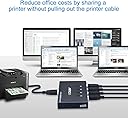
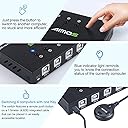
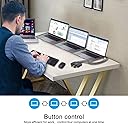
🔄 Master your multi-computer workflow with one click—because efficiency waits for no one!
The AIMOS USB KVM Switcher enables four computers to share up to four USB devices effortlessly via a single button press. Featuring a durable metal case, plug-and-play compatibility with Windows and Mac, and high-speed USB 2.0 data transfer up to 480 Mbps, it’s the perfect tool for professionals seeking streamlined device management without cable clutter or complex setups.
| ASIN | B085915CTB |
| Actuator Type | Push Button |
| Best Sellers Rank | #751 in KVM Switches |
| Brand | AIMOS |
| Brand Name | AIMOS |
| Circuit Type | 4-way |
| Color | 4x4 USB sharing Switch |
| Compatible Devices | Mouse, Keyboard, Printer, Scanner, Card Reader, Flash Drive, Other USB Devices, Windows XP / 7/8/10 / Vista, MAC OS 8.6 and higher |
| Connectivity Protocol | Usb |
| Connector Type | Usb |
| Contact Material | Copper |
| Contact Type | Normally Closed |
| Control Method | Remote |
| Control Type | Manual Selection |
| Controller Type | Push Button |
| Current Rating | 2 Amps |
| Customer Reviews | 4.0 out of 5 stars 823 Reviews |
| International Protection Rating | IP54 |
| Item Dimensions | 4 x 2.56 x 0.79 inches |
| Item Weight | 0.02 Pounds |
| Manufacturer | AIMOS |
| Material Type | Metal |
| Model | AUB085915CTB |
| Mounting Type | Panel Mount |
| Number of Items | 1 |
| Number of Positions | 4 |
| Operating Voltage | 5 Volts |
| Operation Mode | ON-OFF |
| Part Number | AUB085915CTB |
| Smart Home Compatibility | Not Smart Home Compatible |
| Specification Met | Ip54 |
| Switch Type | Push Button |
| Terminal | Button |
| UPC | 788125932153 |
| Unit Count | 1 Count |
L**R
Works well
Like many people, I have been working at home for the past few months. I needed a solution that allowed me to use my existing mouse and keyboard with both my home and work computers. This switch controls four USB ports but I do not use them all. I plugged one cable into a USB C mini hub attached to my work computer. I plugged the second cable into a USB hub attached to my home computer. The wired remote control is nice to have. I have it tucked between my router and my computer. The buttons on top of the selector unit also work well. The selector unit is a sturdy looking metal box. My USB transmitters were a snug fit but I was able to wiggle them into place. There is some cable clutter, which I attempt to hide behind my computer and router. But this switching box allowed me to keep my present keyboard and mouse which I like very much. It was also much cheaper than buying a new multi-channel mouse and keyboard. One especially nice feature of this switcher is that it will take power from any of the four USB-to-computer ports. So, if only one computer is turned on, the box will still operate. Some switchers take power from only one designated port.
A**R
Straight forward, easy to setup, and better than other options out there
I tried another product like this and it was plastic cheap and the button didn't work. This is an aluminum box with a nice bundle of chords to connect and it even comes with the nice little extension remote. One issue I have noticed is if you hit the 1 on the remote thing while it's already on 1 it will cycle to the next number and so on. which could be a feature? but it also can cause some confusion. The easiest way to correct this is to just tap the number button you want on the switch and it's back to normal.
J**I
Great hubbuh, except for the LEDs
TL;DR. Everything about this is great except that the little green LEDs are almost impossible to see. If seeing the LEDs is important, buy something else. Now, on with the show! A good hubbuh is a godsend for a dev. This one isn't bad: it works well, and it has a solid steel case, good button feel, and a separate button for each PC so you don't need to hit the lone button 3 times to get from 2 back to 1 (there are hubbuhs that cost $4 less that only have one button. Pay the extra $4 and get this one). It has good quality connectors and includes 4 usable 1.5m (5ft) USB A-B cables. And it has 4 ins and 4 outs, so you can plug in a mouse, keyboard, and two other devices that you switch from machine to machine. It only has one glaring (irony) flaw: you mostly can't see the LEDs. It's possible if you move your head around on a line perpendicular to the hubbuh, but it's not easy. It's not the LEDs: they're bright. There's a ton of emerald green light pouring out the large side vents (they're there for artistic reasons: this device uses no appreciable power and generates no heat) but almost nothing coming out the little holes (1.1mm) by the buttons. I promptly took it apart to find out why (I'm not you, I'm me. Raccoon spirit: everything needs to be taken apart). The LEDs are current "chip" parts, barely visible on the board. They are 15mm from those 1.1mm holes, which means they shoot a little LED beam out the hole. My first thought was to enlarge the holes, like I did a single-button plastic hubbuh the other day. I took them up to 2mm (OK, close to 2mm. I used a 5/64ths drill, that's 1.98mm). It helped a little, partially from widening the beam, partially for having shiny metal inside the hole, instead of black paint. The only thing that will fix this is fiber optics. If I had some 2mm plastic rod, I could make some. But I think I'm going to just suffer with it the way it is. I've got it Velcroed to a monitor stand that angles it suficiently towards my eyes that I can see 3 of the LEDs clearly. Oh, and I call this a "hubbuh" because it combines a "hub" and a multiplexer, a "reverse hub" or "buh". Hubbuhs solve a lot of problems for me. I have 2 workbenches with 6-10 (depending on the week) computers (ranging from a tower PC to laptops, tablets, phones, Raspberry Pies (the plural of Raspberry Pi is either Pi or Pies, it is not Pis. Don't go there) and other embedded systems. My current bench configuration is an L. One bench is simple: a PC and a tablet. The other is a little more complicated: a Raspberry Pi based prototype of something I'm working on, a Samsung with DeX, a Lenvo laptop. Each hubbah has a mouse and keyboard and 2-3 computers or computerish devices. And then there's the man in the middle. There's a macbook on a corner wedge that joins the benches. The monitors have enough switchable inputs so that the tower can drive 1, 2, or 3 of them, and the macbook gets whatever is left over. It's got USB 3 hubs on both inputs, and both hubbuhs are connected to it, so it can use either keyboard. Even Synergy couldn't untangle this mess. (Most everything on the benches connects to a pair of 8-port gigabit Ethernet switches, more than enough bandwidth for Synergy: it just doesn't work well in this environment).
D**T
4 Port model crashed my PC! Twice!
I started with the 2 port model and all was working great! Able to switch 1 keybd/mouse between work laptop and home PC with a push of a button. I also have a PC on same wall that is a Media Server that I wanted to incorporate into this setup, so I needed the 4 port model. Bought it, easy to install/setup, all worked great. Then the next day I went to boot my home PC and Windows would not boot. I am a Field Tech in IT, this is a PC that I built myself several years ago, watercooled i7 intel ASUS ROG board. Spent several hours troubleshooting, was trying to either reload by older v1607 ver recovery CD of Windows but if failed every time. Once I unplugged the 4 port I was able to reload fine. So I thought maybe I got a back unit, so I returned it and replaced with the same. Hooked it up, PC back up and running....until the next boot, then failed again. I though it couldn't be two bad ones...right? So I started more trouble shooting, removing RAM 1 DIMM at a time, removed all HDD's and SSD's except M2 512GB boot drive. Removed video card, still nothing. put everything back like it was minus the 2nd 4-port switch and boom, loaded again fine. Once I got everything loaded again I put the 2 port back on and have been fine for the last month. Not sure what the conflict is/was or why so much difference in results between the 2 port and the 4 port units...but for now...I'm sticking with the 2 port model. If the manufacturer sees this I'd love to hear from you. Very glad I had my OS on M2 drive and data/apps on separate drives. :)
W**E
Great alternative to full KVM if your monitor has multiple inputs
I've been using the switch for close to a month now and it's working great! I'm switching between two computers and a NAS device, using my monitor's built-in capability to switch video between its multiple inputs. I have a keyboard, mouse, webcam, and headset connected to the switch and have no problems using them on either of my two computers. The webcam and headset aren't needed for my NAS, but I do get use of my keyboard and mouse. I'm not using the remote since I placed the device itself in spot where I could easily access the buttons so I don't have any feedback on its use. I had read where some other reviewers pointed out that the green light bleeds through to other indicators. I see this myself when I view at an angle, but l have no trouble telling which port I'm using when I view it so that I'm looking directly at the top. For the price and functionality, I'm happily dismissing this small flaw. I like that all the cables are included and that unlike some similar items, this one includes standard A-B USB cables that can be easily replaced should I need to later.
J**.
Works great, until it doesn't
I purchased this just over a year ago; it's been a great USB switch for most of that time period. Would have rated higher, but literally one week after the warranty expired it failed. If you're OK with it only lasting a year, go ahead and get it. Switching between computers is easy and intuitive, and devices switch between computers very quickly (within a few seconds). To elaborate - the way that it failed is that after 30-60 minutes any USB devices attached show errors (USB device not recognized; USB device failure, etc) on any computer its connected to. If you attach the devices directly to any of the computers involved it works fine. I tried switching all cables between the computers and the switch and that did not help. Unplugging all cables/devices from the switch and connecting them back will get everything to work for the next 30-60 minutes.
A**Q
Great little tool: 4 in and 4 out.
I tried several different options before landing on this device, and I really like this for the following reasons: - Individual input selector This allows you to select directly the computer you need to connect to. Other similar devices only have one button, which forces you to cycle through inputs, and it gets annoying if you have more than 2 computers. Additionally, these buttons are not mechanical, and there is a green LED that indicates which input is selected. Yes there is some "bleeding" of light but not very annoying, and becomes irrelevant if you just use the wired remote on your desk. - Optional wired remote This welcome feature allows you to "tuck away" this device and reduce clutter on your desk. The only small "con" is that this device does not have mounting holes, no big deal. Note that the wired remote is detachable, so you can reduce clutter on your desk if you do not need it. - Four ports available for devices (output) This might seem a minor thing, though I find 4 ports to be the perfect number for all you need. Other similar devices only have 2 ports and will force you to use a USB hub expansion like this one: https://www.amazon.com/gp/product/B00BWF5U0M/ref=ppx_yo_dt_b_search_asin_title?ie=UTF8&psc=1 While this may seem OK to do, it will make a difference if you connect any of the inputs to a docking station. Daisy-chaining USB hubs is never a good idea. - It is a compact device Even if you do not use the wired remote included with this device, it will not use much space The metal casing feel sturdy and does not look cheap. - comes with 4 input cables These are standard USB "printer" cables, and makes this item "ready to go, out of the box" The other devices I tried and used before switching to this one are the following: 4 inputs + 2 outputs, 4 electronic buttons switch: https://www.amazon.com/gp/product/B07L6VSFC8/ref=ppx_yo_dt_b_search_asin_title?ie=UTF8&psc=1 4 inputs + 1 output, 4 mechanical buttons switch: https://www.amazon.com/gp/product/B01M5IXEFJ/ref=ppx_yo_dt_b_search_asin_title?ie=UTF8&psc=1 2 inputs + 4 outputs, 1 electronic button switch: https://www.amazon.com/gp/product/B01MXXQKGM/ref=ppx_yo_dt_b_search_asin_title?ie=UTF8&psc=1 The 1 and 2 output switches in my case required the use of a USB hub to expand to 4 outputs, which created issues with my docked laptop (USB daisy-chain). The 4 output was great but only had 2 inputs, and I needed 3.
J**T
Great for multiple PCs and Working from home
Up until I got this, I had an extra keyboard and mouse on my setup hooked to my work laptop for when I'm working, and would move them out of the way when I was done. Didn't fit well and was just annoying. Got the idea to look up some switches and found this and it's great. I have my keyboard and mouse hooked up to my laptop, desktop, and work laptop and can easily switch between them. They're all hooked to the same monitors so I just swap the input. The "remote" control (not really remote, it's wired to the main unit) works great so I can put the actual unit out of the way. I'll very rarely have an issue where switching to one of the selectors doesn't connect my keyboard/mouse to the selected computer, but in that case I just swap to another and swap back and everything's fine. Up until I got this I never really entertained the idea because a lot of full KVM switches were pretty expensive (the ones with HDMI/display port slots as well as USB slots). Having only the USB slots has been fine for me though.
C**S
Funciona como lo esperaba
La instalación fue fácil, viene con cuatro cables para las cuatro computadoras que se pueden conectar al dispositivo (de momento sólo he utilizado dos pero funcionan correctamente). El teclado y el ratón funcionan bien, tengo un adaptador USB de audio conectado a un tercer puerto y mi computadora (con Linux) lo reconoce, manda el audio correctamente. Lo he probado en una laptop con Windows 10 y una computadora de escritorio con Pop OS Linux 20.04 y en ambas los dispositivos funcionan correctamente. La carcasa es de metal y se siente de buen peso, los cables no desbalancean el concentrador. Der tamaño es bastante compacto. Los focos que indican la computadora activa de repente no se ven bien si no lo ves por encima. El control externo funciona al igual que los botones integrados. En general es un gran producto.
A**A
Indispensable para los que usamos más de un equipo a la vez
Aceptable, es una vuelta opción para no tener varios teclados ocupando espacio en el escritorio
O**K
Excelente
Llego el producto en buen estado, el repartidor lo dejo en el balcón sin avisar, lo encontramos en la noche pero todo a la perfección
C**N
Bad construcción materials
El puerto del mouse se hizo pedazos y el plástico se quedó atascado en el mouse procesando la devolución.
B**Y
Review
It was working for 1 year and now it is frequently losing connections of my keyboard & mouse.
Trustpilot
3 weeks ago
2 weeks ago