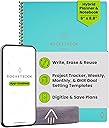
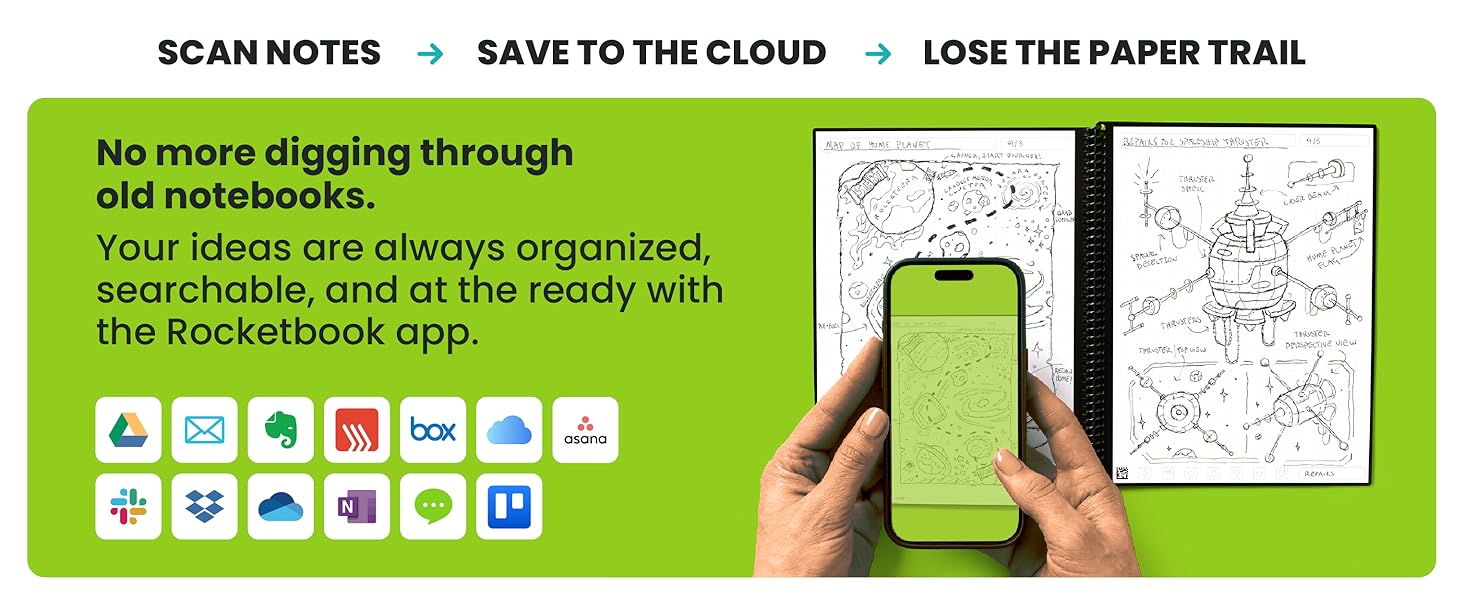
♻️ Plan smarter, erase faster, and never miss a beat with Rocketbook Fusion!
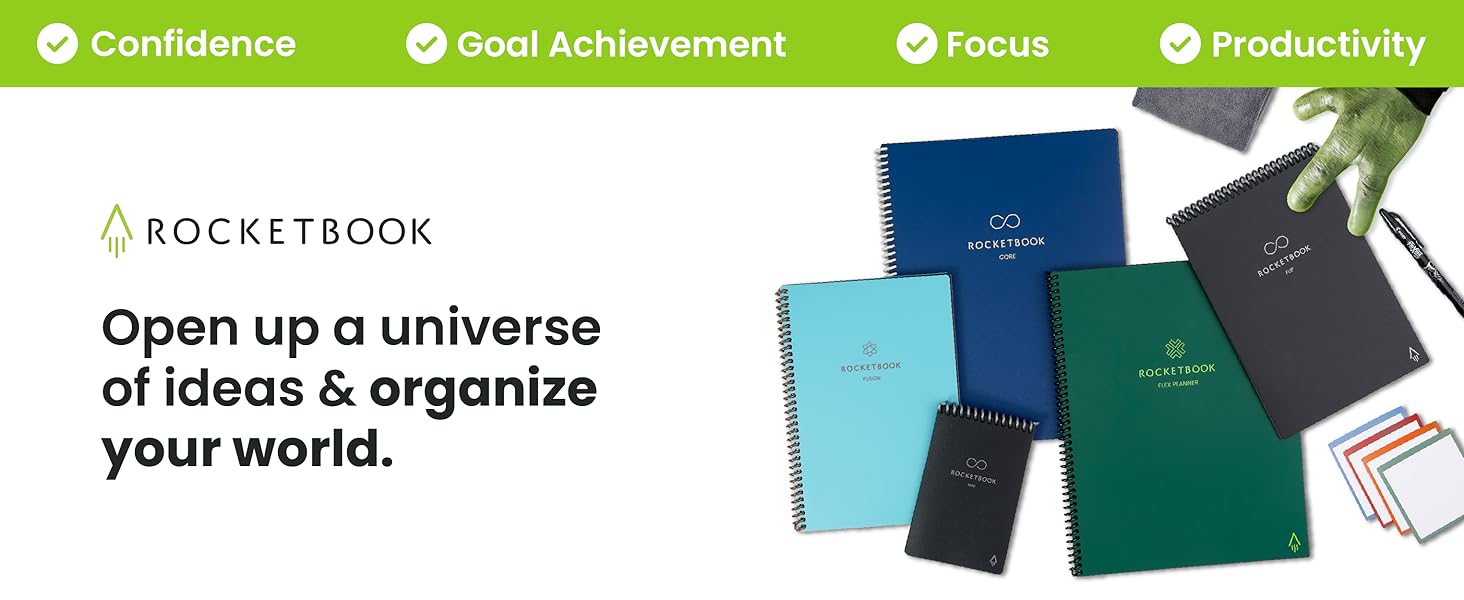
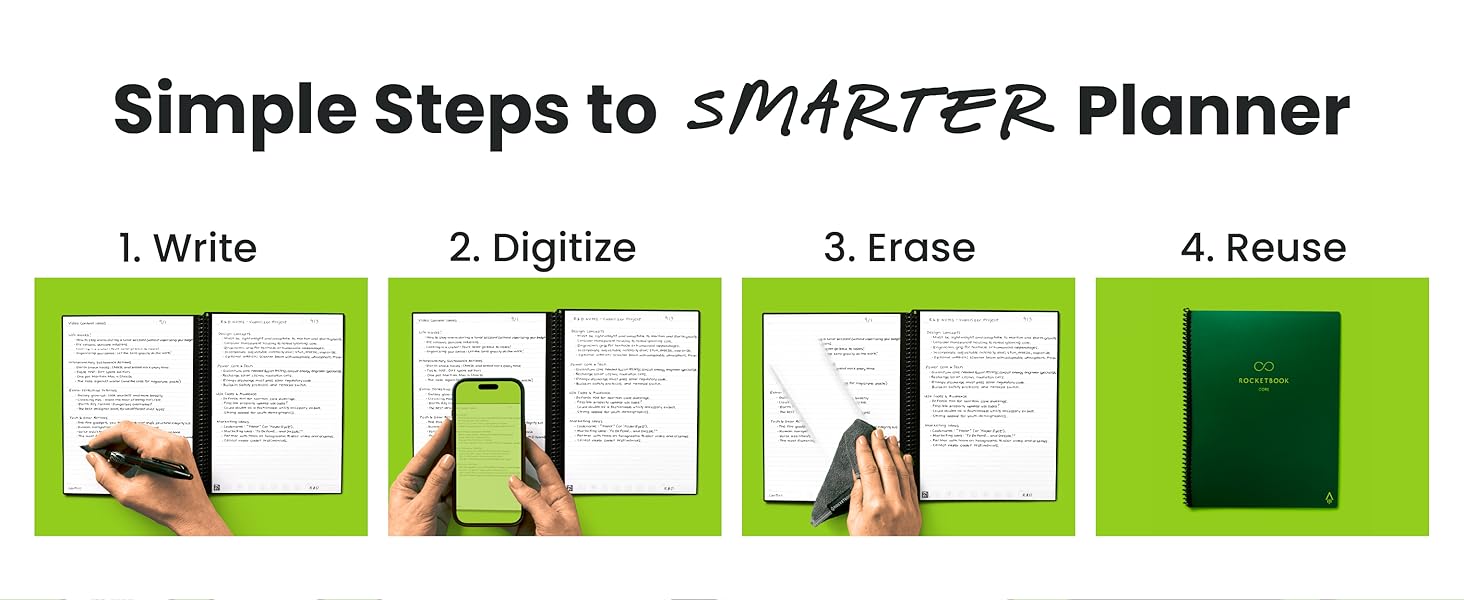
The Rocketbook Fusion is an executive-sized (6x8.8") hybrid planner and notebook featuring 7 reusable page templates including calendars, goal trackers, and dotted/lined pages. Using Pilot Frixion pens, users write, digitize via the Rocketbook app with cloud syncing, then erase pages with a damp cloth for endless reuse. Its durable polyurethane cover and spiral binding ensure professional style and longevity, making it ideal for busy professionals seeking eco-friendly, organized productivity.


| ASIN | B07ZHZ6B75 |
| Best Sellers Rank | #9,831 in Office Products ( See Top 100 in Office Products ) #141 in Planners (Office Products) |
| Binding | Home |
| Brand | Rocketbook |
| Brand Name | Rocketbook |
| Calendar Type | Weekly |
| Color | Teal |
| Cover Material | Polyurethane |
| Customer Reviews | 4.3 out of 5 stars 23,742 Reviews |
| Format | Day to Day Calendar, Notebook, Organizer |
| Global Trade Identification Number | 00850007403638 |
| Item Dimensions L x W | 8.8"L x 6"W |
| Item Dimensions L x W x Thickness | 8.9"L x 6"W x 0.6"Th |
| Manufacturer | Rocketbook Innovations, Inc |
| Material | Paper |
| Model Number | EVRF-E-K-CCE |
| Pages | 42 |
| Paper Size | 6 x 8.9 inches |
| Part Number | EVRF-E-K-CCE |
| Ruling Type | Ruled |
| Special Features | Soft Cover |
| Target Audience | Adult |
| UPC | 850015045127 850007403638 |
| Unit Count | 1.0 Count |
J**R
Great GREEN Solution for Organization and Note Retrieval
Some background: I have been using various forms of bullet-journaling for about 5 years. Regardless of how elaborate I make my journal, one thing always sticks: the bulleted task list. I also take notes on everything at work. I work full time in a managerial role, go to school full time for an advanced degree, and am a single mom. Organization is essential for me. I bought the exec size. I’ve already bought a letter-size panda planner that I haven’t received yet because I love it so much. This is the BEST way I’ve ever found to take all the notes I take and store them in a way that I can easily search and retrieve. So here’s what I love about this notebook: 1. I love that it comes with a few pre-built tools like a monthly calendar, goals list, smart list, etc. 2. Overall size and style. This is thin with a poly cover in a muted color (I got the teal-ish one) that is good quality, attractive, professional looking, and not too bulky to keep me from packing it all the time. 3. Pages are thick and durable. 4. Auto-send features are so convenient! 5. ## DOCUMENT TITLE ## Brilliant!!!! 6. Wide variety of pen/highlighter/marker styles so I don’t feel limited if I want to be more creative. I have multiple colored ball point pens, fine line markers, and highlighters! 7. Truly and fully eraseable both with PRN erasers and damp microfiber cloth included. 8. The pens can be used on normal paper so I don’t need more office supplies! (And they erase just fine on regular paper, too.) 9. GREEN GREEN GREEN 10. Well-priced for what you get and what it does. Things I don’t like or took a bit to figure out: 1. To use with cloud drives or one note, you have to grant access to all files in your drive or one note. I work for an organization that has strict information security. I will never be able to send directly to my drive or one note so will always have to use email to save notes. It’s workable, but it took a minute to figure out the best workflow to make this as efficient as possible. I use Office 365 primarily. 2. The lines on lined pages and dots on dot matrix are really faint. They seem much lighter than the pre-made pages like the calendar and smart list. It can be harder to use if you don’t have great lighting. (Or maybe I’m just old and have bad eyes.) 3. Some colors don’t scan well (yellow, pink) if lighting isn’t good. If you use them in a smart list, you can’t see them at all because it does this pink background? 4. I feel like I am not using all the smart list functionality. I’m sure that pink background means something and does something, but I haven’t figured it out yet. Which leads me to.... 5. Pretty sparse instructions. I feel like the instructions it does contain are on the more intuitive features and what I really want is instruction on more advanced uses. 6. I have poor WiFi in my office. My scans there sometimes don’t work or take a really long time to send to the assigned destination. Other tips: I’ve added adhesive notebook tabs to a few pages to make finding the section I want a bit easier. Definitely use the ## Title ## feature! It really save a ton of time. Ungroup scans when setting up destinations.. Buy a little travel size misting sprayer to keep at your desk to wet your microfiber.
H**Y
MUST BUY 5 STAR BUSINESS EXECUTIVE NOTEBOOK
I never write reviews but I love this product SO much I had to share my experience. I got the executive size Fusion. For a few dollars more it’s WELL worth it compared to the regular Everlast because you get the extra planning templates plus a mix of dot and line paper. I read that the paper is like writing on a post card. I can appreciate that comparison because the Rocketbook is glossy; however my pen would always stop working on a glossy post card...NOT the rocketbook. The Fusion pens are smooth like butter and truly does feel like writing on paper. The app is as straightforward as it gets and is freaking awesome; it can even drill down into sub folders within programs like One Note. This will be my everyday planner and would HIGHLy recommend for anyone - especially in a corporate environment. Take note of the size - this is perfect for me but they also have a full size option as well. Okay so that said I have two strong recommendations. First, I have always preferred 0.5 extra fine tip pens; the rocket book defaults to 0.7. This pen is fine and a common width in the U.S. but the 0.7 makes my handwriting look better and DRIES faster (5 seconds versus 10-15). Amazon carries them in a multiple packs; I ordered the 3 pack of red black and blue with 9 refills. Big bargain. These pens originate from japan and are the real deal. Word of caution as with all frixon pens - don’t expose to temps 140degree or the ink will fade. It says if this happens to put in the freezer for 20 minutes to restore. Not a big deal unless you forget it in your car on a hot day - just don’t do that and this is moot. :). Pilot FriXion Ball Knock Retractable Erasable Gel Ink Pens, Extra Fine Point 0.5mm, Black/Blue/Red Ink, 3 Pens & 9 Refills Value Set https://www.amazon.com/dp/B071KSF1S8/ref=cm_sw_r_cp_api_i_ioAGDbM7JBSZR Second, and I cannot stress this enough....the notebook cover!! I searched everywhere for a (real) leather hardback cover. It’s pretty hard because this notebook is slightly bigger than the standard A5. LOOK NO FURTHER....Genuine Leather Rocketbook Cover... https://www.amazon.com/dp/B07SN6CMHJ?ref=ppx_pop_mob_ap_share. it’s freaking awesome! Talk about a WOW FACTOR and ready for a board room meeting. Inexpensive and REAL leather. I can’t say enough good things about this as you can tell from my review. :) do yourself a favor - buy this!
A**Y
BEST NOTEBOOK EVER!!! But…
I don’t always take the time to write reviews like I probably should but I felt it was necessary on this product for a couple reasons which I will explain below. 1. The whole concept of a eco/environment friendly, RE-USEABLE notebook is just plain awesome! I have tried to switch to my iPad and Apple Pencil for note taking when it first came out, even tried fancy screen protectors with texture to feel more like paper but nothing will ever come close to the “pen to paper” feel to which I love when it comes to taking notes. Not to mention if you need to quickly jot something down, grabbing a pen and paper is much faster then your iPad - unlocking it and opening an app, a new note or notebook/page, etc… 2. This notebook by far meets my needs when it comes to a “pen to paper” feel especially considering it is re-usable and scannable to so many platforms. Speaking of platforms, there are so many to choose from. I love that this company didn’t limit you to using and having to subscribe to their own service because that would have been less appealing and probably a no go for me. The app also can transcribe your notes if you choose making it easy for you to search for things. Oh how I spent hours looking through pages for a note I wrote down, “I know it’s here somewhere…” only to never have found it… Bonus points @Rocketbook! 3. Microfiber Cloth: I am impressed at the quality of the microfiber cloth that was included. They could have easily given some thin crappy material that would have quickly deteriorated but nope, they spent the big bucks and included an extra thick and plushy cloth that makes me wish I had a bath robe or blanket made out of it! More bonus points @Rocketbook! 4. Packaging: Cute packaging however, given the nature of having an environment friendly, re-usable notebook I would think the company would at least have recyclable packaging, this should be an easy change. @Rocketbook. Lots of pro’s and bonus points being thrown around I suppose it’s time to get to the nitty gritty, the “but…” Specifically pertaining to quality control, or is that even a thing @Rocketbook? 1. Page cut quality… If you have ANY amount of OCD, this might be a problem. I am particular about what things I have OCD about, lol. Might sound silly but this bothers me a little for a couple reasons, mainly cause the company got everything else on point and let me down at something so simple to fix for an item they want to charge an amount that seems high to most, but I am willing to pay for so is it wrong that demand perfection? I made two separate purchases of Rocketbooks (one with 2-letters sizes and one with 1-executive), two different sizes, different colors, and one being the NEW “Fusion” which contains a few different page styles and all 3 books have flaws in the cuts of pages and some in the book covers (corners). Now, hear me out… a $2 notebook from where ever can give you straight pages, please tell me why when I am spending $34 (1 executive) or $68 (2 letters) I can’t get a notebook with straight pages??!?!?!?! I am supposedly going to have this thing for forever right? This is ANNOYING and a total let down. @Rocketbook - You need to redeem yourselves! *Photos provided. Tips: Clean up old paper notes by laying them on a Rocketbook page, add a title to the top in between double hashtags (## TITLE ##) so that it is searchable later (OCR must be enabled in settings), cross off your designated location at the bottom of the page, scan using the Rockbook app, and throw out your paper notes!!!
A**R
Versatile & Easy to use
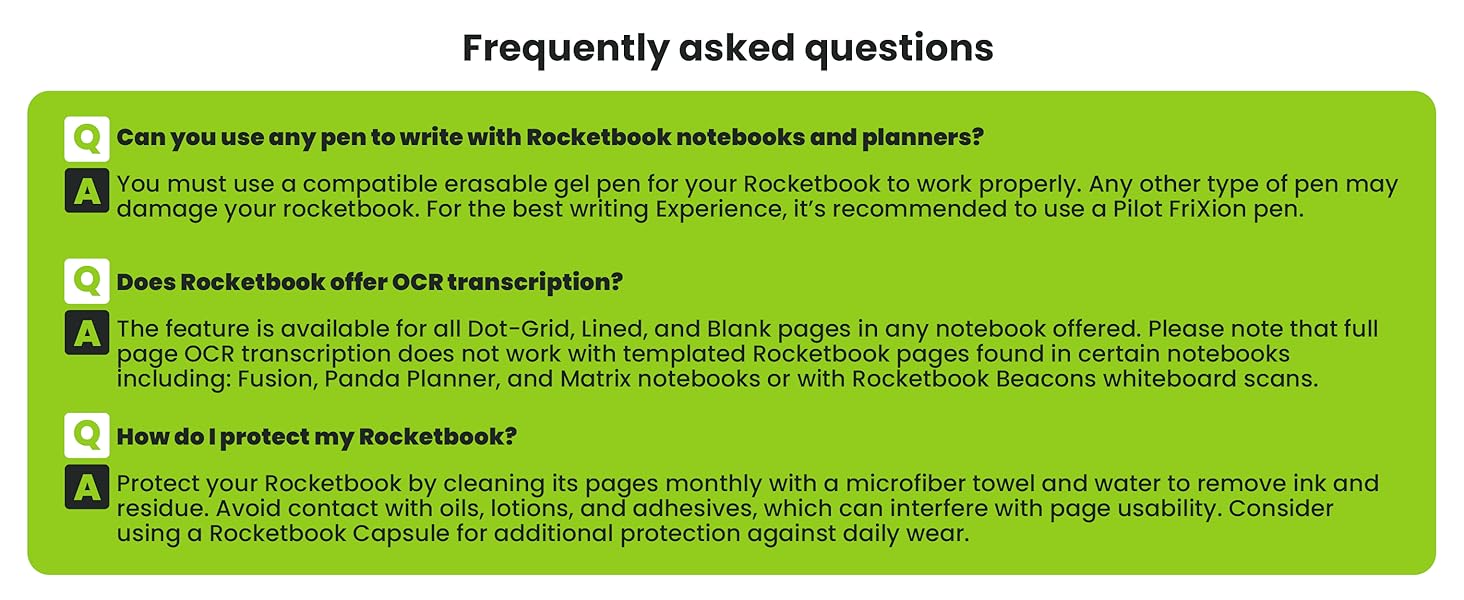
I've been using my Rocketbook since 1/1/2021 and I'm loving it. I was burdened by all the filled notebooks that I had and needed to keep, just in case I needed to refer back to my work notes. It's hard to find something you know might be in there without knowing when it might be. Enter Rocketbook. I can OCR my notes (with some corrections) and if I need something Windows can find it. I tested this feature out after accumulating a couple of weeks notes (saving each day as a separate file) and then asked Windows to find a particular phrase. It worked beautifully and finding multiple instances of that phrase--one I didn't even remember writing down. Ideally I would scan and OCR my notes daily, but in reality I do it about once a week. This means I have to set aside a little more time to correct the OCR translation of my not so great handwriting, but well worth it in the end. Though I bought a variety of Frixion pens, the ones I use every day are the ball clickers (.7mm). They write fairly well and scan easily--even the pink pen comes up well in the scans. I haven't used the markers as much for everyday notes--too thick. It's recommended that you use a spray bottle & a micro cloth for cleaning. I do that, but for everyday mistakes that's a little hard. It is NOT recommended to use the erasers that come on the pens--they not only smear, but the can remove the coating from your Rocketbook pages. I've found that using a water pen & a Q-tip works great for correction in little areas. The pen I use is: Pentel Japan Aquash Waterbrush Water Brush Pen, Fine. It gets into small areas with precision; I then use both sides of a Q-tip--one for absorption of the water & ink, and the other to dry. This allows me to make quick corrections and continue on without "waiting for the page to dry." When I do my mass cleanings (about every 2 weeks), I use a soft wet rag and a dry micro cloth. I wholesale wash down the pages and dry them. This process is a little slow as the drying does take time. I've tried it with the pages bound and unbound and have only seen a little improvement on the drying time of the unbound pages. One note I have is that right after I've cleaned the pages and they are dry there appears to be light impressions from the pen that are still there after cleaning, but after a couple of days those impressions disappear. My first (two) Rocketbooks were of the Fusion variety, as I didn't really know what I wanted. I like some of the planner pages and the lined pages, but only used the dotted pages when I ran out of lined pages. I have created some two page calendar pages using the dotted pages, but for me they weren't as useful. When I originally got the Fusion book it was the only one with lined pages; at that time the Core only came with dotted pages, but now they have a version that is all lines. I've added one of those to my inventory. If I had to go back and could do the purchases again, I'd probably still get the Fusion for the versatility, but my other book would be a Core lined. At the bottom of every page are 7 icons. You can program them to be locations to where you want your scanned pages to go and what actions you want taken. For instance, I have two set up for personal notes/scans--one for email & one to go to my G-drive--both with OCR. I also have two set up for work notes/scans, but in this case they are going to my work email and my work based OneDrive--again both with OCR. If you were in school and part of a study group, you could make one of the icons go to a group email or to a group accessible cloud storage. The versatility here is endless. All in all I'd recommend the Rocketbook. At $35 for 42 pages it might seem high, but think about some of the other alternatives and their expense. I tried several more expensive options, and none of the others worked like I do or made it as easy to see and retrieve my notes.
B**Y
The BEST way to take notes
I am a teacher and I am constantly looking for a way to plan lessons, take meeting notes, write down notes on students, and keep a planner going. I'm also a Master's student so I need a place to take class notes and keep track of assignments. I am really bad at keeping notebooks organized and tend to write down my notes on scraps of paper, random notebooks, and legal pads. I even bought an iPad Pro and tried using various apps to keep myself up to date. The only thing that has kept me on track and up to date on all my assignments has been this book. Its reusable, easy to erase, easy to use, and easy to keep yourself on track. The pens work well and its mind blowing how the erasing work. One of my favorite things to do is show people how I scan, save, then erase my notes. I've recommended this book to about 20 people and counting. The app is easy to use and navigate. I was able to get it setup and ready to use in about a minute. It keeps all my notes organized with the easy tagging system. I like handwriting my assignments so I frequently use OCR to transcribe my notes and get the notes typed for me. I send it to my email then copy and paste it to Canvas or Blackboard to submit it. I chose the Fusion because of all of the pages that are available. The first page is a project/task manager that I use to keep track of all of my assignments and their due dates. The next two pages are weekly calendars where I keep my planner. The next page is a monthly calendar. The page after that is a planner of some sort. It has 4 boxes, 1 for objectives, 1 for key results, 1 for action plan, and 1 for reflections. I find this to be really helpful for lesson planning for the day. The next page is another planner with space for an idea, rating, next step, and inspiration. I use this page when planning for projects and assignments for my students. After that there are 18 pages front and back for grid dots and lined pages. 9 for dots and 9 lined which come out to 36 pages total. It is a handy little book and I highly recommend it.
J**N
cool concept, does not feel like a regular notebook
I've been using the RocketBook notebook for about 6 months now. Overall, I like the fact that I can handwrite my notes, and then easily upload a high quality image of the notes to a folder in the cloud. I also like being able to erase and start again, so I'm not accumulating a million notebooks and having to look through pages and pages to find the notes for a specific day/project - I can just organize them online. So I definitely plan to continue using it. That said, I think there are some bugs that make the experience of using it less pleasant, that I hope will go away with future product developments. First, the notebook itself feels very flimsy. I work from home so keep it on my desk all the time, but if I were throwing it in a bag to go to school or work, I'd worry that it would fall apart quite quickly, which isn't great given the cost. And speaking of the cost, there are little bells and whistles - like a pen holder, or a built-in bookmark to hold your place - that are more common at this price point but that this notebook lacks. It would also be helpful if it had tabs to divide the different types of paper to make it easier to jump to a different section. Second, I really just do not like the pen or the way it feels to write on the paper. The paper is very slick-feeling, not like normal paper at all, which I don't enjoy. The ink in the pen flows in a really weird way - it skips and smudges easily, and if you need to turn the page to keep writing, you have to wait a minute or so for the ink to dry, or it transfers over to the next page it touches. You also have to wait for the ink to dry before you can use the eraser built into the pen, so I end up just crossing stuff out when I'm trying to write quickly (which is pretty much always). The pens are also fairly pricey, you can't use pens that aren't specific to the notebook, and they run out of ink a lot faster than normal pens - I'm on my third pen in 6 months. Third, while I like the look on people's faces when I pull out a wet rag and erase the whole notebook page, it does take some time to wipe the page and then let it dry, before you can turn the page to clean the next one. Not a big deal if you clean them every day, but I don't - I usually clean the pages every couple of weeks when I've accumulated a bunch, so it's slow. And if you wait too long, I do find that a ghost of the ink remains on the page and can't be erased completely (like a whiteboard if you leave it for too long). Finally, maybe this is just my handwriting, but the OCR for this is mixed - I often get weird characters and things I didn't write, so have to fix it. Not a big deal since I just use it for the file names, not the notes themselves, but just to note. Overall, as I say, I like the notebook and do plan to continue using it, but there are some things I hope get worked out in the next version.
T**S
I love this notebook
I've only had a couple days but love them. I retain information better by writing notes than typing notes (research shows this to be true). I always have. This allows me to write my notes but not have to rekey them if I need them in typed form too. So simple. I have a day of meetings and at the end of the day spend a few minutes uploading (which is super simple) then erase. Love it.
S**Y
The Mary Poppins Bag of Notebooks
Ive accidentally thrown this notebook around and its pen and it still works (very durable). It is very good even if you spill water on it and it keeps track of everything. It is a matted smooth finish with an even smoother inside and its a lightweight way to carry EVERYTHING. It is neat and organized and helps to keep me organized with its layout. I like the different sizing options. my medium one is perfect for my heavy topics.
Trustpilot
3 days ago
1 week ago