


Desertcart purchases this item on your behalf and handles shipping, customs, and support to Cyprus.
💼 Upgrade your MacBook stealthily—storage that’s there, but never in the way.
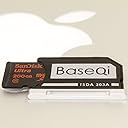
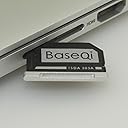
The BaseQi Aluminum microSD Adapter is a precision-engineered accessory designed exclusively for the MacBook Pro Retina 13". Crafted from CNC-machined aluminum, it fits flush into the SD card slot, adding up to 1TB of expandable storage without compromising your laptop’s sleek profile. It supports high-speed microSD cards up to 720Mb/s, ensuring fast data access with minimal battery drain, and allows easy swapping of microSD cards for versatile storage management.





| ASIN | B012F38H9A |
| Best Sellers Rank | #99 in Computer Memory Card Adapters |
| Brand | BaseQi |
| Color | Silver |
| Compatible Devices | Laptop |
| Connector Type | plug |
| Current Rating | 1 A |
| Customer Reviews | 4.4 out of 5 stars 1,305 Reviews |
| Finish | Aluminum |
| Item Dimensions | 0.9 x 0.8 x 0.1 inches |
| Item Weight | 1 g |
| Item dimensions L x W x H | 0.9 x 0.8 x 0.1 inches |
| Manufacturer | BaseQi |
| Mfr Part Number | FBA_ISDA303ASV |
| Model Number | ISDA303ASV |
| Number of Items | 1 |
| Number of Ports | 1 |
| Package Quantity | 1 |
| Power Plug Type | No Plug |
| Specific Uses For Product | Laptop |
| UPC | 010536760071 010536760088 732030626225 010536760842 |
| Unit Count | 1 Count |
S**T
Great adapter, fits perfectly, truly plug in and forget
So I bought this for my Mid-2014 Retina MacBook Pro as I learned pretty quickly that 128GB of storage just wasn't enough for what I use my MacBook for. It's plenty enough to hold apps and music and even some games. But I like keeping movies and TV shows on my MacBook since I really love how the screen looks, and the battery lasts me all day long easily. I've seen plenty of adapters like this all over Amazon, but what caught my attention was the fact that this could be removed without having to use any tools. Some adapters are like this, but leave some plastic piece sticking out. (Thus ruining the idea of an expansion you put in and forget about) It truly sits in the slot without any part of it sticking out, and it doesn't get caught on anything. So far, it seems tight enough to where I don't have to worry about it falling out, and loose enough where I don't have to worry about causing any damage to my card reader. It could match the aluminum a little better, as it is slightly shinier and chrome like. I keep my iTunes Library on the 128GB SanDisk Ultra microSD card I bought to use with this. I haven't had a problem yet. All in all, the adapter works very well. I haven't had to re-mount it once after the MacBook sleeping and waking up several times per day. It is as fast as the card you put inside it, and I have not noticed any significant amount of battery drain since using this. ***** For those interested in the more technical aspects of this adapter, I am able to read and write to the microSD card inside it at speeds on average of 720Mb/s (approximately 90MB/s). The speed of the microSD card is the only limiting factor, the adapter is capable of handling any speed currently offered by microSD cards being sold. My battery life is something I tested thoroughly, as it doesn't help to have double the storage if I can only use it for half the amount of time. Before installing the adapter, I achieved 14 hours 32 minutes 15 seconds of iTunes movie playback from files stored on my internal SSD. After installing the adapter, transferring the iTunes library to the microSD card, and running the test again; I was pleased to find that my MacBook lasted 13 hours 48 minutes 51 seconds. I personally found the 44 minute reduction in playback time acceptable, especially considering the files were being played from the microSD card over a much slower interface. The power draw from using this adapter is 180mA measured using the system information tool in Mac OS X El Capitan while watching videos stored on the card.
I**S
Sits completely flush in an Early 2015 Macbook Pro Retina
I'm using this with a 13" Early 2015 Macbook Pro Retina and I paired it with a 128GB Sandisk Evo+ micro SD card. I was considering the Jetdrive Lite but for almost the same price I decided to get this and a separate micro SD card because this would allow me to get additional SD cards down the road and use them with this adapter - the Jetdrive Lite is all in one so you can't remove the memory card from the adapter. Granted, this adapter is designed to stay put and not continue to be inserted and removed but at least I have the option of using it with more than one micro SD and I wouldn't have that option with the Jetdrive. This works like a charm! Once I inserted the micro SD card into the adapter and then the adapter into the Macbook it worked exactly the way that it was supposed to and it is completely flush with the side of the Macbook. I have a growing music and ebook library that are taking up too much space on the internal 128GB drive (lesson learned here was that the next time I'll shell out the extra money and get the Macbook with a larger SSD because 128GB tends to be limiting as time goes on). I moved the music and ebook files to the micro SD card and configured iTunes and Calibre to look on the micro SD rather than the internal hard drive. Using this adapter and a speedy micro SD I've effectively doubled the available storage of my Macbook without the need to drag around an external hard drive. I'm very pleased with the results and wouldn't hesitate to buy this again. One piece of advice....don't skimp on the micro SD card....get one that has a high read/write speed. If you're patient you can usually find one either at Best Buy or Amazon on sale.....the Evo+ is usually $110 and I managed to find it for $49 (and of course the day after I ordered it Samsung released the Pro version with 128GB capacity). For under $75 I was able to free up a lot of space on the internal hard drive, have a lot of additional capacity on the micro SD, no longer have to carry my external hard drive in my bag and because this adapter is flush with the side of the Macbook it doesn't snag on the sleeve that I keep the laptop in. I'd highly recommend this to others.
K**O
Reliable SD card adapter for MacBook Pro
I bought this item because I wanted to increase the amount of storage I had on my MacBook Pro with Retina Display. I initially looked at the Nifty MiniDrive. Due to the MiniDrive being out of stock for several months and many reviews noting the SD card would be ejected after closing the laptop, and needed to be replugged in, I began looking at other products. Several reviews noted that the BASEQI adapter didn't have this problem. The BASEQI adapter was also cheaper. I have now been using it continuously for more than 6 months. In that time, it has worked nearly flawlessly in storing files (I have been using it as a Time Machine backup for now). It has been unexpected ejected twice in that time, which I find liveable. It can be a little tricky to remove the adapter (just a fingernail isn't enough). I have had no issues with accessing the SD card, and Time Machine has reported no issues with hourly backups in 6 months. (I do get periodic "we have to delete old backups" messages, so I know the backups are happening.) The only downside is cosmetic: the adapter doesn't extend the entire length of the SD card slot on the right side on my early 2015 MBP with retina display (see picture). Realistically, however, I don't look at my SD card slot most of the time, so I don't notice the problem. In summary, I'm definitely glad I bought the BASEQI SD card adapter; it was cheaper than other alternatives and has been very reliable for over 6 months.
A**R
Tight fit but, works if you're careful and just even a bit patient.
the micro SD card is really not much bigger than this card adapter but, the size reflects more on apple not leaving much space inside this series of retina Macbook pros. I couldn't get the adapter to fit the first time I tried or even the second time. I tried again and after observing that the adapter had a slight bend, I figured it was defective or was damaged during transit. I gave it another very careful go, only this time with careful nervous pushing aligned the adapter with the left and right sides of the Macbook as opposed to the top and bottom and it just barely got in. I don't know if mine was damaged but, you should be careful inserting this or any other adapter like it into your SD card reader slot. You can damage internals, especially if your slot has the spring-loaded clamp and release. I'm getting write transfer speeds of between about 50-60MBs (can't remember the read speeds) although this doesn't have much to do with the adapter but, more to do with the control chip for the SD card reader on the mid 2010s retina Macbooks. I've read it uses a USB 2.0 bus to connect to the motherboard but, this doesn't explain the transfer speed exceeding USB 2.0. so, it must be wrong. Of course, the transfer speed is also dependent on the card being used and I have a Samsung Evo select SDXC UH-1 (A1) card inside. The Micro SD card mounts with no problems while in MACOS Catalina as well as Windows 10 through Boot camp. I inserted it first while in Windows10 and it showed up as an external USB device. After renaming the volume iSDA-EVO... (D:) it turned into an HD icon just like how (C:) drive looks but, im not sure exactly what that means since it seems to perform normally. Reader registers the Micro SD as an SD while in MACOS. I haven't tried taking this thing out because it'd be trouble to remove and replace and also because I intended to use it for slow data storage of media and Doc items and to transfer and work with files both in MAC and Windows OSs. The card came already formated to exFat which can be read in Mac and PC and hold files larger than 4GB and capacities larger than 32GB. NTFS or APFS may provide faster read/write performance. This thing really seems well made as it matches the feel of the Macbook. The packaging was also nice and comparable to Samsung's card packaging which gave me immediate confidence in the product even before opening. adapters aren't complicated devices so this thing should last as long as the laptop does. I'm satisfied every time I look at it and would recommend it to anyone willing to pay its Mac tax price for the convenience and added storage utility. It is still a bit cheaper than the 64 or 128 GB JET drive from Transcend especially if you can use a Micro Card you own or multiple cards if that works for you. If you wanted to use this as a time machine or other system backup it may be advisable to use an A2 card from SanDisk as these are designed for running programs, unlike A1 cards but, I may still work.
H**S
Sleek and seamless
It is so much better than the original. It was pricey for what it is, but worth it as I don't have to worry about anyone potentially knocking it out accidentally or breaking it. It sits super flush. It doesn't quite match my 16" Macbook Pro M1 Max color, but that doesn't bother me at all. Make sure you're getting the correct one for your microSD memory card. Mine is the 1.5TB Ultra microSDXC UHS-I Memory Card with Adapter - Up to 150MB/s, C10, U1, Full HD, A1, MicroSD Card - SDSQUAC-1T50-GN6MA [New Version]. I've linked it below incase. I believe there is another one made specifically for the U2/UII memory cards. https://www.amazon.com/dp/B0CJMRW771?ref=ppx_yo2ov_dt_b_product_details&th=1
A**H
Flush SD a game changer for a backup drive
I have been looking for something like this ever since I got a new Dell Inspiron 16. I like Dells because that have the SD slot but now it is much shorter. The SD card sticks out. With this I can now use my micro SDs and they are flush. I would recommend this to anyone who needs an backup drive. I tried two short USB thumb drives from a name brand company, but they both died after 3 months of use. This short adapter is a game changer.
P**M
It slows down and crashes my computer. Avoid.
Garbage, it worked kinda okay for a bit, but then it started severely slowing down and sometimes crashing my computer. Sometimes I have to wait 20 seconds just for a small JPEG to load. I don't have these problems if I use the same micro SD card in a different micro SD adapter.
J**I
Bought this and doubled my Macbook Disk Space - BUY IT!
Okay, this thing is phenomenal and perfect - exactly what I've been wishing was available since 2013 when I bought this Macbook Pro 13". I had been using a SanDisk Ultra Fit 128GB USB 3.0 drive as added storage since the MBP's 256GB solid state drive got filled up too quickly (I run Windows on a virtual machine). That worked overall, except it stuck out from the body of the MBP and would at times get pulled out. I've been nervous about it the whole time - worried it would get caught on something and I'd lose files or worse, damage the USB port (I move my laptop a lot!). Then I saw a 256GB micro SD for $88, and thought that if there was some adapter that would go flush on the side, that would solve my problems like the SanDisk USB flash drive never did. That's when I found this! Some of the bad reviews made me nervous, but I think most of those are people who ordered the wrong one. NOTE - each Macbook requires a different model depending on size (13" / 15", etc.) and model (retina / non-retina, etc.). So do the research and check the QA - but having gotten the right one for my MBP I must say I'm a total fan! NOTE - following another user's recommendation I immediately installed the MOUNTain app ($5.99) to keep this mounted through my Macbook going to sleep (an issue I used to have with my flash drive was it unmounting, but after MOUNTain I no longer do).
I**M
It is original and coming faster
Thank you so much for this product it is original I am happy to much thank you My friend
M**E
Great product, Quick delivery, Better than expected!
I bought the BaseQi iSDA 303A for my Macbook Pro Retina 13" (early 2015). The packaging was in immaculate condition, and the hardware works just like it was described. On the packaging it says that this adapter supports whatever capacity your microSD card is, and I am more than happy about that, as I kept reading that it only supports 200GB, which may only be the highest capacity manufactured currently. This product saved me and my wallet over $200, which I spent on RAM for my Macbook instead of SSD space. Glad some companies invested into these options, I couldn't be happier. I had considered three different products before buying the BaseQi iSDA 303a. The Nifty Mini Drive was sold out for the model I needed, and couldn't wait for it to be in stock on Amazon or right from the Nifty website as well as only supporting up to 128GB microSD cards. The JetDrive Lite 330 does not have removable storage, and would be back in the same situation I am now if the drive gets filled quickly, as well as having Read/Write speeds that were not comparable to the microSD cards I was looking at buying. Samsung Pro PLUS/ SanDisk Extreme Pro both at 95 MBs / 90 MBs read/write. While the Jet Drive Lite 330 was listed as 95 MBs / 60 MBs read/write. Although I have not bought the other products I was considering (Nifty Mini Drive, and JetDrive Lite 330) I don't believe I could be more satisfied with any other product. Being able to add/ swap the microSD cards for more storage/ backups, and increase the speed/ capacity as the technology advances was the most important selling point for me. A great quality product, feels sturdy, and I like the aluminum finish that blends well with the Macbook. I highly recommend this product to anyone considering adding additional storage to the new Macbooks/ Macbook Pros. Especially if you do not always want to carry arround external HDD/ USB drives. Also you can comfortably put you Macbook on your lap/ moving around without worry about breaking/ damaging the USB port by adding the BaseQi iSDA 303A adapter for the Macbook Pro Retina 13". I will follow up if there is any issues with the hardware.
M**O
Fits perfectly
Solid sd adapter that fits perfectly
I**I
Time machine用として使いたい外部ドライブを内蔵ドライブ化できます
MacBookPro M1Max (MacbookPro14inch 1TB) にSandiskの1TB(SDSQXA1-1T00-GN6MN)を差し込んで2022年6月から使ってます。 ProにはSDXCカードスロットが内蔵され、Airにはない機能なので、Proを選ぶ理由の一つです。 750GBをTime machineに、残りを動画の書き出し先にしたり適当なファイルを放り込むディスクとして便利に使っています。 Time machine用として必要な外部ドライブをMacBook本体に一体化できるので、何も意識せずにBackupを持てます。 このアダプターを抜くには爪が短いと抜きにくいくらい、Mac本体にフィットしています。 今はMacbook Pro 13" Retina用として販売されていますが、購入時にはM1 MacBook用として販売されていました。
B**T
Excellent
This is an excellent adapter. Slots right in and sits flush with side of the laptop. I’m using it with a 1TB SD card as cheap on board storage. It’s also easy to pull out with just your fingernail but sits nice and tight when in.
Trustpilot
1 month ago
2 weeks ago