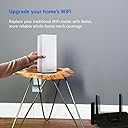
๐ Elevate your home network to pro-level speed and coverageโbecause buffering is so last decade!
The Linksys MX5300 Velop AX is a cutting-edge Wi-Fi 6 mesh system delivering up to 5.3 Gbps speeds and coverage for homes up to 3,000 sq ft. Designed to support over 50 devices simultaneously, it ensures smooth 4K streaming, gaming, and smart home connectivity. Featuring advanced interference reduction and easy expansion via modular nodes, itโs perfect for modern, device-heavy households seeking reliable, high-performance wireless networking.
| ASIN | B07Z5NZ9CQ |
| Antenna Location | Business, Gaming, Home |
| Antenna Type | Internal |
| Best Sellers Rank | #130,694 in Computers & Accessories ( See Top 100 in Computers & Accessories ) #864 in Whole Home & Mesh Wi-Fi Systems |
| Brand | Linksys |
| Built-In Media | Router, Quick Start Guide, 1 Ethernet Cable, 1 Power Adapter, Printed Documentation |
| Color | white |
| Compatible Devices | Laptop |
| Connectivity Protocol | wi-fi |
| Connectivity Range | 3000 square_feet |
| Connectivity Technology | Ethernet |
| Control Method | App |
| Controller Type | vera |
| Coverage | Large Homes |
| Customer Reviews | 4.5 out of 5 stars 526 Reviews |
| Data Transfer Rate | 5300 megabits_per_second |
| Frequency | 2.4 GHz |
| Frequency Band Class | Tri-Band |
| Global Trade Identification Number | 00745883782932, 00745883782949 |
| Item Dimensions L x W x H | 4.5"L x 4.5"W x 9.6"H |
| Item Type Name | wi-fi router |
| Item Weight | 5.7 pounds |
| LAN Port Bandwidth | 10/100/1000 |
| Manufacturer | Linksys |
| Maximum Upstream Data Transfer Rate | 2650 megabits_per_second |
| Mfr Part Number | MX5300-AH |
| Model Name | AX5300 - Speed |
| Model Number | MX5300 |
| Number of Ports | 4 |
| Operating System | RouterOS |
| Other Special Features of the Product | Guest Mode, WPS |
| RAM Memory Installed | 1 GB |
| Security Protocol | WPA2-PSK |
| Special Feature | Guest Mode , WPS |
| UPC | 745883782932 745883782949 |
| Unit Count | 1 Count |
| Voltage | 100240 volts |
| Warranty Description | 3.5 year manufacturer |
| Wi-Fi Generation | Wi-Fi 6 |
| Wireless Communication Standard | 802.11ax |
| Wireless Compability | 802.11ax |
R**9
Linksys Velop Wi-Fi 6 mesh router
Overall, I like the router and think that it works quite well. Below are my additional comments. I hope you find them useful. Why did I buy this product?: I had an aging Apple AirPort Extreme Wi-Fi router that had started acting up from time to time, so I needed to find a new router to replace it. Installation: It is quite easy to set it up. Wi-Fi signal: We have a EV in the garage downstairs that needs to get good Wi-Fi signal for periodical software update. The signal strength in the garage isn't very great unfortunately. It looks like I will need to install an extender for stronger signal for my car. Apple Time Machine support: Unfortunately, Linksys Velop Wi-Fi 6 doesn't support Apple Time Machine for data backup even though the router has a USB port to connect an external hard disk just like Apple AirPort Extreme does. If you need the time machine to work for your backup, you will either need to connect the external hard disk directly to your Mac, or add another Mac (e.g. Mac mini) on the same Wi-Fi network and enable the time machine back up on it using the external disk connected to it. I also have heard a rumor that Apple AirPort Extreme can be added to the network (via Ethernet) to enable time machine.
K**P
Significant Wi-Fi Speed Increase
So far, I am very happy with the performance of the Linksys Velop Wi-Fi 6 router. In the first part Iโll give some background and why I upgraded to this router. If you donโt want that info just scroll down to the bottom and Iโll get to the performance and satisfaction so far: I have a 2,200 square foot home and itโs two stories. My modem is located on the second floor in one of the far corners. Iโve always had varying levels of performance issues with all the routers Iโve ever had in this house. My previous router was a Linksys MU-MIMO dual band AC router thatโs maybe 3 years old. It provided pretty good but not great Wi-Fi coverage for the whole house. I pay for 200Mbps download speeds from my ISP. If I were in the same room as that router Iโd average around 180Mbps download speeds (tested on both phone and laptop). If I were on the far end of the house on the same floor Iโd average about 110Mbps. On the first floor of the house things would obviously get worse. 70 to 80Mbps speeds would be typical and sometimes less. It was less stable than upstairs so it could vary by a lot. Anyways, I wanted to address my performance issues, and I wanted to upgrade to a router that would future-proof my home Wi-Fi for a while. I have an increasing number of smart devices, smart phones and tablets, personal and work laptops, whole home audio and home theater devices and TVs, etc. There are two of us who live here and in total there are (these include personal AND work devices) 3 smart phones, 5 laptops, 2 tablets, 2 printers, 3 TVs, a new home theater sound system that connects via Wi-Fi which Iโll be expanding to multiple rooms, 1 AppleTV, 1 Roku, 2 4K Chromecast sticks, 1 google home, a new refrigerator and stove which connect to WiFi, a SmartThings hub (which connects via a wired Ethernet connection to my router), and a few odd Wi-Fi switches and bulbs which donโt go thru my SmartThings home automation system and are just direct to Wi-Fi network connected and controlled thru their own apps. Iโm sure Iโm missing a few things that I canโt think of now. SO as you can see, Iโm worried about network congestion, interference, and efficient/optimal juggling of all those devices, especially going into the future as more get inevitably added. Now on to my experience with this new router. (I havenโt tested file transfer speeds between devices on my local area network. My tests so far have all been internet download speed tests so keep that in mind. Iโll update this if I end up testing more and find the upper limit on my LAN.) I noticed an immediate jump in Wi-Fi speed compared to my last router. I tested near the router and on the other side of the house on the same floor and I have a perfect Wi-Fi signal and the download speeds, even on the far end of the house are consistently just over 200Mbps (which is what Iโm paying for). I only start to notice a drop off in speed when Iโm on the lower level and also on the far end of the house. There, depending on position itโs anywhere from 100 to 150Mbps. Iโm on the fence about adding a second Velop for the first floor to make it a full coverage mesh network. Our office and one of the TVโs are in that area of the house so Iโm probably going to. Iโll update this review after having the router a bit longer and Iโve had time to see if I have any reliability issues with the Wi-Fi signal in that far area. And also if I end up adding a second Velop Iโll review the mesh performance. Hope this review helps anyone who might be in a similar situation and sized house and youโve been wondering about the performance of Wi-Fi 6 (802.11ax) over Wi-Fi 5 (802.11ac). Iโd say definitely go with a true Wi-Fi 6 tri-band mesh router network. Itโs definitely a noticeable improvement so far.
D**D
Great Range and speed - poor tools and dated UI
First, this is a very fast router. I use my xfinity modem as a bridge so this is my wifi and main link to the internet. I am very technical and was using enterprise-grade equipment (Meraki) in the home. The cost for those licenses has gotten very expensive and the MX67 can no longer keep up with the speed. My service is rated 800 MBps bu the Meraki is only rated for half that. The Linksys AX delivers this full comcast speed and much better range than the MR33. I have a Streaming only TV in my basement below grade and the unit is on the second floor and the signal is strong and solid. My entire home is ~3700SF and coverage is very good with no noted drops or slowdowns. I love the NAS function and has a USB drive attached for Network backups. the downside is that the UI seems dated and there is almost zero you can tune. You can't even change WiFI 2.4 channels. There is very little logging and no insight on traffic and load. Also oddly missing is the ability to have multiple SSIDs I had one just for IOT devices and you should separate TVs and Thermos from your computers but the only workaround I found was to use the Guest SSID which you can rename and config to be isolated. I love the mesh concept but don't need a second now. If the UI was more robust and just a little better set of logs this would be better I realize this is built for the home novice but I'm used to much more. Overall worth the money.
A**R
WPA3 and strong signal but a bit pricey
I previously bought a wavlink router but it unfortunately did not allow for current security protocols and tech support was not responsive. I returned it and bought this WIFI 6 router. Itโs a bit pricey but itโs expandable for larger houses, has the most current security, and a very nice app that allows for control of all features. I havenโt had to use tech support so canโt comment on that aspect. It was very easy to set up. I did not notice a large increase in speed over my old router, which seemed fine for my purposes anyway. I can do video calls and stream video from multiple devices with no issues. Iโd recommend this router, especially if you have dead spots in your current house. My old dead spots are now a thing of the past with just the main router (without any nodes) in my 1900 sq ft place.
I**I
STUNNING PERFORMANCE FOR THE BEST SIGNAL POSSIBLE
About me: I love technology and I am often the first to engage myself with new software or hardware. By no means am I an expert but I rarely struggle with new equipment or software. I've set up maybe a dozen wireless networking systems to date. It comes easy to me. I've been a Linksys fan for years if not a decade by now (yet less so when Belkin bought it). That said, I started to set-up the new MX5 Wi-Fi 6 system and the LINKSYS APP wasn't ready for it and when I called Linksys support, neither were they. Hopefully they will update and upgrade and train their reps in Asia. I eventually solved the install by manually linking the Velop units to the modem. After a 35 minute wait to get to a Linksys Rep (outsourced to the Philippines of course), the agent that answered couldn't assist. She was very friendly and told me she would have a Senior Tech Rep call me back. They did not. It's pricey at $399 a node. Buy just 3 of them (large home) and that will cost you $1200.00 That dollar amount is worthy of a USA Call Center at least. The 'Nodes' themselves are large, bulky and only come in white (for now). They don't hide or blend well and of course you want them away from any appliance, TV, speaker, etc. IMPORTANT NOTE: Make sure you turn on both cell Wi-Fi and Bluetooth for your install from your Linksys app on your phone. Keep in mind that the MX5, Wi-Fi 6 system will only offer you a vast benefit for devices that are Wi-Fi 6 friendly. Most are not yet. I ran SPEEDTEST many times and saw no gained benefit from the new MX5 system (I subscribe to 1GB from my ISP). There is massive promise to Wi-Fi 6 out there (AX). I'm just not yet seeing a benefit to justify the very high price tag. Most devices in ones home are not yet Wi-Fi 6 friendly. I updated this review after a full 2 months of use. My SPEEDTEST ratings are still passing 950 MBPS. The signal has never failed or dropped once. The units still remain big, bulky, very bright white and very unattractive. Oh well, performance is the best ever.
C**S
Great product, incredible speed
Linksysโ new system is very robust and has an incredible range. I have been a Mac AirPort Extreme user for years, but was having challenges streaming to TVโs. When I replaced with the Velop system, speed went to what my service is set for and have had no issues with streaming. The app to setup couldnโt be easier and had both nodes online in under 12 minutes
E**O
Mesh can be difficult to setup; Admin tools not robust
So I've bought several of the Velop for my house + outbuilding. This was the first WiFi6, as I had the main unit go flaky after several years of use. I originally selected Velop because I have wired connections to outbuilding and wanted to use them in house, and this was one of the few that supported wired satellite radios. I'll take you through my experience: Setup: Initial node is straight forward. It really wants you to use a smart phone for this. There is a web interface, but it is a bit quirky, and some of the more advanced functions are hidden. I used the smart phone, as I was replacing my main unit, I elected to redo my satellites. That's where the challenges came in. If you're doing wired satellites, you still set them up wirelessly, then you move them. But realize you should redo the frequency optimization after if it's being moved far from where it was set up. It also really wants to use bluetooth + WiFi for setup, which means its close to an existing unit. If you're red/green color blind, this could be an issue as seeing the difference between blue and purple on the LED is subtle. Also, timing is important. If it times out, you may have to recycle to power as the child node will eventually thing it is the main node and then no longer try to join an existing mesh. All of that said, once set up, it is easy, and you have 1 or 2 SSIDs everywhere, none of this 2.5G/5G or repeater SSID mucking about. Once you are set up, you can use the web or smartphone app to manage. This is where the tools are lacking. You can see the status, do a speed test, see connected endpoints, etc. What about the bitrate on the internet connection - nope. Setting up firewall mappings - ok but a bit quirky. And some features reset the whole mesh when you save them. That said, it never crashes or acts strange, except for my 4 year old node that essentially died. If it weren't for the large investment I already have in 4 existing nodes, I would have looked elsewhere as before I had ASUS and it's GUI was much better and I could troubleshoot easier. Linksys seems to think you don't need those tools. Yes, I have written this up and sent it to them - 3 times so far - and they did not even acknowledge receipt. And once I called them and also reported to a human when I was having and issue and that was not followed up. Yes, Tech support was decent, but wait time was slow. Conclusion: works pretty well, mgt is limited, adding child nodes can be a bit tricky.
T**Y
So easy, plug and play
Our WIFI signal is coming in so much faster than before. We have a house loaded with smart devices, lights, plugs, robots, firesticks, etc. and nothing lags at all. Everything automatically grabbed the right band when connecting them. So far zero issues. Bought one in November and just bought another node two days ago. Zero dead spots in our home and we get WIFI all the way out to our shop 180 feet out.
C**N
Buena compra.
Excelente producto. Con este nodo de Linksys mejorรณ bastante la cobertura y velocidad del WIFI en mi hogar. Lo recomiendo.
I**E
Apparantly abandoned by linksys
The device does not support time machine backups to a disk attached to it. It fails partway through. Linksys support says it does not work. They have also not updated its firmware in over a year. It is, as far as anyone can tell, abandoned by linlksys.
K**.
Easy to set up and it covers the whole house.
If money is not the issue then this is the router to buy, It is the best router to buy for a Medium size home even with multiple floors. And in case you feel like you need more coverage with the consistent speed you can later add another node later when WiFi 6 router becomes cheaper.
S**N
connectivity and range
This is certainly better than the older wifis I had in terms of wifi range, signal through put, connectivity etc. It is covering 3 floors having kept in the middle floor and has covered the dead spots inside the house. I haven't yet tried the tp-link or netgear orbi pro for wifi 6, which are other contendors for the best wifi 6 router, to comment.
T**R
Support has been great so far. Do keep it up
After sales service and technical support was exceptional as they helped me set up a mesh network where the child node software was not up to date. The router is also very good especially as I have around 50 devices connected and so far they are working seamlessly. Both nodes work well especially with a wired backhaul
Trustpilot
3 weeks ago
3 weeks ago