We remain fully operational. Our teams are working around the clock to ensure your deliveries continue safely.

DOWNLOAD THE APP


Customer Services
Copyright © 2025 Desertcart Holdings Limited
DOWNLOAD THE APP
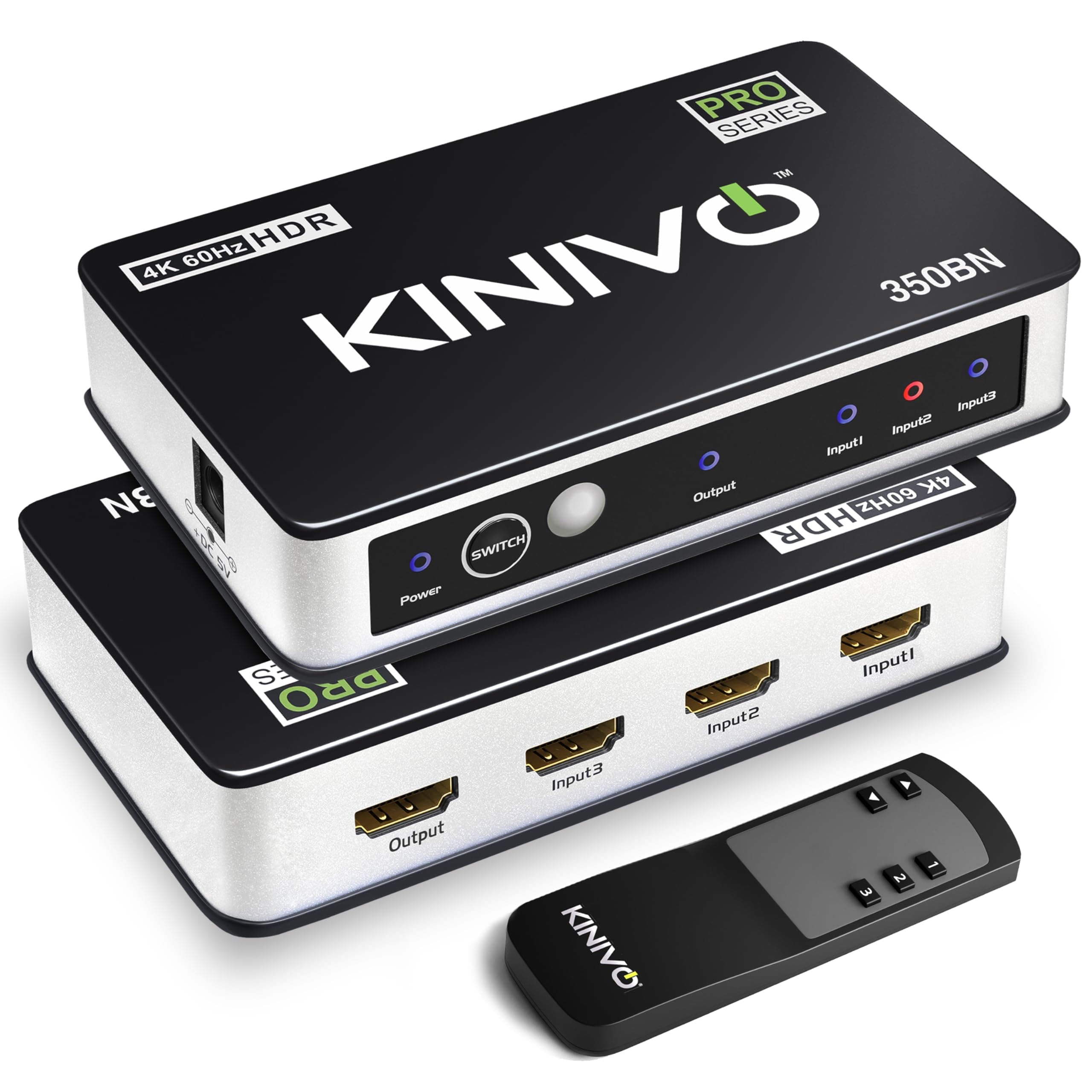


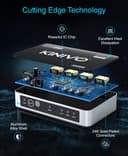
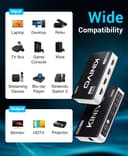
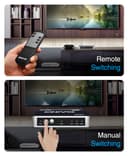
🎬 Elevate your entertainment setup—never miss a moment in 4K brilliance!
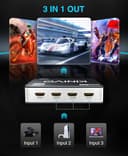
The Kinivo HDMI Switch 4K HDR 350BN is a high-speed HDMI 2.0 switcher that supports three input devices and one output, delivering crystal-clear 4K 60Hz HDR video with 18Gbps bandwidth. Compatible with major consoles like PS5, Xbox, and Nintendo Switch, it features intelligent auto-switching and comes with a durable aluminum build plus a 2-year warranty and lifetime US customer support.


| ASIN | B07CRSJLJ2 |
| Best Sellers Rank | 251 in HDMI Cables |
| Brand Name | Kinivo |
| Cable Type | HDMI |
| Color | Black |
| Compatible Devices | PS4, Xbox, TV, Blu-ray player |
| Connector Type Used on Cable | HDMI |
| Country of Origin | China |
| Customer Reviews | 4.3 4.3 out of 5 stars (5,272) |
| Manufacturer | Kinivo |
| Number of Ports | 3 |
| UPC | 612292713188 |
S**T
Works great with Harmony and ability to disable Autoswitch
After a lot of research I went for the Kinivo as an HDMI switch which was already supported by the Harmony remote system and it also the ability to disable Auto switching. This can be done by simply holding down the select button for a few seconds which changes the LED colour to green so you know it is disabled. (Nice touch). This device works flawlessly with Harmony. Only downside is the HDMI output is on the right hand side rather than out the back, which makes cable management more tricky. I am really pleased with this device though, well built and was nicely packaged.
J**O
Solid, very little jitter
I've only had this switch box for a week or so, but it's doing a great job so far. It feels sturdy, comes with its own power supply and is big enough to be easily handled. My old switch wasn't much cheaper but was tiny and flimsy. So far, the performance has been rock solid, great picture quality, reliable device switching (it will automatically jump to the latest device to be turned on, but once that device is off, it jumps to the next available (active device) starting with input 1. This means you can easily set the TV to come on after you watch a DVD (for example) by connecting the TV to input 1. Overall, a very good switch box. You get the very odd drop out in sound, but I've seen that on all HDMI switch boxes that I've come across and it's not so bad that it's actually a problem worth investigating.
A**R
This works as expected, including the Toslink digital audio output.
This works as expected, including the Toslink digital audio output. However, only 4 stars because of the design - Toslink audio cables are thick and impossible to hide, so the socket should be on the rear of the unit instead in the side. There is a helpful instruction leaflet (!) which saved me a lot of frustration because it warned me that the automatic HDMI switching will NOT work with Roku devices because they always output a signal even when on standby (not in use). The remote control is needed to switch between HDMI inputs, so make sure that the piece of plastic packing that insulates the battery is removed before use.
G**9
Almost perfect
I had quickly used the available 2.2 HDMI sockets on my AV receiver and had been looking for a suitable HDMI switch. The Kinivo 550BN allows you to connect up to 5 HDMI devices to one HDMI socket. It handles 4K, Dolby Atmos, Dolby Vision and eARC. It’s small, similar size to an external hard drive and can be installed with minimal skill following the comprehensive instructions. In the box you get: 1 x Kinivo 550BN unit 1 x Power adapter (includes a Euro plug too) 1 x instruction manual 1 x Remote control It took me around 20 minutes to install the unit into my home cinema system. However, more simpler installations , between a source, the Kinivo and a display would be quicker. That being said, the Kinvo has one really big and frustrating feature, the placement of the sockets on the side of the unit. To the rear of the unit are 4 HDMI sockets, a further socket on the left side and a further socket and the power input on the other side. This may seem okay initially, but it makes finding a suitable location and cable management very difficult. I would rather the unit be slightly wider to allow all sockets be on the rear of the device. The instructions are very clear, even explaining why certain devices cannot use the auto switching function will not work. The auto-switching function means the unit switches between devices automatically, removing the need to use the remote control. I have placed the Kinivo between my Sky Q, a 4K blu ray player and 4K AV receiver. I was pleased to discover that the Kinvo allowed pass through (signals pass through the AV receiver without it powered on) and switched quickly between the two devices. Using good quality, branded HDMI cables I did not notice any degradation in picture quality. When I powered the Amp on, the Kinvo continued to work and automatically switched between devices. I played a movie via SkyQ and it was delivered in UHD with a Dolby+ (Atmos) sound. Switching to watch a blu ray, all sound formats, TrueHD, DTSHD, Atmos ect, played perfectly. It might be coincidence, but when watching Sky, the picture does appear to have become more defined with the Kinvo, however, that may just be coincidence. To conclude, the Kinvo BN550 is a cracking HDMI switch. It’s good value for money and I recommend it highly. Pros Small unit/footprint 5 inputs 4K UHD, 18Gbps, Dolby Atmos,Dolby Vision, ARC & Pass through Easy to set up and operate. Cons Location of HDMI sockets making cable management and positioning the unit difficult.
T**A
Very happy
Excellent video & audio output, very good device. Would recommend.
N**L
Auto switching can work with Roku
I'm using it to switch between 2 DVR's, a Roku and a Firestick. I needed it to switch automatically (haven't even tried the remote that came with it) as I'm using it remotely. The manufacturer and some comments warn about the auto switching not working with the Roku but it's not a problem. I have the Roku and the Firestick powered from Smart Plugs that I turn on remotely and the outputs from the DVR's come on when I take them out of standby. I only ever power the Roku and Firestick up when I want to watch them anyway. So the auto switching works well. I'm using a Harmony hub to control everything. Very happy with the device so far.
E**N
Short review (to the point) Plugged in, powered up, and my Xbox lit green for 4K60 + HDR10 instantly. Apple TV 4K looks perfect. Auto-switch works; nice that I can disable it. Solid build, proper 18 Gbps/HDCP 2.2, no handshake fuss. If you need reliable 4K60 HDR across multiple inputs, this is the box. Long review: After two failed “4K” boxes that down-negotiated my signal, the Kinivo 350BN worked the moment I plugged it in. My setup: Xbox Series X and Apple TV 4K into the 350BN → TV’s HDMI 1 (UHD/Deep Color on). Powered from the included wall adapter. Results: Xbox shows green checks for 4K 60 Hz, HDR10, 10-bit in the TV details screen. Apple TV runs UHD 4K flawlessly; with Match Dynamic Range/Frame Rate enabled, HDR content pops and menus stay clean. No flicker, no HDCP tantrums, no color banding. Why it works: Proper 18 Gbps / HDMI 2.0 bandwidth, HDCP 2.2, and an auto-switch you can toggle off if a streamer stays “awake.” The remote is simple, port LEDs are readable, and the metal chassis feels solid. It’s not a 2.1/120 Hz device—and that’s fine for a 4K60 HDR setup like mine. Tip: Keep HDMI runs short and power the switch from the wall, not a TV USB port. If your TV has a per-port “UHD/Deep Color” option, enable it. Bottom line: Zero handshake headaches and full-quality 4K60 HDR10 from both Xbox and Apple TV. This is the one I wish I bought first.
C**N
EXCELENTE PRODUCTO
G**I
If you ever need to buy a HDMI 2.1 Switcher coz your TV HDMI 2.1 ports are taken and want to add more devices that support HDMI 2.1 features. I recommend this little device, I have tried few, some work but not the best and some are advertised falsely. This is little pricy, but goes on special at times and is super fast, supports everything with beautiful picture with no slow down and also automatically switches to the right port once the device has been turned on, and also comes with a remote. I bought mine from Amazon.
A**I
Installazione veloce e funzionale
D**D
A parte la modalità autoswitching che non posso utilizzarla causa XBOX One, come specificato anche nelle istruzioni, è perfetta: disattivatelo altrimenti non fa funzionare lo switch. Non ho effettuato una configurazione standard perché invece di andare al TV ho collegato l'output alla mia soundbar e funziona tutto magnificamente anche con Dobly Atmos e 4K@60Hz, come dichiarato. Tanto per capire la diversità dei dispositivi che gestisce senza nessun problema ho inserito: Dune HD 4K Pro (lettore multimediale), Sky Q, XBox One, lettore Panasonic 4K allo switch ed infine l'output l'ho collegato alla mia soundbar Vizio SB36512 all'ingresso HDMI IN. Infine collegato HDMI ARC della soundbar al televisore in HDMI ARC. Come già descritto funziona tutto correttamente senza interruzioni, lag o altri problemi; anche per l'audio nessun problema di alcun genere anche per quelli più recenti (Dolby Digital, Dolby TrueHD e Dolby Atmos). L'unica avvertenza che mi sento di dire è utilizzare dei buoni cavi HDMI: inizialmente avevo dei problemi di lag, refresh, si collegava e scollegava di continuo l'immagine, cambiato il cavo tutto ha ripreso a funzionare correttamente e senza nessun altro problema. Inoltre lo switch è riconosciuto anche dal mio telecomando Harmony quindi lo comando con questo dispositivo senza bisogno dell' autoswitching o del suo telecomando. Spero di esservi stato utile
Trustpilot
1 week ago
3 days ago