


Buy anything from 5,000+ international stores. One checkout price. No surprise fees. Join 2M+ shoppers on Desertcart.
Desertcart purchases this item on your behalf and handles shipping, customs, and support to Cyprus.
🚀 Elevate Your Wi-Fi Game — Never Miss a Beat or a Byte!
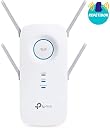
The TP-Link RE650 AC2600 is a high-performance dual-band Wi-Fi range extender featuring 4 external antennas and 4×4 MU-MIMO technology. It delivers combined speeds up to 2600Mbps (800Mbps on 2.4GHz + 1733Mbps on 5GHz) and includes a Gigabit Ethernet port for ultra-fast wired connections. With intelligent signal indicators and a built-in access point mode, it’s designed for easy setup and superior coverage, making it ideal for professionals seeking reliable, high-speed connectivity across multiple devices.





| ASIN | B06Y1SXP44 |
| Best Sellers Rank | #55,187 in Computers & Accessories ( See Top 100 in Computers & Accessories ) #154 in Repeaters & Extenders |
| Box Contents | AC2600 Wi-Fi Range Extender RE650,Quick Installation Guide |
| Brand | TP-Link |
| Brand Name | TP-Link |
| Colour | White |
| Compatible Devices | Smartphone |
| Connector Type | RJ45 |
| Customer Reviews | 4.0 out of 5 stars 7,556 Reviews |
| Data Transfer Rate | 800 Megabytes Per Second |
| Frequency | 5 GHz |
| Frequency Band Class | Dual-Band |
| Frequency Bands Supported | 2.4 GHz, 5 GHz |
| Importer Contact Information | TP-LINK India Private Limited,Green Industrial Park, Dongri Pada, Poman, Kaman-Bhiwandi Road, Vasai East, Palghar, Maharashtra – 401208 |
| Item Type Name | Range Extender |
| Item Weight Unit of Measure | 0.5 Kilograms |
| Manufacturer | TP-LINK |
| Packer Contact Information | TP-Link Technologies Co., Ltd, South Building, No.5 Keyuan Road, Central Zone, Science & Technology Park, Nanshan, Shenzhen, P.R. China |
| Special Feature | 4×4 MU-MIMO – Simultaneously transfers data to multiple devices for 4x faster performance |
| Special Features | 4×4 MU-MIMO – Simultaneously transfers data to multiple devices for 4x faster performance |
| Unit Count | 1 Count |
| Wireless Communication Standard | 801.11ac |
| Wireless Compability | 801.11ac |
V**U
True Work Horse, But Read This Before you Buy! - I bought this for 8000 INR | Worth it?
Bought this in 2020, still working fine (February 2023) I got the TP-Link RE650 HW - V1. My main Wi-Fi router is on the first floor. I wasn't getting enough coverage for my TV and other devices on the ground floor. I tested the 5GHz band as a backhaul to the 5GHz band on the main router, and the results were 200 to 300 Mbps speed from the main router. Then I tested the 2.4GHz band as a backhaul to the main router, and the results were much better, close to 450 Mbps up and 550 Mbps down. When I tested this device as an AP, I got 900+ Mbps down on 5GHz. This is a really solid device. You can put all your Smart Home/IoT devices on the 2.4GHz channel and use it as backhaul to the main router, or use it as a powerful AP with a wired connection. If you live in an apartment where multiple Wi-Fi channels are competing for air space, get a Wi-Fi 6/6E device. This is a very good Wi-Fi 5 device. You can buy it at a very discounted price now. (I paid 8000 INR in 2020.) How to install: Check the device firmware and update it. The latest version is available on the TP-Link website. Always check the hardware version before downloading and updating the firmware. Use a Wi-Fi analyzer app on Android (open source). Find a less congested 2.4GHz channel and use that channel for backhaul. Find and use a less congested 5GHz channel for the 5GHz band. Use OpenSpeedTest-Server to test your local network. Choose the best-performing location and channel after testing multiple combinations for maximum performance. Use the 5GHz band for most devices, except for IoT devices. I hope this is helpful! Let me know if you have any other questions..
P**P
Expensive WiFi extender but with good coverage
The TP-Link RE650 is pretty expensive for what it does. Been using it for a week. **IMPORTANT TO NOTE THAT THE HARDWARE VERSION IS v1.0 AND DOES NOT HAVE ANY MESH WIFI FEATURES.** Here are my observations: 1. Easy to install and configure. The Web UI is easy to use but pretty dumbed down. 2. It is quite heavy. 3. Range is quite decent. Has a 'boost' mode which is not well documented. In 'boost' mode, you connect to 2.4Ghz and extend on the 5Ghz band. Check the TP link online KB articles for this. That is how I am using it. 4. Can set it to have its own DHCP Server and static IP. 5. When not using a DHCP, it can take a long time to provide an IP address to a device which connects to it. This issue could also be due to the range. All in all, the TP-Link RE650 is easy to use and does what it is supposed to but I feel it is terribly expensive. I also own a Mi Router 4A High-Speed Dual Band AC1200 Router on which I have installed OpenWRT. I can configure it to give me the same features as the TP-Link RE650 and more. But if you are not a power user and just want to buy a plug-and-play device, this is good.
V**Y
Using it as a Wireless Access Point
bought it to be used as a range extender. However, was unable get it to connect to a stable 5Ghz connection to my primary router despite very close distance, but through 12in concrete walls. I use Archer C7 as my primary router. I was able to get 2.4 Ghz to connect though. However, this results in a compromised speed. I have a 200 MBPS connection and with the 2.4G band, I get hardly 14MBS on the first floor. Note that the router is on the ground floor. I then ran a lan cable between my primary router to the RE 650 and never looked back. I would not be able to cmment on the Mesh routers, but I think this was an expensive buy for the use. I am happy with the results of the installation though. Enjoy 200 MBPS on both floors of my house. Able to get 15MBS stable connection on my terrace which is one floor above. No plans to create another WAP for the 3rd floor as it is rarely used. Pl. take all claims of distance connectivity with a pinch of salt as Indian buildings have 12 in concrete walls and the wifi signal is unable to penetrate this. Buy only if you have alternative installation plans as a WAP as a possibility
R**A
Excellent for 2ghz, bad for 5ghz with channel more than 140.
Does not work on 5ghz. Especially Jio 5ghz if channel is greater than 140.
K**K
Extremely average product with premium price tag
Extremely pathetic product. Initial setup was not smooth as compared to dlink or netgear. Furthermore tp link have firmware issues in terms of WPA security issue. No firmware update for it so far. Read through the tp link forum for better understanding. WiFi signal is just average and degrades with no of walls. So far I have not faced any disconnection with my primary router - Airtel Huawei router. Speeds is not at par with mentioned or advertised speed. Speeds fluctuations happens more in 2.4 ghz when compared to 5 ghz. Note: If you have more than 100 mbps Internet connection look for better product or mesh network. Also Airtel 5 ghz work on higher channel more than 100 (137 to 142 range). This device cannot/wouldn't recognize beyond 100 range. Check your primary router channel for 5 Ghz band. Product does get warm on touch but nothing alarming. Ohh product looks awesome in looks department and its huge in size. Premium pricing but very sub par product specs in real world testing. My suggestion is to look for better device or mesh product.
R**Z
Does not work on Airtel Xstream Fiber Broadband 5ghz band, channel greater than 100
Setting up TP-Link WiFi Extender is an easy process, signal range is decent but the download and upload speed is halved by less than half bandwidth you get on your base router. You can configure 2.4Ghz and 5Ghz connection with the same name and password from the primary router for both connections but as you move along in the house the connection will drop for a moment as this extender creates an additional SSID I started facing problem recently while connecting on Airtel Xstream Fiber broadband 5Ghz band, as the channel moved to 149 and this extender not support this channel. I was unable to modify the channel on the primary router provided by Airtel hence had to stop using this extender and purchased Netgear NightHawk X6 E7700 WiFi Extender which is an expensive investment but worth the price
S**A
The best Wifi Extender by TP link till date !!
If you are looking for a one time solution to your wifi signal woes for a big area.Well,this is it.Look no further. My main Wifi router is on my first floor.Just outside my bedroom.My parents are on the ground floor. My house has a covered area of about 7000 sq.ft. So the signals are pretty strong just on the 1st floor,the terrace above,some rooms on the ground floor and no coverage in the basement. I researched a lot before finalizing on this one. This has massive coverage.I have installed this on the ground floor just outside my parent's bedroom. Result : All of my 7000 sq. Ft. Covered area of the house including my basement has superb wifi coverage now. Including the garden(adjoining)and rest of the house complex. Like car parking and the signal even goes out a bit of the house now. To sum up,if you are looking for an extender that can cover up huge spaces. This is it.You will not regret. Setup is just like a walk in the garden.5 minutes max. Go for it!!
C**R
Should be reasonably priced
Okay product but not worth at full price. The range is good with 2.4 GHz signal....for a normal 3 BHK Indian flat with cement walls, it will suffice in all corners. The 5GHz signal falls short of expectation, with 4 powerful antennas and a huge size body, the range is almost the same as my phone's 5Ghz hotspot signal. Other than that the usual gripe of extenders still continues. It has to be switched on and off every couple of days or it drops the internet connectivity. The installation is extremely easy using Tether app, so that's good. My unit had to be reset when new for 5Ghz signal to turn on but this issue never came up again. Overall - The unit does what it is supposed to do but at full price, I expected the 5GHz signal strength to be more. It fails to penetrate more than 1 cement wall. So the signal will only be in the room it is installed in and the adjacent one. Anything after that, use the 2.4 GHz signal. I had a small extender from TP Link itself earlier...the one with 2 antennas protruding out of it.....the range is same as that.....so save some money and purchase the smaller one instead. As far as speed it considered, I have a max internet speed of 150Mbps and both extenders delivered that at 5Ghz. If you require more speed, maybe you will notice a difference, I didn't. It also boasts of other features like MIMO beamforming but the main point of signal strength fails so those don't matter to me even if they work.
Trustpilot
5 days ago
3 days ago