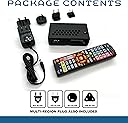
🕹️ Level up your retro setup with pixel-perfect precision and zero lag — don’t just play, dominate the nostalgia game!
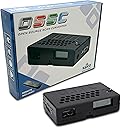
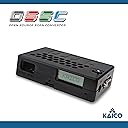
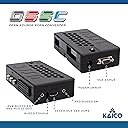
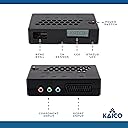
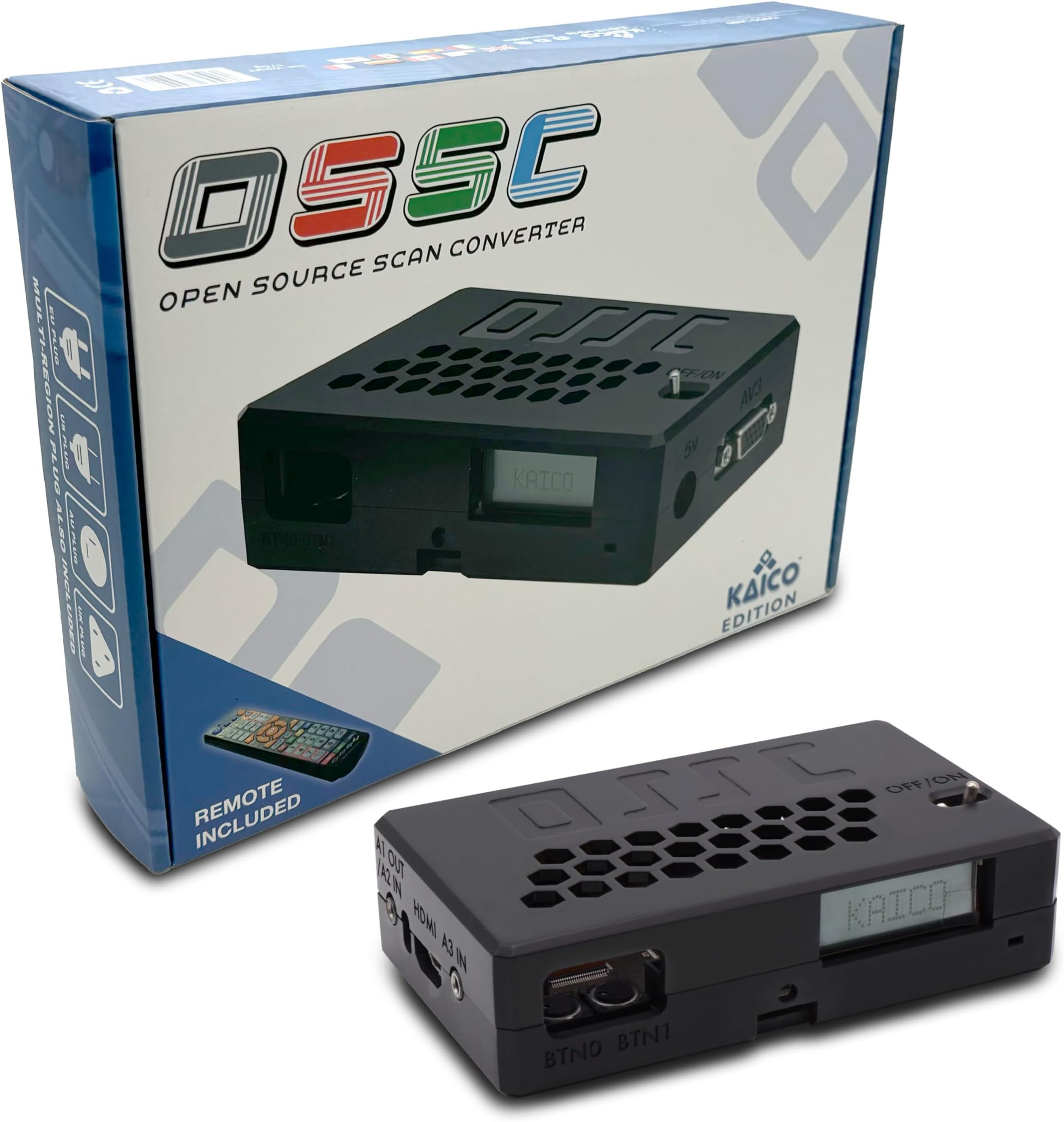
The Kaico Edition OSSC 1.8 is a high-quality open-source scan converter designed for RGB retro gaming enthusiasts. It converts SCART, Component, and VGA inputs into HDMI with minimal lag, enhanced by advanced 1.8 firmware features like HDR mode and pixel repetition. Ideal for consoles like SNES, Sega Megadrive, and PAL GameCube, it demands some technical know-how but rewards with stunning, crisp visuals on modern displays. Built with premium components and tactile controls, it’s the ultimate tool for gamers who want to preserve and elevate their classic gaming experience.


| ASIN | B07QF95QP3 |
| Best Sellers Rank | 23,597 in Electronics & Photo ( See Top 100 in Electronics & Photo ) 231 in Video Converters |
| Brand Name | Kaico |
| Colour | black |
| Compatible Devices | Retro Game Consoles |
| Connector Type | HDMI |
| Country of Origin | China |
| Current Rating | 1 Amps |
| Customer Reviews | 4.6 4.6 out of 5 stars (646) |
| Input Voltage | 5 Volts |
| Item Dimensions | 9 x 4 x 20 centimetres |
| Item Weight | 172 Grams |
| Manufacturer | Kaico |
| Model Number | MPOSSCKAI1001 |
| Nominal Power | 5 Watts |
| Number of Items | 1 |
| Number of Ports | 4 |
| Package Quantity | 1 |
| Power Plug Type | No Plug |
| Product Finish Type | Matte |
| Product Warranty | 1 Year Warranty |
| Specific Uses For Product | Retro Gaming Consoles |
| Unit Count | 1.0 Count |
| Warranty Type | Limited |
M**S
The Retro Gamer's Dream (If You Love to Tinker)
The Kaico OSSC is a fascinating piece of hardware designed for a very specific audience: retro gaming enthusiasts who crave the absolute best possible picture quality on modern displays. It largely delivers on that promise, but it's crucial to understand what you're getting into. First, the build quality is commendable. The unit itself feels well-built and substantial, and the switches are incredibly satisfying to operate, providing a tactile confirmation that speaks to its premium construction. I have, however, encountered a minor issue with the included power cable, which has occasionally played up, causing the device to momentarily lose power. This is a small frustration for an otherwise solid piece of hardware. When it comes to performance, the OSSC truly makes your retro games look as good as they ever have on an LCD or OLED screen. It eliminates the muddy, blurry mess you often get from generic adapters, providing a crisp, vibrant, and accurate picture that honours the original console output. However, and this is a big caveat, this device is absolutely for those who enjoy tinkering and are comfortable with a bit of trial and error. If you're expecting a true "plug and play" solution, this isn't it. For users not willing to dive into settings and experiment, a simpler, generic HDMI adapter would likely be a less frustrating option. But for those who relish the deep configuration, the OSSC shines. It allows you to convert older console signals (via RGB SCART, Component, VGA, etc.) into a modern HDMI signal with minimal lag, which is critical for classic gaming. The included remote makes configuration surprisingly easy, offering granular control over various aspects of the video signal. Once everything is meticulously set up for your specific console and display combination, it transforms into a brilliant little device that consistently delivers stunning results. With inputs, outputs, and power, the OSSC can quickly turn your entertainment setup into a bit of a spaghetti junction. It's definitely something to consider if you prioritize cable management. Overall: The Kaico Edition OSSC is a brilliant device if you're willing to invest the time to learn and tinker to get the most out of it, and if you genuinely care about achieving the best possible quality from your classic consoles. It's a niche product for a reason – it caters to enthusiasts. It's not for those who find tinkering a hassle and just want an "anyway to play" solution on a modern screen. But for the dedicated retro gamer seeking pixel-perfect output and minimal lag, this device is a fantastic, if slightly demanding, investment. It's unique in its capabilities at this price point and truly enhances the retro gaming experience.
N**K
I’ve been waiting for something like this for a long time
This is a fantastic piece of kit which I bought in the hope to replace and old Sony DVD HDD which I was using to upscale an input fro SCART to HDMI out at 1080p then then onto a 4K TV. Also I wanted to let go of my my old Commodore and Amstrad CRT monitors however I a not sure I can bring myself to let for of these. The other reason for this was portability. The first thing to mention was the quality of the product and packaging which sees some great effort made to give a quality feel. The build is solid and I do not feel as through anything will break or come loose. A manual is included and it’s easy enough to use more or less out of the box. There are a lot of functions to adjust however and these understanding behind many of these will require research unless this already your thing but I have been successful with just the basics. If you are buying for a specific computer or console, it would be worth looking for some vids online to check there are no device restrictions, for example the Commodore 64 doesn’t actually output a signal in a similar way to other devices and at this early stage I do not know if I hardware mod on the 64 or an additional component might be required. Additionally, I’ve ordered another cable for my SNES which I believe with both of these machines is related to sync? That’s a new subject for me to learn. OVERALL, this is the best product I could have possibly bought anywhere near this price. There are no lag issues, bizarre artefacts on screen for what i have tested and for the time being I am using this in a HP 27FWA Monitor and images are crisp. The audio out function is handy to plug into an amp as the sound is poop on a monitor of this size although I think a Bluetooth audio transmission would be fab provided it didn’t introduce interference. There are some great vids worth watching that explain in more detail different screen issues not uncommon when upscaling and especially on cheaper devices. Look for a vid by ‘My Life In Gaming”. What I can tell you so far: Sega MegaDrive 2 / MegaCD 2: good image and no lag or screen issues with fast scrolling (Sonic CD) SNES: works well with the sync on luma cable however bit as pin sharp as other consoles which having read more about it’s a bit of an Achilles heal for the OSSC however it’s still very good and not a disappointment. It’s just not pin sharp. No biggie. GameCube: a little fuzzy but still good, the likely issue was my cheap lead Amiga: images above, actually really impressed with the colour and sharpness. Have noticed on Shadow of the Beast there are odd flickers but need to read up about this. Having seen YouTube reviews I have confidence this will be remedied in settings Spectrum +3: Robocop was very clear and sharp CPC464: I just received my TV kit. Fantastic. Works perfect. Now time for some Ninja Scooter Simulator
M**D
Easily the best purchase for retro games at a great price
As a huge fanatic of retro games (mainly megadrive, PS1 and PS2 games), I can easily say that this is easily the best purchase for playing retro games on the big screen without any lag. So long as you have really good quality cables (RGB scart for megadrive and a good quality component cables for ps2 are highly recommended. Just know that you may need to buy the stereo to 3.5mm adaptor to pump the audio from the component input), you will definitely get the best picture quality from your retro consoles. The megadrive looks amazing in when scaled at 5x. The picture looks crisp and razer sharp. PS2 games look great as well and I like how it deinterlaces the PS2 games natively. The OSSC has so many options to play around with the settings. But I must say this: all of what I said will depend on your display. My Philips LED TV runs my games with no problem. Also good quality cables for your consoles is an absolute must! If you want the best way to enjoy retro games on your modern display and don't want to blow a hole in your wallet, the OSSC is an absolute must have!
C**S
Decent case and functions
I was always put off getting an OSSC because they looked like a school science project, but this Kaico one comes in a decent case and seems very well made. I've been using it for N64 stuff (rgb enabled ntsc). Picture is great. Menus are totally confusing as a noob, but the internet is helpful and within 20 minutes I'd set it up to my liking and it now just sits there and works. I haven't tried it with any other consoles yet. Very pleased and good value - I tried loads of cheaper scart to hdmi cables, but they were all garbage - wish I'd bought this first.
G**H
Good product but it wasnt 1.8 it was 1.7
Applied firmware update that bricked the device. Had to downgrade and complaint made to Amazon
Ł**Ń
Jeśli nie masz lub nie chcesz mieć telewizora crt do retro grania to jest jeden z najlepszych sposobów do podłączenia swojej retro konsoli do telewizorów LCD. Testowane z playstation 1 i 2 telewizor sony 4k , wygląda to świetnie nawet na fabrycznych ustawieniach wiec wbrew temu co można usłyszeć z wielu źródeł w necie nie trzeba długo konfigurować urządzenia (tylko jeśli masz wysokie wymagania ) , polecam!!! Nie jest to tanie rozwiązanie ale szkoda nawet 1 złotówki na przejściówki scrat/hdmi efekt w nich przeważnie jest tragiczny .
M**L
Den funkar om du vet vad du gör!
B**N
Easy to set up even if you're not very technical and gives a good result on screen.
R**N
Se siete appassionati di videogiochi e ancora utilizzate console e computer di vecchia data, questa è una soluzione adatta per ottenere un'immagine "pulita" e non l'effetto "marmellata di pixel", tipico di quando si prova a collegare un segnale video "Standard Definition" (SD) a uno schermo di grandi dimensioni Full HD e 4K. Utile anche se utilizzate console un po' più recenti, come PS2, Nintendo Wii e Sega Dreamcast, collegate a uno schermo 4K che ormai non offre più né input component né VGA. Occorre però avere l'accortezza di munirsi di cavi adatti. Ho collegato le seguenti piattaforme a uno schermo 4K via HDMI: - Super Nintendo - Sega Mega Drive - Commodore Amiga - PlayStation - PlayStation 2 - Sega Dreamcast - Nintendo Wii Nessun problema particolare per la PS2 o Nintendo Wii visto che il cavo component è facilmente reperibile. Anche per la Sega Dreamcast esiste una possibilità abbastanza economica e di facile reperibilità collegandolo a una VGA Box (che però non è compatibile con tutti i giochi). Se si dispone di un cavo RGB per Dreamcast la resa a schermo è comunque ottima. Per collegare Super Nintendo, Sega Mega Drive e Commodore Amiga occorre disporre di un cavo RGB, che non era fornito nella dotazione standard e anche di difficile reperibilità all'epoca della loro distribuzione. A complicare le cose il cavo RGB ha la terminazione alla TV della stessa forma di una presa SCART, ma attenzione spesso il segnale trasmesso è soltanto "composito" ovvero identico a quello del cavo con connettore RCA di colore giallo, di qualità infima che non si notava sugli schermi CRT, ma che sugli schermi a più alta definizione dimostra quanto scarsa fosse la qualità di questo segnale video. Dovete essere quindi certi che il cavo in vostro possesso sebbene abbia la foggia di una SCART sia un RGB. Abbastanza facile reperirlo per la Sega Mega Drive e la prima PlayStation. Più complesso per Commodore Amiga e SNES. Per l'Amiga si tratta di un cavo fatto a mano (non esisteva proprio in distribuzione). Il cavo RGB per Super Nintendo deve avere tra le caratteristiche indicate il termine "Lumia" o "C-Sync" (il primo è più economico, il secondo parecchio costoso). Per le altre console Nintendo come NES, Nintendo 64, Gamecube, che hanno un collegamento standard con il cavo composito (connettore RCA di colore giallo), oltre al cavo, occorre una modifica complessa o costosa alla console per attivare l'output RGB. Se non siete bravi con saldature di precisione, capacitatori, circuiti e non ne capite di segnali video, questo prodotto non è adatto. L'esperienza complessiva è positiva. Non è esattamente "plug and play" per quanto già espresso in merito ai cavi RGB e per chi desidera utilizzarlo al massimo, per via dei menu sul piccolo display poco intuitivi (ci si fa l'abitudine, comunque). Sulla Rete vi sono parecchie fonti di informazione e consigli sulla configurazione. Personalmente, non ho modificato nulla della configurazione standard e l'immagine è molto soddisfacente. Se si hanno i cavi adatti, è facile da utilizzare. Per migliorare occorre impegnarsi e studiare. La qualità dei materiali e la qualità costruttiva è ottima: non restituisce una sensazione di "cheap", anzi appare solida e gratifica anche la vista. I connettori appaiono solidi. L'immagine a schermo è ottima ed è possibile anche zoomarla senza riduzione di qualità (alla vista di un comune mortale). La risposta ai comandi è senza ritardo avvertibile ("lag") (dipende anche dalle caratteristiche e dalla modalità della propria TV, ricordate sempre modalità "Game"). Non collegate a SCART multiple perché raramente sono RGB e sicuramente aumenta il "lag". Avendo provato anche dei convertitori diretti ad HDMI per PS2 e Wii (più economici senz'altro), la differenza è tra il giorno e la notte. Acquisto essenziale per console e computer 16 bit e prima PlayStation se la TV è sprovvista di SCART RGB (non tutte le SCART dietro la TV accettano il segnale RGB). Acquisto essenziale anche per PS2, Dreamcast e Wii se la TV è sprovvista di input component o VGA. Se avete un 4K di recente produzione, praticamente un acquisto essenziale in tutti i casi. --- Difetti: 1) Vi sono parti interne esposte alla polvere (probabilmente per esigenze di raffreddamento). Se fosse fornito di un involucro sagomato così da utilizzarlo quando è il dispositivo è spento senza scollegare i cavi, sarebbe l'ideale. 2) non addebitabile all'azienda produttrice, ma ad Amazon: consegna della scatola priva dell'imballaggio di protezione esterna (il comune cartone marrone). E' stata consegna la scatola originale con attaccata l'etichetta della spedizione del corriere. Al di là di avere rovinato la scatola originale, un imballaggio aggiuntivo è opportuno visto il prezzo non economico del prodotto. --- Migliorie suggerite: 1) menu e opzioni visualizzabili sullo schermo della TV (sul piccolo display è macchinoso e poco intuitivo) UPDATE: i menu sono visualizzabili sullo schermo aggiornando a una versione del firmware successiva a quella installata (luglio 2021 versione più recente è la 0.88). Sconsiglio però a chi non è pratico di aggiornamenti di firmware. 2) connettore che accetta segnale Composito 2) involucro protettivo contro la polvere (citato al punto 1 dei difetti)
M**R
I do not think there is a better solution available at the time of this writing - However, buyers should be aware not all HDMI input TVs are compatible. (But there is a pseudo workaround by purchasing an additional bit of hardware - ) I have used it so far with an Atari ST. Plan to use it with other vintage machines at a later date. With the ST it works well in displaying low and medium color resolutions. I have tested both a Atari RGB to SCART cable into the SCART input (V1) and a straight Atari RGB to VGA cable (V3). The SCART looks a bit cleaner than he VGA, but both look pretty good. I had to test several displays to find the best choice - Understand that some monitors might have no success in displaying any image due to total incompatibility or if a monitor can display an image - it might now work in all line multiplier modes. (The line multiplier modes allow a perceived sharper image). When the unit is first powered on it will output a test pattern - (which should work on all monitors FYI) - It is only when you select your input that you will determine if your monitor is compatible and at what level. I had a very large, slightly older high quality Plasma display that I hoped to use as my main display - but it was not compatible. But when I attached a VGA to HDMI upscaler and put it after the OSSC's HDMI out - to the upscaler's HDMI in - then upscaler's HDMI out - to my Plasma's HDMI input - I was then able to get a good image. Of course the upscaler added some noise but it definitely looks a bit cleaner than when used without the OSSC and you get the added benefits of the OSSC's different aspect ratio's etc. Link to upscaler - VCANDO SCART to HDMI Converter Video Audio Adapter Box with SCART/HD Switch, PAL/NTSC Video Scaler, 1080P/720P https://www.amazon.com/dp/B01N06Q9WH?psc=1&ref=ppx_pop_dt_b_product_details Can't wait to try it on some other systems! I recommend this product greatly and this Kaico edition is at a much more reasonable price then previously available!
Trustpilot
3 days ago
4 days ago