


🖋️ Elevate your productivity — where creativity meets power in your hands!
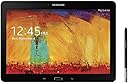
The Samsung Galaxy Note 10.1 2014 Edition is a premium 10.1-inch tablet featuring a stunning 2560x1600 WQXGA LED display, powered by a 1.9 GHz Samsung Exynos octa-core processor and 3GB RAM. It includes the innovative S Pen stylus for precise note-taking and drawing, runs Android 4.3 Jelly Bean, and offers a lightweight design with a leather-like back casing. Ideal for professionals seeking a versatile, high-performance device for multitasking, creative work, and entertainment.
| ASIN | B00F3SOJ7O |
| Age Range Description | Adult |
| Aspect Ratio | 16:10 |
| Battery Average Life | 2537 hours |
| Battery Capacity | 1350 milliamp_hours |
| Battery Cell Type | Lithium Ion |
| Battery Power | 2 watt-hours |
| Best Sellers Rank | #435,547 in Electronics ( See Top 100 in Electronics ) #5,490 in Computer Tablets |
| Biometric Security Feature | Face Recognition |
| Brand | Samsung |
| Built-In Media | Stylus |
| CPU Model Speed Maximum | 1.9 GHz |
| Camera Description | Front, Rear |
| Cellular Technology | 4G |
| Color | Black |
| Compatible Devices | Stylus |
| Configuration | 16GB Black |
| Connectivity Technology | Wireless |
| Customer Reviews | 4.0 out of 5 stars 389 Reviews |
| Display Resolution Maximum | 2560 x 1600 pixels |
| Display Type | LED |
| Front Photo Sensor Resolution | 2 mp |
| GPS Geotagging Functionality | GPS |
| Generation | Android 9 |
| Global Trade Identification Number | 00807320195726 |
| Graphics Coprocessor | Exynos 5 Octa |
| Graphics Description | Integrated |
| Hard-Drive Size | 16 GB |
| Hardware Interface | Bluetooth, MicroSD |
| Human-Interface Input | Touchscreen with Stylus Support |
| Item Weight | 1.2 pounds |
| Lithium-Battery Energy Content | 2 watt-hours |
| Manufacturer | ???? |
| Memory Slots Available | 1 |
| Memory Storage Capacity | 16 GB |
| Mfr Part Number | SM-P6000ZKYXAR |
| Model Name | Galaxy |
| Model Number | SM-P6000ZKYXAR |
| Model Year | 2013 |
| Native Resolution | 2560 x 1600 pixels |
| Operating System | Android 4.3 Jelly Bean |
| Operating System Family | Android |
| Other Special Features of the Product | Stylus Support |
| Photo Sensor Resolution | 8 mp |
| Processor Brand | Samsung |
| Processor Description | Samsung Exynos |
| Processor Speed | 1.9 GHz |
| RAM Memory Installed | 3 GB |
| RAM Size | 3 GB |
| Rear Facing Camera Photo Sensor Resolution | 8 mp |
| Screen Size | 10.1 inches |
| Set Name | Samsung Galaxy Note 10.1 2014 Edition |
| Size | 16GB Black |
| Specific Uses For Product | personal |
| Style Name | Tablet |
| Supported Audio Format | AAC, AMR, FLAC, MID, MP3, OGG, WAV, WMA |
| Total Usb Ports | 1 |
| UPC | 807320195726 803982825384 887276966663 |
| Unit Count | 1 Count |
| Video Capture Resolution | 1080 p |
| Video Processor | Samsung |
| Warranty Type | Limited |
| Wireless Compability | 802.11bgn |
| Wireless Technology | Wi-Fi, Bluetooth, GPS |
A**R
another winner
I have owned every Samsung Note tablet/phone except the first Note phone. So you can say i love the Note serries. I have also owned nearly every Samsung tablet, many Kindles, Nooks, and have the Ipad 2 and had the ipad mini (first mini). So, i'm well rounded. To think i went into technology kicking and screaming in the early 2000's! This tablet is awesome. I've definitely note explored all of the features yet on it because at the present time i also own the Note 8 and my phone is the Note 3. I've also for the first time learned how to sync my SNotes with Evernote; that may sound basic, but i didn't know how to do it and now someone at Best Buy spent time with me helping me learn. I own the Note series because I like Android -- for those who say that there are many more choices in the apple app stores i say how many apps does one really need? Everything i look for is available in the Play store. The multi window function is great, although i don't make use of it as often as those who work might. I retired a few years ago. I buy the series because of the S pen. I keep a journal, and enjoy handwriting it. I love keeping one on papeer, but when i am traveling without my large backpack/messenger bag, i can handwrite on this. I also use the SNote function to keep a grocery list on my phone. I save all kinds of things in Scrapbook, such as tips from a great source called Dripler (in the Google Play store). I also like the fact that when i do my banking, i can, using the Spen, bring up a calculator on the check page to do my checkbook balancing. This baby comes with a lot of perks. Off the bat i received a credit for $25 in the Play store, $50 in the Samsung Hub store, free magazines from Zinio (i don't get the crredit because i already have the app -- by the way, many public libraries have Zinio -- magazines -- available for checkout and unlike books, when a magazine is checked out, you keep the magazine), a 3-month Audible trial for audio books in Amazon (again, because i already have an account, i am not eligible), and 50G of free dropbox storage. And, a free 3month trial of the NYTimes. Samsung says these freebies are worth $600. I'm not wild about the price, but if i held off for a while, the price would come down. I thought and thought about whether to get this new 10.1 2014 Note since i currently have and use the Note 8, as well as my phone. I also use my ipad, but because it is in a leather keyboard folio, it is heavy to cart around if i just want to lighten my load. Yes, i can remove it from the folio. But an advantage of android is the Swype feature -- being able to slide my fingers from letter to letter on the keyboard. It is easier than the hunt and peck typing method on the on-screen keyboard of the ipad. I do have several portable keyboards, but the one i'm currently using when i want a keyboard is an excellent one by Brookstone. I have the one with the little shelf which can hold a device on it. But because the keyboard can be removed, i can simply slide this slim full-size keyboard in my bag if i want to. The whole thing is lighter than my keyboard folio for the ipad. Many small bluetooth keyboards are weird -- when i type on them foreign symbols pop up and i have to select what i want, slowing down the typing. I'm a good typist, and the brrokstone is simply a regular but lighthweighth keyboard. I highly recommend this tablet. It is fun, good for professionals, comes with great features and lots of 3-month expensive freebies, and it has -- oh yeah -- an expandable memory, unlike the fruit tablets. That is also a big selling point. I have all of my music on a micro card and can simply put the card into the Note series. You can't go wrong. I used my tax refund to buy it.
R**M
Good Tablet, Want it to be faster? Continue to read....
I was excited to get my first tablet, I've been looking at getting one for years. This year I decided to save my Christmas and birthday money to buy one. So I came to this. The tablet came 90% charged, which was really surprising to me. I never had any device come more than 50% charged. Upon using the device I noticed the screen turning on was slow. I believe Samsung made this as design, and I'm sure there is a way around it if you dig deeper into the system after you root it, but I rather not go that deep. Clicking the home button had a delay when exiting apps. This is because of the S-voice and the magazine feature. Disabling them made it a whole lot faster. But I ended up freezing those applications after I rooted the device, which made the tablet even faster in return. After rooting the device and freezing all the bloatware that it comes with the tablet became a lot smoother and faster. There was no more of that unsmooth pattern unlock which made you mess up, no more battery draining, no more random speed drops, etc... It just became the tablet it should be. I considered returning it before I rooted it because of the performance issue. But now it's not a problem. (Did you know Amazon bans for too many returns? I prefer to keep my returns low.) But of course when you root your device you will void your warranty, which is pretty stupid. They should allow rooting since their the ones that slow down the tablets by putting junk software on it that no one uses. Totally worth it though! One problem is if you have a Anker portable charger. The tablet will not charge on the 2A port, only the 1A port. Unsure why. My Android phone works fine on both ports. If you use the tablet on the 2A port then it will start randomly clicking on the screen somehow. Luckily it's not a phone as it tried to make an emergency call on an application! The screen itself is a fingerprint magnet. Prepare to clean it often. Very often. My Galaxy S4 get's less prints than this tablet. However, the screen is very nice and very sharp. For me anyway. My dad has problems seeing it without glasses. Sound is good, you won't have any problems hearing it. I keep it at max most the time and is pretty loud. You will want to turn it down during the night. This is the list of apps you can safely freeze if you root your tablet. AllShare Cast Dongle S/W Update AllShare ControlShare Service AllShare FileShare Service ANT HAL Service [ANT is needed for usb devices like Endomondo etc. If you don't have it you can disable it] ANT Radio Service ANT+ Plugins b2b.hrs.android.lib Backup BlurbCheckout BusinessWeek+ ChatOn com.sec.android.app.wfdbroker com.sec.enterprise.knox.attestation com.sec.knox.events.manager FlipBoard Google Play Magazines Group Play Help KLMS Agent KNOX (29.1.1 KB) KNOX (4.18 MB) Knox Notification Manager KNOX Store My Magazine My Magazine Here & Now Phone S Finder S Translator S Voice Samsung Account Samsung Apps Samsung Apps Widget Samsung Backup Provider Samsung Calendar Sync Adapter Samsung Cloud Data Relay Samsung Cloud Quota Samsung Contact Sync Adapter Samsung Content Agent Samsung Hub Samsung Link Samsung SNote3 SyncAdapter Samsung Syncadapters Samsung Video Samsung WatchON SamsungAppsUNA2 SamsungHub Updater Screen Saver Share music Share Video Story Album Story Album Widget TouchWiz Home [make sure you have another launcher installed!!!] TripAdvisor VideoEditor VideoPlayer YahooFinance
J**N
Overall a very solid tablet, very little to complain about (so far)
Overall I'm really happy with this purchase. I don't have many bad things to say. I bought an open box version about 6 months before writing this review. Pros: -Its got a lot of ram so its way faster than my old Barnes and Noble Nook HD+ which I lost on the plane (why did I even bother with that). -The stylus and built in apps allow are actually pretty precise. I can write and draw and it looks really good. Still trying to find a good journal app though. I'm glad I went with this version that has the stylus. -The stylus also has a button where you can take a screen shot of whatever you are looking at and write notes on it. Super handy. It then gets saved as an image you can access from the gallery. I wish it went to an app designed to organize these things, but its still useful. -The 10" size is really nice. It lets you read books in PDF form that you might not be able to read on smaller tablets -Some of the freebies are actually pretty useful. 1 year of Evernote free. I believe there are free subscriptions to DropBox, NYT, Bloomberg, etc. -I haven't had any problems playing 1080p video. -There are many other wonderful things about this tablet that I can't think of off the top of my head. -Seems like it'd be generally hackable, should you decide to go that route. -The cameras seem decent enough, but I haven't really used them much. -I don't think I've had any problems with this tablet crashing yet. -I don't use the multi-tasking multi-window thing much, but when I do, its useful (think: read on one half of the tablet, take notes on the other). Cons: -I haven't had to contact customer service for this product but my experience with warranty returns and other support with Samsung has generally been abysmal. You're pretty much on your own as far as getting something fixed. Don't expect them to honor a warranty without a big fight. -Keep in mind that given the size, it has some weight to it. Don't expect to hold it in the air for a couple hours while you watch a movie. Get a good case with a built in stand. I have the rooCase and have been happy with it, mostly. -There should be a "hibernate" mode to conserve battery life. Turning off and on takes too long and just putting it in airplane mode, it still drains the battery faster than I'd like. The charger has a good amount of balls. They also make another version now that gets better battery life, but has some cons in other areas.
A**R
Defective device (c'mon Samsung)
Bought this device for my girlfriend and decided to set it up for her before giving it to her. When I started the device I heard the start up screen but the screen was black although the buttons on the device worked and had a lighted background. Called Samsung support and their response was that I did not charge the device so there was not enough juice to run the screen. Quite honestly this seemed quite idiotic to me and the support person kept insisting I charge the device even after I called to state the problem persisted. I finally got through with another support person who ran some tests and it was determined that it was a hardware issue and the device needed replacing. Discovered Samsung will not honor the Amazon warranty!! Really Samsung when did the product become Amazon's!! Thankfully because I opened the device I would be able to return it for a refund within the returns window period. Must give kudos to Amazon for their response in returning the defective device. I think a better arrangement has to be made between Samsung and Amazon with regards to the warranty, if I had purchased the device in a store I would have just walked in and got a replacement. With Amazon I have to ensure that it is returned within the 30 day period, taking into consideration I have to drop it off at UPS (ground) and wait till my device arrives at the warehouse and then another device is shipped. Again Amazon customer support was actually great but I after this experience think I will purchase future electronic devices at stores. Well three days before Christmas and off to look for another gift for my girlfriend. Thank you Samsung!! Disclaimer: Before anyone thinks I am bashing Samsung or promoting retail stores. Both my girlfriend and I own multiple Samsung devices and because of busy schedules we purchased a lot of these online from Amazon. It is just that this experience really showed the downfall of purchasing these online items when you receive one that is defective.
S**U
Best Tablet of 2013 consideration
This tablet is very good and performed well past my expectations from a tablet made by samsung. Having owned every galaxy series smartphone from samsung (S-SIV), i was expecting some initial problems and bugs like lag and build quality. I previously was an ipad person, having owned an ipad 2 and 4. felt limited by the ecosystem and bought my first android tablet (Note 10.1 2014). I was impressed with the out of box performance of this device. Even with all of the preliminary bloat running on this device, it was very smooth and ready to go. Rooting was not necessary to unlock acceptable performance (as i have done with my samsung phones). after a few days of disabling certain services and installing all of my apps, i was surprised at its build quality (for being made of polycarbonate) and robustness. No issues whatsoever. Screen is just amazing. the LCD display is incredible and the resolution is very complimentary of the LCD display. A few weeks of usage and i found myself using this more than i used my iPad 4. S pen is very convenient for making dimensions while building things, drawing symbols and taking notes. I knew i made the right choice by buying this over the iPad Air. Pros: -Speed -Screen -S pen (probably one of the best features) -expandable sd -build Cons: -speakers a bit dull? -lockscreen wake up lag (maybe by 1-2 seconds) -couldve had a micro hdmi slot (for a $550 tablet these days, should be standard) -shouldve made hardware buttons since portrait orientation of home button and capacitive buttons is kinda awkward I would definately recommend this to anyone looking to buy a tablet. Although no tablet can truly substitute for a laptop or desktop (don't count those complicated and useless windows tablets), this one definitely takes several steps closer.
J**T
Weird Mix of Frailty and Excellence
I have had this tablet for over two years, and with some major reservations which I will detail here, I'll say this is not only the best tablet I have had, but one of the best computing devices (in terms of screen, speed, software design, and info management routines), ounce-for-ounce, that I have ever had. That said, the Achilles heels of this device are a) the connectors for the battery and screen b) the battery itself. This tablet, if shocked at all--and I mean dropped lightly from a coffee table onto a carpeted floor-- will likely lose some of its LCD connections and cast shadows on the screen. The good news is, this is reparable, but the fix may last only until the next mild shock. The screen can be fairly easily popped out of its case and the connector, which depends on a tiny clamp that holds a ribbon connector in place, about 0.1 inches of it, can be reset. I have done this at least four times over two years, as mild shocks or even travel in a backpack can cause this issue. Worse, though, is the battery. After about 18 months, the battery began to drain quickly if I ever used a web browser. For some reason, web browser use expended much more battery reserves than video-watching. Sometimes the battery would drain about 30% in less than ten minutes. I have replaced the battery with a generic item I got on ebay, and this seems to have fixed the issue, but I will update this review after a few weeks. The good news is this that the tablet is easy to "operate" on, but the bad news is, tinkering operations are necessary. The case needed to be more protective (an old Nook HD+ that I have is built like a tank, in comparison). The Galaxy has a fairly flimsy plastic shell obviously chosen to cut a few grams off of the weight. My advice to Samsung: fix/ secure the silly-flimsy ribbon connectors; accept a few more grams of weight in the name of a better case. But let me reiterate, if you are looking for a tablet, that this is still (in 2017!) not a bad option, as the trend has been to go to lower-res screens on new ~$250 tablets, and this screen is great, the info management routines are good (it multi-tasks well) and its pen is very nice. I only use it for occasional pdf mark-ups, but it is a clever and intuitive pen. Samsung could do worse than simply upgrading this whole design a bit. I ----------------- The replacement battery has been re-charged over about 40 use cycles at this point and is doing fine. The battery life is back to nearly what the device was when new, which is good, but not superior. Bottom line: a replacement battery bought on ebay (and I got a fairly cheap one) can fix the problem. Nice to have this tablet back. -----------------update in 2020: I have say this tablet is still going, and has a great screen and speed by contemporary standards. Tablet development hit a plateau several years ago, so this *2014* model is still better than many mid-priced tablets.
K**K
Best tablet for gaming, videos, reading
I have done lot of research before getting this "Galaxy Note 10.1 2014 edition tablet". and it settled for my expectations. I m using this since last 2 months and m loving this. I wanted top level tablet in all respects and I went for Galaxy line. PROs: 1) Galaxy Note 10.1 2014 edition has excellent screen resolution , u wont be able to notice any small pixels on screen and picture/video are so crisp. Youtube viewing is best experience! 2) Front camera is good and Skype chatting which I use a lot. Not experimented much with back camera, I use it rarely. 3) Many people tell this tablet is laggy but I never experienced any lag or delay opening pages or even flipboard is fine. In real life, no one flips 10 pages in 2 seconds. So be practical while deciding if tablet is lagging or fast. I have no issues with its speed. 4) Very good in multitasking and S pen, u will find many videos on explanation of these features. 3GB RAM is enough as of next 2 years. 5) I am enjoying free 50GB dropbox and $25 google play store credit with this. They have also given $50 Samsung app store credit but nothing really good to purchase from there. 6) Front speakers are so loud, no complaints at all. 7) I play lot of games like Prince of Persia, Riptide GP2, subway surfers, temple run 2 and all doing good, no hang or frame drops. Battery life is more than expected. I get more than 10 hours of life even watching extensive videos and playing games and reading FB/Twitter. CONs: 1) Truly there r no major cons related to hardware. 2) Samsung has bloated this Galaxy Note 10.1 2014 edition tablet with hell lot of apps- few are from Samsung Touchwiz and few from third party. They make tablet storage heavy and android becomes dirty. I have disabled / uninstalled many built-in apps. 3) Not sure when android 4.4 comes to this Galaxy Note 10.1 2014 edition. For me, Galaxy Note 10.1 2014 edition is best android tablet in 10 inches category. Anyone can pick this and enjoy all features. .
I**O
A college student's review of the the galaxy note 10.1 2014
I use this tablet mainly for note taking in college. So i use S note a lot. This is the main reason why I bought this tablet. So far it has served my needs pretty well. Below is my honest opinion about this tablet. This tablet is an upgrade from my 1st generation IPAD. Haha! The good: 1) The screen resolution really blows your mind away. It is the clearest and sharpest screen I have ever seen yet. I have no problems staring at the for hours and still admiring its beauty. 2) When running without any problems, this tablet is a beast. It is a powerhouse. It can handle any applications you throw at it with ease. it can play any HD games with no problem at all so far. Surfing the web is a joy and the multi window feature really helps especially when I'm taking down notes. 3) Using the S pen is a joy and i believe it is the best thing to a pen and paper experience out there. It writes smoothly and accurately as opposed to the display units in Best buy that i have tried. I tried writing on my friend's IPAd and there was no comparison. This tablet is miles ahead of the competition in terms of the handwriting recognition and note taking capabilities. The Bad: 1) One of the things that stops me from giving this tablet a 5 Star rating is because of the occasional crashes and glitches I experienced. SO far, i experienced glitches from the games and also S note in the midst of taking down notes in class which can get pretty annoying. I might be quite harsh in my comments but given that this product is one of the most expensive tablets out there and a direct competitor to the IPAd, I believe this tablet should be more than good. If not close to perfection. 2) The home button at the center of the tablet really gets in the way during note taking. When writing on the 2nd half of the screen, I have to be cautious and careful not to touch the home button. This really made the whole tablet experience a tedious one. 3) The screen scratches very easily for some reason. I tried using my friend's stylus pen on my tablet and my screen got scratched. I didn't want to get a screen protector because I'm afraid it will affect the superb handwriting recognition of the tablet. 4) The stylus that came with this tablet is pretty small and thin. My hand get tired writing with it after a 1 hour lecture. Overall, I like this tablet. It has grown into my schedule ever since I bought it and I can't leave for class without having my tablet with me! I would definitely recommend this tablet to anyone looking for a good note taking device and can also double up as a good multimedia device. You just need to live with the occasional glitches as for now and hope for an update that will fix these problems in the future.
U**R
En panne après un an
La tablette ne charge plus après un an
Trustpilot
2 days ago
2 months ago